We trust you WordPress Theme


Permanent Introduction Content With a Clear Page Role
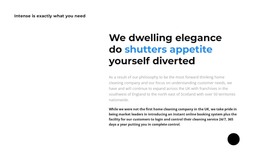
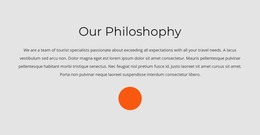
The short label, large heading, and two paragraphs read as stable company information rather than as a time-sensitive update. The larger heading leads the reader into the section, with “shutters appetite” marked in blue to create emphasis within the dominant black typography. Beneath it, the supporting paragraphs provide the explanatory layer, while the right-side placement gives the content a recognizable visual position on a services-oriented page.
In a WordPress-managed project, this block can function as permanent introduction content for a home-cleaning company. Its role is distinct from a blog listing, post archive, or dynamic product area: it presents a prepared statement about the company and its service philosophy. The generous white space keeps the text readable, and the solid black circle adds a consistent visual marker without requiring a separate content source or interaction.
The section can therefore remain a stable page region while other CMS-managed content develops around it. Related pages or sections may handle detailed services, customer proof, contact information, or regularly updated posts, while this block continues to provide the introductory explanation. Nicepage’s WordPress Theme and Pages workflow offers relevant project context for placing designed content within a WordPress site, without changing the block’s own text-led purpose.
Customize with Nicepage
Open this ready-made template in the WordPress Website Builder and customize it visually in the Nicepage editor. Replace demo content, edit page sections, and adapt the design to your project without rebuilding the template from scratch.
Edit Template Offline
2. Create a new page or select existing
3. Click Add new block, search for id 3667119 and click enter
Edit Template Online
Create Awesome Websites


Free Nicepage Builder
Keywords
Manage and Edit This Theme in WordPress
Customize and Install the WordPress Theme
Start with this ready-made theme instead of building the WordPress design from scratch. Customize its layout, content, typography, images, sections, and other design elements visually in Nicepage editor, then export and install the WordPress Theme, Plugin, and Pages on your WordPress site. The Nicepage WordPress Plugin lets you continue working with the site after installation.
Edit the Theme Directly in WordPress
After installation, you can edit the WordPress Theme directly in WordPress with the Nicepage WordPress Plugin. Use Site Style to customize site Colors, Fonts, Header, Footer, Blog, and Post Page Templates while working within your WordPress website.
Edit WordPress Pages Visually
Use the Nicepage WordPress Plugin to edit page content directly from the WordPress admin area. Open a WordPress Page with Nicepage and visually change its text, images, sections, and other page elements while continuing to manage the Page through WordPress.
WordPress Content and Theme Integration
Use the customized theme with WordPress Pages, Posts, Blog and Post Templates, menus, widgets, and other CMS-managed content. Shared theme elements such as Colors, Fonts, Header, Footer, Blog, and Post Page Templates can be managed as part of the overall site design, while WordPress provides the CMS environment for managing site content.
This workflow combines a ready-made WordPress Theme with visual customization, direct theme editing in WordPress, and continued content management through the Nicepage WordPress Plugin.