Thank you WordPress Theme



Stable Confirmation Content in a WordPress-Managed Page
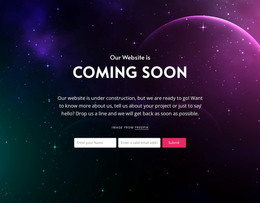
The block reads as permanent page content because its purpose is a single thank-you statement rather than a stream of dated entries or a collection of records. The large two-line heading is centered within a thin white frame, and the dark abstract image supplies the background field that makes the message visually distinct. This combination can suit a confirmation or closing area on a WordPress-managed page while leaving the wider site to handle navigation, editorial content, and other page functions.
The content relationship is intentionally compact: one message region carries the meaning, and the contrast, border, and negative space carry much of the presentation. That makes the section easy to keep visually consistent when the surrounding project is updated, without implying that WordPress posts, categories, widgets, or other CMS structures are already part of the block. A Nicepage WordPress project can place comparable visual content within managed pages, while the block itself remains a reusable section. The surrounding page may handle the action that leads to this message, such as a submission or completed step, but this section only presents the resulting statement. Its value in a WordPress Theme context is therefore the dependable presentation of a focused page-content region, not a standalone theme architecture.
Customize with Nicepage
Open this ready-made template in the WordPress Website Builder and customize it visually in the Nicepage editor. Replace demo content, edit page sections, and adapt the design to your project without rebuilding the template from scratch.
Edit Template Offline
2. Create a new page or select existing
3. Click Add new block, search for id 474176 and click enter
Edit Template Online
Create Awesome Websites


Free Nicepage Builder
Keywords
Manage and Edit This Theme in WordPress
Customize and Install the WordPress Theme
Start with this ready-made theme instead of building the WordPress design from scratch. Customize its layout, content, typography, images, sections, and other design elements visually in Nicepage editor, then export and install the WordPress Theme, Plugin, and Pages on your WordPress site. The Nicepage WordPress Plugin lets you continue working with the site after installation.
Edit the Theme Directly in WordPress
After installation, you can edit the WordPress Theme directly in WordPress with the Nicepage WordPress Plugin. Use Site Style to customize site Colors, Fonts, Header, Footer, Blog, and Post Page Templates while working within your WordPress website.
Edit WordPress Pages Visually
Use the Nicepage WordPress Plugin to edit page content directly from the WordPress admin area. Open a WordPress Page with Nicepage and visually change its text, images, sections, and other page elements while continuing to manage the Page through WordPress.
WordPress Content and Theme Integration
Use the customized theme with WordPress Pages, Posts, Blog and Post Templates, menus, widgets, and other CMS-managed content. Shared theme elements such as Colors, Fonts, Header, Footer, Blog, and Post Page Templates can be managed as part of the overall site design, while WordPress provides the CMS environment for managing site content.
This workflow combines a ready-made WordPress Theme with visual customization, direct theme editing in WordPress, and continued content management through the Nicepage WordPress Plugin.