Mastering Visual Composition WordPress Theme


Edit Template Offline
2. Create new page and search for id 6350148
Edit Template Online
Create Awesome Websites


Free Nicepage Builder
Keywords
Permanent Contact Content Leaves Room for WordPress Expansion
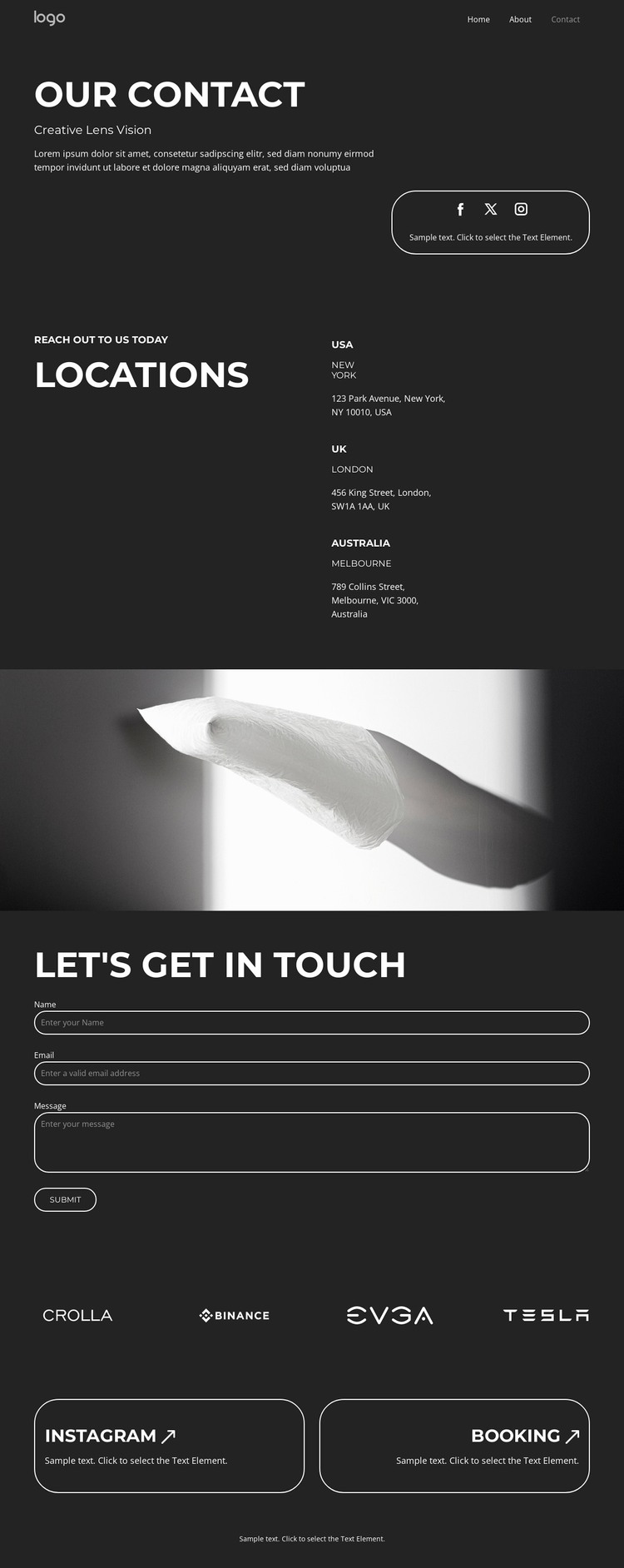
The page separates several kinds of content that could remain visually coordinated in a WordPress-oriented project. The introductory contact section and the three location entries represent relatively stable page information, while the Facebook, Twitter, and Instagram links provide access to external social destinations. The inquiry form then gives the page a focused area for collecting a visitor’s name, email, and message. These relationships make the design suitable for permanent contact content without claiming that WordPress Posts, categories, or blog structures already exist.
The repeated brand-logo strip adds a separate showcase region, and the Instagram and Booking cards suggest two different directions for future content: social engagement and scheduling-related information. Because those prompts are visually isolated, related page content could be developed around them without changing the main contact hierarchy. The near-black palette, white type, thin outlined rounded containers, and mobile navigation preserve a consistent theme frame around these areas. In a WordPress project, the design can therefore accommodate page-oriented contact information alongside additional managed content as the site grows. Its main strength is the clear distinction between stable contact details, repeated location data, inquiry capture, visual marks, and follow-up prompts—not an unsupported claim that any specific WordPress content type is already present.
Customize with Nicepage
Open this ready-made template in the WordPress Website Builder and customize it visually in the Nicepage editor. Replace demo content, edit page sections, and adapt the design to your project without rebuilding the template from scratch.
Manage and Edit This Theme in WordPress
Customize and Install the WordPress Theme
Start with this ready-made theme instead of building the WordPress design from scratch. Customize its layout, content, typography, images, sections, and other design elements visually in Nicepage editor, then export and install the WordPress Theme, Plugin, and Pages on your WordPress site. The Nicepage WordPress Plugin lets you continue working with the site after installation.
Edit the Theme Directly in WordPress
After installation, you can edit the WordPress Theme directly in WordPress with the Nicepage WordPress Plugin. Use Site Style to customize site Colors, Fonts, Header, Footer, Blog, and Post Page Templates while working within your WordPress website.
Edit WordPress Pages Visually
Use the Nicepage WordPress Plugin to edit page content directly from the WordPress admin area. Open a WordPress Page with Nicepage and visually change its text, images, sections, and other page elements while continuing to manage the Page through WordPress.
WordPress Content and Theme Integration
Use the customized theme with WordPress Pages, Posts, Blog and Post Templates, menus, widgets, and other CMS-managed content. Shared theme elements such as Colors, Fonts, Header, Footer, Blog, and Post Page Templates can be managed as part of the overall site design, while WordPress provides the CMS environment for managing site content.
This workflow combines a ready-made WordPress Theme with visual customization, direct theme editing in WordPress, and continued content management through the Nicepage WordPress Plugin.