How to run a marathon WordPress Theme



Running Club Information as Stable WordPress Page Content
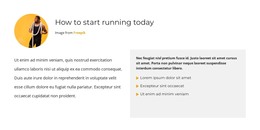
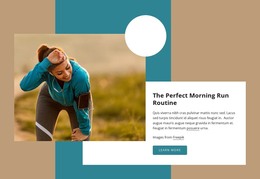
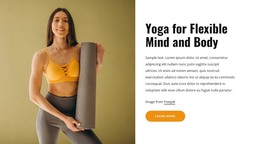
The Sport club eyebrow and Running heading make the block read as stable introductory page content, while the two supporting text instances add context around the activity. The larger left photograph provides the main visual entry, and the center column pairs a teal text panel with a smaller running photograph. A narrow blue panel on the right repeats the supporting sentence, giving the section continuity across its three-column mosaic.
In a WordPress-managed page, this block can serve as a fixed sports or running-club introduction while the wider project handles additional pages and changing content around it. Its structure is suited to information that should remain visible as part of the page’s main presentation, rather than relying on a feed of time-sensitive items. The block does not need to become a complete theme or contain the site’s broader publishing structure; it contributes one designed content region.
The visual treatment can also help keep that page content recognizable. White type contrasts with teal and bright blue panels, while the two photographs reinforce the running subject without requiring extra labels. The larger image, stacked center arrangement, and narrow right panel give the WordPress page a defined opening section that can sit alongside other content areas managed by the surrounding site.
Customize with Nicepage
Open this ready-made template in the WordPress Website Builder and customize it visually in the Nicepage editor. Replace demo content, edit page sections, and adapt the design to your project without rebuilding the template from scratch.
Edit Template Offline
2. Create a new page or select existing
3. Click Add new block, search for id 62442 and click enter
Edit Template Online
Create Awesome Websites


Free Nicepage Builder
Keywords
Manage and Edit This Theme in WordPress
Customize and Install the WordPress Theme
Start with this ready-made theme instead of building the WordPress design from scratch. Customize its layout, content, typography, images, sections, and other design elements visually in Nicepage editor, then export and install the WordPress Theme, Plugin, and Pages on your WordPress site. The Nicepage WordPress Plugin lets you continue working with the site after installation.
Edit the Theme Directly in WordPress
After installation, you can edit the WordPress Theme directly in WordPress with the Nicepage WordPress Plugin. Use Site Style to customize site Colors, Fonts, Header, Footer, Blog, and Post Page Templates while working within your WordPress website.
Edit WordPress Pages Visually
Use the Nicepage WordPress Plugin to edit page content directly from the WordPress admin area. Open a WordPress Page with Nicepage and visually change its text, images, sections, and other page elements while continuing to manage the Page through WordPress.
WordPress Content and Theme Integration
Use the customized theme with WordPress Pages, Posts, Blog and Post Templates, menus, widgets, and other CMS-managed content. Shared theme elements such as Colors, Fonts, Header, Footer, Blog, and Post Page Templates can be managed as part of the overall site design, while WordPress provides the CMS environment for managing site content.
This workflow combines a ready-made WordPress Theme with visual customization, direct theme editing in WordPress, and continued content management through the Nicepage WordPress Plugin.