Targeting and media marketing WordPress Theme


A Central Planning Theme Organizes Three WordPress Page Content Groups
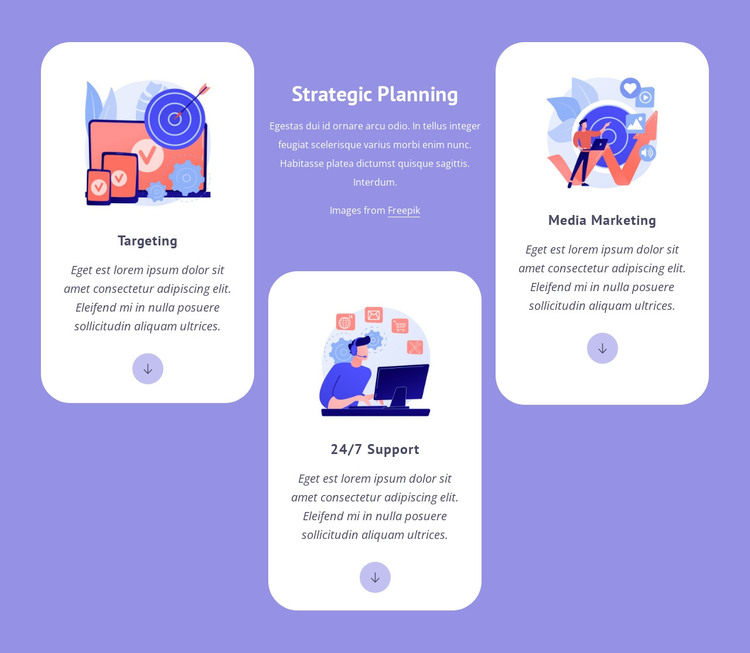
The Strategic Planning heading gives the section a stable subject for page-oriented content, while Targeting, 24/7 Support, and Media Marketing divide that subject into three recognizable feature groups. Each card combines an illustration, title, descriptive text, and circular downward-arrow icon, so the repeated structure makes the topics easy to compare without turning them into one undifferentiated text area. The staggered three-column arrangement places these groups around the central supporting panel and gives the section a defined visual footprint.
In a WordPress-managed page, this block can function as permanent feature or service content that remains visually consistent while the wider site grows around it. The lavender background marks the section as a separate content area, and the white rounded cards make each topic legible as its own unit. The sample descriptions can be replaced with project-specific copy while preserving the established relationship between the central explanation and the three supporting cards.
The WordPress context is therefore useful for interpreting the block as a reusable page section rather than as a complete theme. It can sit on a services, strategy, or marketing-oriented page while other content areas handle introductions, detailed information, proof, or contact actions. Its value comes from combining stable page content with a recognizable visual pattern that can be maintained across the broader project without changing the block's core structure.
Customize with Nicepage
Open this ready-made template in the WordPress Website Builder and customize it visually in the Nicepage editor. Replace demo content, edit page sections, and adapt the design to your project without rebuilding the template from scratch.
Edit Template Offline
2. Create a new page or select existing
3. Click Add new block, search for id 494830 and click enter
Edit Template Online
Create Awesome Websites


Free Nicepage Builder
Keywords
Manage and Edit This Theme in WordPress
Customize and Install the WordPress Theme
Start with this ready-made theme instead of building the WordPress design from scratch. Customize its layout, content, typography, images, sections, and other design elements visually in Nicepage editor, then export and install the WordPress Theme, Plugin, and Pages on your WordPress site. The Nicepage WordPress Plugin lets you continue working with the site after installation.
Edit the Theme Directly in WordPress
After installation, you can edit the WordPress Theme directly in WordPress with the Nicepage WordPress Plugin. Use Site Style to customize site Colors, Fonts, Header, Footer, Blog, and Post Page Templates while working within your WordPress website.
Edit WordPress Pages Visually
Use the Nicepage WordPress Plugin to edit page content directly from the WordPress admin area. Open a WordPress Page with Nicepage and visually change its text, images, sections, and other page elements while continuing to manage the Page through WordPress.
WordPress Content and Theme Integration
Use the customized theme with WordPress Pages, Posts, Blog and Post Templates, menus, widgets, and other CMS-managed content. Shared theme elements such as Colors, Fonts, Header, Footer, Blog, and Post Page Templates can be managed as part of the overall site design, while WordPress provides the CMS environment for managing site content.
This workflow combines a ready-made WordPress Theme with visual customization, direct theme editing in WordPress, and continued content management through the Nicepage WordPress Plugin.