Pilates vs yoga WordPress Theme



Edit Template Offline
2. Create new page and search for id 140702
Edit Template Online
Create Awesome Websites


Free Nicepage Builder
Keywords
Repeated Class Content and Editorial Stories Fit a Managed Theme
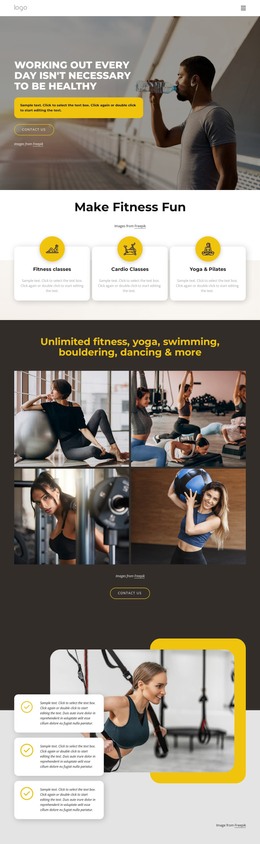
The six named categories in How We Help provide the clearest repeated content pattern in this design. Cycling, Running, Dance Class, Fitness, Pilates, and Weight Loss can be understood as distinct program information areas, while the dedicated Pilates and yoga section supplies fuller introductory content with two images and supporting copy. This separation is useful for a fitness site where permanent class information may sit alongside other managed page content.
The page also mixes recurring subject matter with editorial-style presentation. Weight Loss & Diet Plan combines a testimonial-style passage with overlapping fitness images, the numbered carousel highlights featured material, and Run smart, hurt less introduces guidance before a four-image gallery. About Club adds a portrait and explanatory copy, giving the site a clear organizational area in addition to its program content. These relationships offer more useful theme interpretation than simply attaching a CMS name to the page.
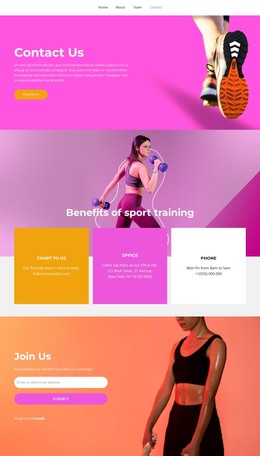
Social links and the final contact form provide shared site elements that can remain connected to the club’s visual direction as content develops. If the project uses Nicepage with WordPress, the WordPress Plugin is a relevant bridge for editing page content in that environment. The verified template does not prove that Posts or blog structures already exist, so the strongest WordPress interpretation remains its combination of page-oriented classes, featured content, club information, and inquiry areas.
Customize with Nicepage
Open this ready-made template in the WordPress Website Builder and customize it visually in the Nicepage editor. Replace demo content, edit page sections, and adapt the design to your project without rebuilding the template from scratch.
Manage and Edit This Theme in WordPress
Customize and Install the WordPress Theme
Start with this ready-made theme instead of building the WordPress design from scratch. Customize its layout, content, typography, images, sections, and other design elements visually in Nicepage editor, then export and install the WordPress Theme, Plugin, and Pages on your WordPress site. The Nicepage WordPress Plugin lets you continue working with the site after installation.
Edit the Theme Directly in WordPress
After installation, you can edit the WordPress Theme directly in WordPress with the Nicepage WordPress Plugin. Use Site Style to customize site Colors, Fonts, Header, Footer, Blog, and Post Page Templates while working within your WordPress website.
Edit WordPress Pages Visually
Use the Nicepage WordPress Plugin to edit page content directly from the WordPress admin area. Open a WordPress Page with Nicepage and visually change its text, images, sections, and other page elements while continuing to manage the Page through WordPress.
WordPress Content and Theme Integration
Use the customized theme with WordPress Pages, Posts, Blog and Post Templates, menus, widgets, and other CMS-managed content. Shared theme elements such as Colors, Fonts, Header, Footer, Blog, and Post Page Templates can be managed as part of the overall site design, while WordPress provides the CMS environment for managing site content.
This workflow combines a ready-made WordPress Theme with visual customization, direct theme editing in WordPress, and continued content management through the Nicepage WordPress Plugin.