The best yoga teachers WordPress Theme


Edit Template Offline
2. Create new page and search for id 4795507
Edit Template Online
Create Awesome Websites


Free Nicepage Builder
Keywords
Profile content and inquiry fields suit a WordPress theme structure
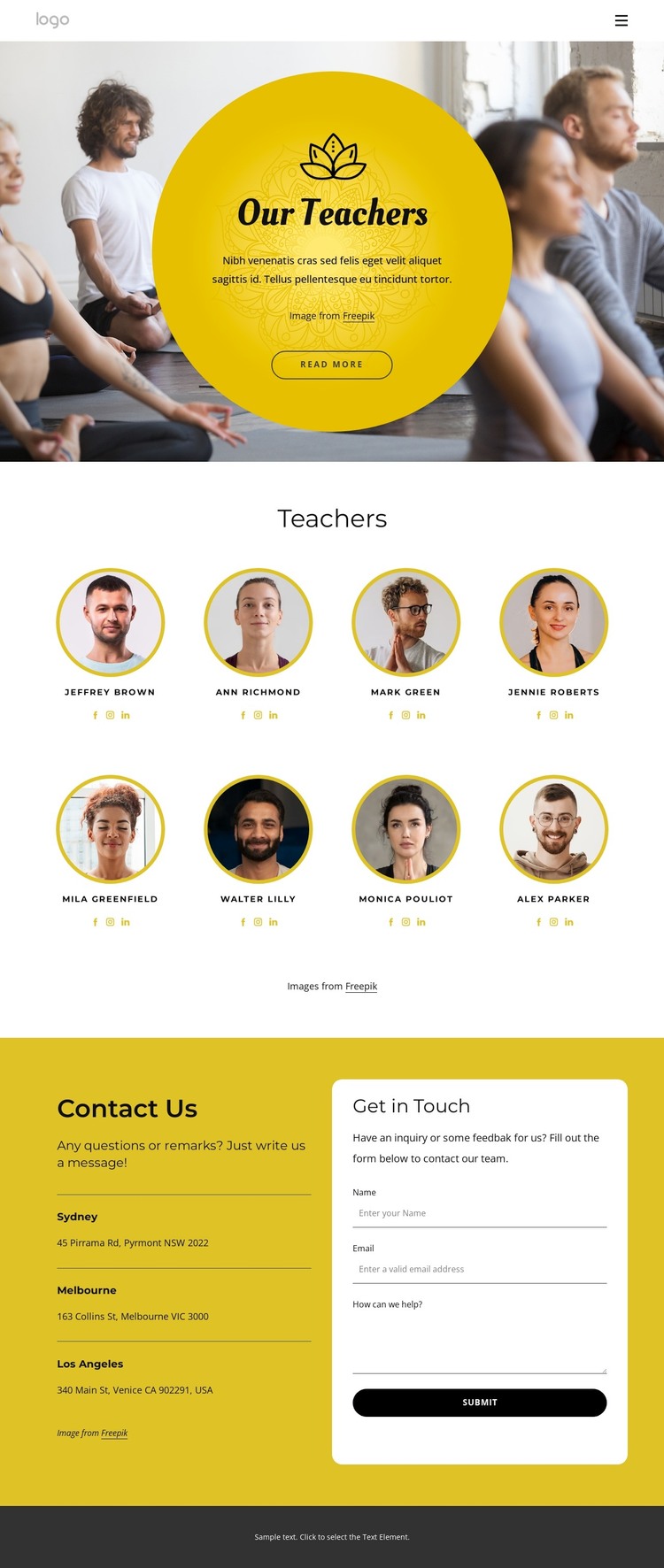
The eight teacher profiles provide the clearest page-oriented content area in this design. Circular portraits, names, and social icons repeat a consistent presentation pattern, making the directory suitable for organizing instructor information within a WordPress-oriented site while keeping the visual relationship between profiles intact. The image-backed hero gives that content a defined introduction through the “Our Teachers” heading, centered copy, and circular yellow treatment.
The lower contact area adds content that can remain distinct from the profile directory. Sydney, Melbourne, and Los Angeles appear as three location entries, while the adjacent white inquiry panel contains name, email, and message inputs and a Submit button. This creates a practical separation between permanent team information, location context, and visitor-submitted communication. The yoga navigation link can connect this team-focused page with other page-oriented content, while the dark footer and repeated yellow accents help maintain a shared theme character. This interpretation does not assume that WordPress Posts, categories, or blog templates already exist; it focuses on the verified page areas that a WordPress project could manage and extend. The design is therefore suited to a wellness site where instructor profiles remain central and contact information continues within the same visual system.
Customize with Nicepage
Open this ready-made template in the WordPress Website Builder and customize it visually in the Nicepage editor. Replace demo content, edit page sections, and adapt the design to your project without rebuilding the template from scratch.
Manage and Edit This Theme in WordPress
Customize and Install the WordPress Theme
Start with this ready-made theme instead of building the WordPress design from scratch. Customize its layout, content, typography, images, sections, and other design elements visually in Nicepage editor, then export and install the WordPress Theme, Plugin, and Pages on your WordPress site. The Nicepage WordPress Plugin lets you continue working with the site after installation.
Edit the Theme Directly in WordPress
After installation, you can edit the WordPress Theme directly in WordPress with the Nicepage WordPress Plugin. Use Site Style to customize site Colors, Fonts, Header, Footer, Blog, and Post Page Templates while working within your WordPress website.
Edit WordPress Pages Visually
Use the Nicepage WordPress Plugin to edit page content directly from the WordPress admin area. Open a WordPress Page with Nicepage and visually change its text, images, sections, and other page elements while continuing to manage the Page through WordPress.
WordPress Content and Theme Integration
Use the customized theme with WordPress Pages, Posts, Blog and Post Templates, menus, widgets, and other CMS-managed content. Shared theme elements such as Colors, Fonts, Header, Footer, Blog, and Post Page Templates can be managed as part of the overall site design, while WordPress provides the CMS environment for managing site content.
This workflow combines a ready-made WordPress Theme with visual customization, direct theme editing in WordPress, and continued content management through the Nicepage WordPress Plugin.