Big sale up to 15% off WordPress Theme


Stable Promotional Content for a WordPress-Managed Page
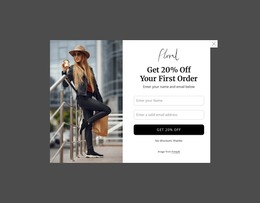
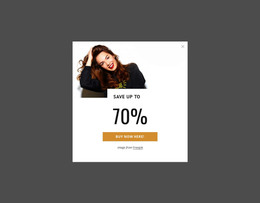
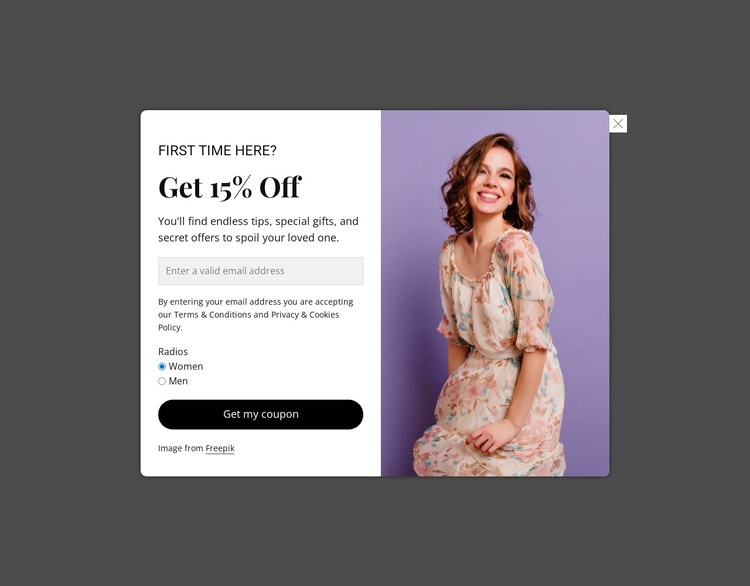
The modal reads as stable page content rather than a stream of dated editorial entries. Its left panel groups a promotional message with one email signup field, two gender preference options, a terms and privacy notice, and the “Get my coupon” button. That combination can occupy a promotional region on a WordPress-managed page, where the surrounding project can maintain the wider page content separately from this focused signup section.
The portrait image gives the section a distinct visual counterpart to the form. It fills the right half of the rounded card, while the white form panel keeps the text and controls together for straightforward scanning. Black promotional typography and the pill-shaped button create a consistent visual path from the offer to the response. The dark translucent backdrop marks the modal context without adding unrelated page elements to the block.
Within a WordPress-oriented project, the displayed discount language, preference labels, and consent wording can be replaced with the final campaign content while preserving the same content relationships. The section can therefore support a promotional or coupon-focused page area managed alongside other site content. It remains one reusable page section, not a complete WordPress theme, and the surrounding site supplies its broader templates, navigation, and publishing context.
Customize with Nicepage
Open this ready-made template in the WordPress Website Builder and customize it visually in the Nicepage editor. Replace demo content, edit page sections, and adapt the design to your project without rebuilding the template from scratch.
Edit Template Offline
2. Create a new page or select existing
3. Click Add new block, search for id 6548466 and click enter
Edit Template Online
Create Awesome Websites


Free Nicepage Builder
Keywords
Manage and Edit This Theme in WordPress
Customize and Install the WordPress Theme
Start with this ready-made theme instead of building the WordPress design from scratch. Customize its layout, content, typography, images, sections, and other design elements visually in Nicepage editor, then export and install the WordPress Theme, Plugin, and Pages on your WordPress site. The Nicepage WordPress Plugin lets you continue working with the site after installation.
Edit the Theme Directly in WordPress
After installation, you can edit the WordPress Theme directly in WordPress with the Nicepage WordPress Plugin. Use Site Style to customize site Colors, Fonts, Header, Footer, Blog, and Post Page Templates while working within your WordPress website.
Edit WordPress Pages Visually
Use the Nicepage WordPress Plugin to edit page content directly from the WordPress admin area. Open a WordPress Page with Nicepage and visually change its text, images, sections, and other page elements while continuing to manage the Page through WordPress.
WordPress Content and Theme Integration
Use the customized theme with WordPress Pages, Posts, Blog and Post Templates, menus, widgets, and other CMS-managed content. Shared theme elements such as Colors, Fonts, Header, Footer, Blog, and Post Page Templates can be managed as part of the overall site design, while WordPress provides the CMS environment for managing site content.
This workflow combines a ready-made WordPress Theme with visual customization, direct theme editing in WordPress, and continued content management through the Nicepage WordPress Plugin.