Order fresh flowers online WordPress Theme



Stable Flower-Delivery Content With Two Publishable Actions
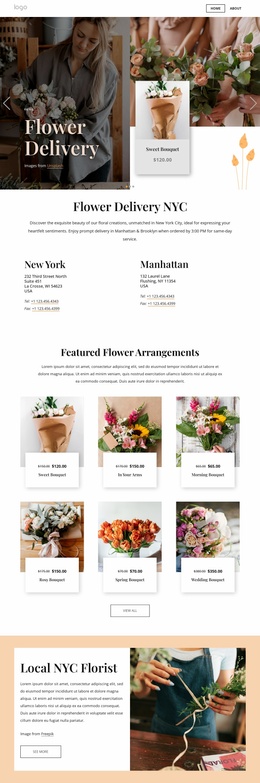
The centered Flower Delivery heading and its supporting online-ordering message read as stable page content rather than a time-sensitive list of posts. That makes the block suitable for a WordPress-managed page where a floral retail introduction should remain visually consistent while the surrounding project grows around it. The full-width floral photograph supplies the section's main visual context, and the dark overlay keeps the cream serif heading and white paragraph legible.
Best Sellers and Shop Now give the content two distinct destinations. The labels can remain part of the page section while the wider WordPress project determines the pages or shopping areas they lead toward. Because the block contains no product grid, pricing table, form, or catalog logic, its role is focused: introduce the flower-delivery offer and help visitors continue toward shopping content. The outlined and light filled button treatments reinforce that distinction without changing the underlying content structure.
As one reusable section within a WordPress-oriented site, the block can support a page's visual direction while other content areas handle products, seasonal information, delivery details, or editorial material. Its value lies in the stable relationship between image, message, contrast, and actions. The section remains a page component that participates in the broader theme and content environment rather than functioning as a standalone WordPress theme.
Customize with Nicepage
Open this ready-made template in the WordPress Website Builder and customize it visually in the Nicepage editor. Replace demo content, edit page sections, and adapt the design to your project without rebuilding the template from scratch.
Edit Template Offline
2. Create a new page or select existing
3. Click Add new block, search for id 6349549 and click enter
Edit Template Online
Create Awesome Websites


Free Nicepage Builder
Keywords
Manage and Edit This Theme in WordPress
Customize and Install the WordPress Theme
Start with this ready-made theme instead of building the WordPress design from scratch. Customize its layout, content, typography, images, sections, and other design elements visually in Nicepage editor, then export and install the WordPress Theme, Plugin, and Pages on your WordPress site. The Nicepage WordPress Plugin lets you continue working with the site after installation.
Edit the Theme Directly in WordPress
After installation, you can edit the WordPress Theme directly in WordPress with the Nicepage WordPress Plugin. Use Site Style to customize site Colors, Fonts, Header, Footer, Blog, and Post Page Templates while working within your WordPress website.
Edit WordPress Pages Visually
Use the Nicepage WordPress Plugin to edit page content directly from the WordPress admin area. Open a WordPress Page with Nicepage and visually change its text, images, sections, and other page elements while continuing to manage the Page through WordPress.
WordPress Content and Theme Integration
Use the customized theme with WordPress Pages, Posts, Blog and Post Templates, menus, widgets, and other CMS-managed content. Shared theme elements such as Colors, Fonts, Header, Footer, Blog, and Post Page Templates can be managed as part of the overall site design, while WordPress provides the CMS environment for managing site content.
This workflow combines a ready-made WordPress Theme with visual customization, direct theme editing in WordPress, and continued content management through the Nicepage WordPress Plugin.