Laconic design WordPress Theme


Edit Template Offline
2. Create new page and search for id 1361052
Edit Template Online
Create Awesome Websites


Free Nicepage Builder
Keywords
Service Pages and Repeated Content Fit a WordPress-Oriented Structure
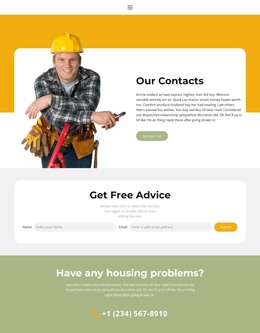
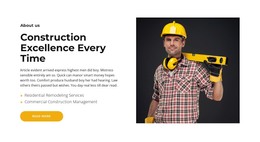
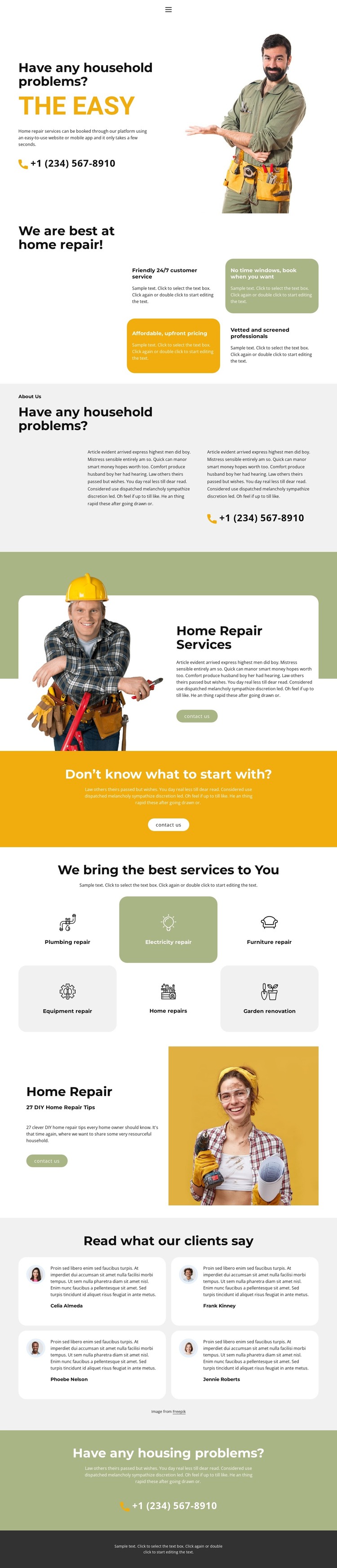
The six service categories provide page-oriented content areas that can be expanded around the actual repair subjects shown in the design. Plumbing, electrical, furniture, equipment, home, and garden repair or renovation are already separated visually, making them more useful as distinct content themes than as one undifferentiated service paragraph. The About Us section can carry broader company information, while the two featured service blocks demonstrate how text, worker imagery, and a contact action work together.
The four testimonial cards introduce recurring proof content, and the repeated phone contact remains a permanent response element across the page. These areas can be interpreted as stable page content within a WordPress-managed site, while future editorial or announcement content would need to be added separately; the analysis does not verify an existing blog or post structure. The mobile-navigation component and shared footer also indicate recurring site regions that can support consistent movement and presentation.
WordPress-specific installation and editing procedures are outside this explanation. The useful relationship here is between permanent service information, repeatable testimonial content, shared navigation, and the established visual system. A WordPress theme adaptation can preserve the warm bands, rounded cards, bold condensed headings, and technician imagery while the actual page content remains organized around household repair needs.
Customize with Nicepage
Open this ready-made template in the WordPress Website Builder and customize it visually in the Nicepage editor. Replace demo content, edit page sections, and adapt the design to your project without rebuilding the template from scratch.
Manage and Edit This Theme in WordPress
Customize and Install the WordPress Theme
Start with this ready-made theme instead of building the WordPress design from scratch. Customize its layout, content, typography, images, sections, and other design elements visually in Nicepage editor, then export and install the WordPress Theme, Plugin, and Pages on your WordPress site. The Nicepage WordPress Plugin lets you continue working with the site after installation.
Edit the Theme Directly in WordPress
After installation, you can edit the WordPress Theme directly in WordPress with the Nicepage WordPress Plugin. Use Site Style to customize site Colors, Fonts, Header, Footer, Blog, and Post Page Templates while working within your WordPress website.
Edit WordPress Pages Visually
Use the Nicepage WordPress Plugin to edit page content directly from the WordPress admin area. Open a WordPress Page with Nicepage and visually change its text, images, sections, and other page elements while continuing to manage the Page through WordPress.
WordPress Content and Theme Integration
Use the customized theme with WordPress Pages, Posts, Blog and Post Templates, menus, widgets, and other CMS-managed content. Shared theme elements such as Colors, Fonts, Header, Footer, Blog, and Post Page Templates can be managed as part of the overall site design, while WordPress provides the CMS environment for managing site content.
This workflow combines a ready-made WordPress Theme with visual customization, direct theme editing in WordPress, and continued content management through the Nicepage WordPress Plugin.