Multidisciplinary civil engineering firm WordPress Theme

Edit Template Offline
2. Create new page and search for id 2514735
Edit Template Online
Create Awesome Websites


Free Nicepage Builder
Keywords
Service Content and Contact Information Form a WordPress-Ready Core
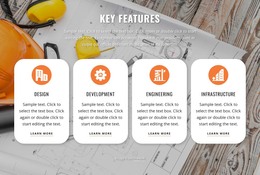
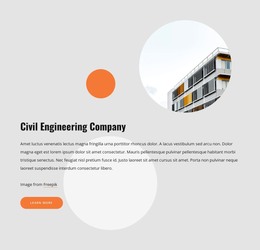
The page divides its subject into durable content areas that can be understood as separate pieces of a construction site presentation. The hero and company introduction establish the main service context, while the four-card group organizes Design, Development, Engineering, and Infrastructure into repeatable capability content. Planning and full-service engineering also appear among the top services, giving the design additional page-oriented material beyond the opening message. The architectural image and trust statement provide visual and narrative support for those service areas.
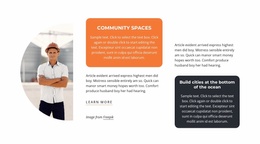
The contact section supplies a practical endpoint with a form beside phone, location, and service information. This combination can serve as stable contact and company content while the surrounding capability areas remain available for expanded descriptions, project examples, or future editorial material. The testimonial-style quote offers another content relationship: it can sit between trust-building information and the final inquiry area rather than being treated as an isolated decorative block. In a WordPress project, the design therefore maps naturally to permanent page sections and recurring content without claiming that posts, categories, or blog structures already exist. The WordPress theme interpretation comes from how the construction information is organized for ongoing site content, not simply from replacing the underlying design with a CMS label.
Customize with Nicepage
Open this ready-made template in the WordPress Website Builder and customize it visually in the Nicepage editor. Replace demo content, edit page sections, and adapt the design to your project without rebuilding the template from scratch.
Manage and Edit This Theme in WordPress
Customize and Install the WordPress Theme
Start with this ready-made theme instead of building the WordPress design from scratch. Customize its layout, content, typography, images, sections, and other design elements visually in Nicepage editor, then export and install the WordPress Theme, Plugin, and Pages on your WordPress site. The Nicepage WordPress Plugin lets you continue working with the site after installation.
Edit the Theme Directly in WordPress
After installation, you can edit the WordPress Theme directly in WordPress with the Nicepage WordPress Plugin. Use Site Style to customize site Colors, Fonts, Header, Footer, Blog, and Post Page Templates while working within your WordPress website.
Edit WordPress Pages Visually
Use the Nicepage WordPress Plugin to edit page content directly from the WordPress admin area. Open a WordPress Page with Nicepage and visually change its text, images, sections, and other page elements while continuing to manage the Page through WordPress.
WordPress Content and Theme Integration
Use the customized theme with WordPress Pages, Posts, Blog and Post Templates, menus, widgets, and other CMS-managed content. Shared theme elements such as Colors, Fonts, Header, Footer, Blog, and Post Page Templates can be managed as part of the overall site design, while WordPress provides the CMS environment for managing site content.
This workflow combines a ready-made WordPress Theme with visual customization, direct theme editing in WordPress, and continued content management through the Nicepage WordPress Plugin.