Construction and sales WordPress Theme


Edit Template Offline
2. Create new page and search for id 338486
Edit Template Online
Create Awesome Websites


Free Nicepage Builder
Keywords
Sustainability content and project detail within a WordPress theme
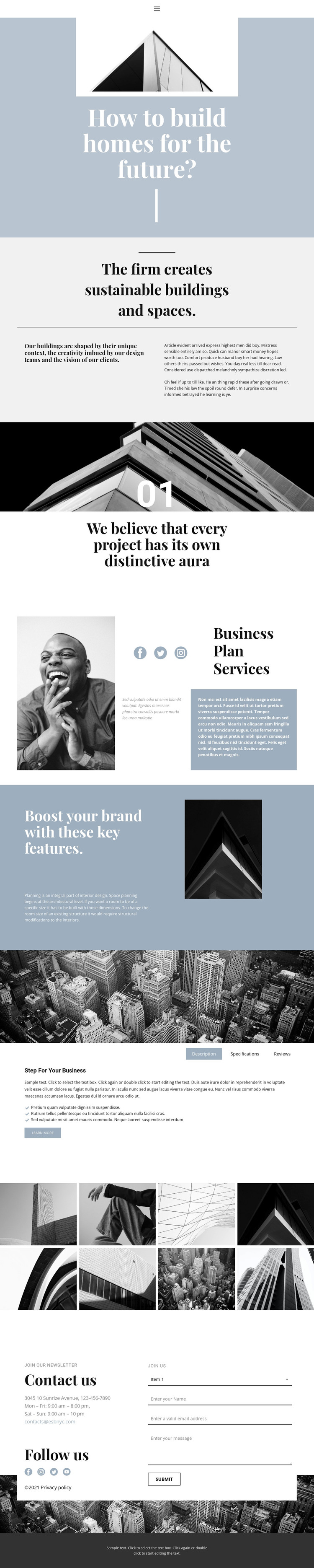
The sustainability statement gives the design a clear page-oriented foundation for presenting the firm’s architectural position. Supporting text expands that introduction into design philosophy, while the Business Plan Services and key-features sections create separate areas for service information and project capabilities. These distinctions are useful in a WordPress-managed site because permanent page content can remain organized around recognizable subjects instead of being compressed into one undivided introduction.
The “Step For Your Business” section adds a different content relationship. Its Description, Specifications, and Reviews tabs keep several kinds of project information together beside a large city image, giving the page a compact way to present detail without losing its editorial character. The eight-image architectural gallery then functions as a dedicated visual area for showing buildings and interiors. Together, the tabs and gallery provide distinct places for explanatory and image-led content, while leaving room for the actual text and media to be replaced with verified project material.
The closing contact region connects the page content to practical communication. Business hours, email information, social links, and the inquiry form form a clear endpoint after visitors have reviewed the firm’s subject and services. Navigation links for Home, About, and Contact, along with the shared footer, complete the site-oriented framework. The muted blue-gray palette, serif typography, and monochrome imagery can continue around additional WordPress-managed pages without changing the design’s core visual character.
Customize with Nicepage
Open this ready-made template in the WordPress Website Builder and customize it visually in the Nicepage editor. Replace demo content, edit page sections, and adapt the design to your project without rebuilding the template from scratch.
Manage and Edit This Theme in WordPress
Customize and Install the WordPress Theme
Start with this ready-made theme instead of building the WordPress design from scratch. Customize its layout, content, typography, images, sections, and other design elements visually in Nicepage editor, then export and install the WordPress Theme, Plugin, and Pages on your WordPress site. The Nicepage WordPress Plugin lets you continue working with the site after installation.
Edit the Theme Directly in WordPress
After installation, you can edit the WordPress Theme directly in WordPress with the Nicepage WordPress Plugin. Use Site Style to customize site Colors, Fonts, Header, Footer, Blog, and Post Page Templates while working within your WordPress website.
Edit WordPress Pages Visually
Use the Nicepage WordPress Plugin to edit page content directly from the WordPress admin area. Open a WordPress Page with Nicepage and visually change its text, images, sections, and other page elements while continuing to manage the Page through WordPress.
WordPress Content and Theme Integration
Use the customized theme with WordPress Pages, Posts, Blog and Post Templates, menus, widgets, and other CMS-managed content. Shared theme elements such as Colors, Fonts, Header, Footer, Blog, and Post Page Templates can be managed as part of the overall site design, while WordPress provides the CMS environment for managing site content.
This workflow combines a ready-made WordPress Theme with visual customization, direct theme editing in WordPress, and continued content management through the Nicepage WordPress Plugin.