We build the structures and infrastructure WordPress Theme



Edit Template Offline
2. Create new page and search for id 6102026
Edit Template Online
Create Awesome Websites


Free Nicepage Builder
Keywords
Service Cards and Editorial Sections for WordPress Content
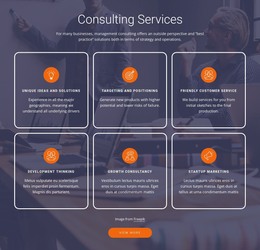
The repeated service collection gives WordPress-oriented content a strong page-based starting point. Six named areas—Preconstruction, Construction Management, Project Management, Development, Master Planning, and Leadership—separate permanent firm information into recognizable subjects. Instead of treating the services as one long description, the layout gives each category a card position within a shared visual system, leaving room for page copy, supporting links, or related project information to be developed later.
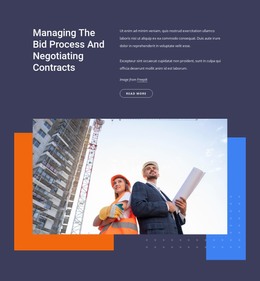
The design also balances these fixed informational areas with content that can support ongoing editorial use. The leadership section introduces a human and organizational angle, while the innovation columns collect construction technology and planning capabilities such as Production Tracking, Model Checking & Analysis, 5D Cost Estimating, Safety Planning, Laser Scanning, Logistics Planning, and 4D Scheduling. The bid-process and contract-negotiation section adds a focused explanation of how the firm approaches a specific project stage. These relationships help permanent page content and future updates remain visually connected without claiming that blog posts or categories already exist.
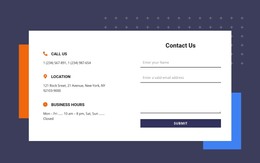
The newsletter subscription form provides a separate communication point at the end of the page, alongside office and landline details. In a WordPress project, that closing area can sit within the same content direction as the service and leadership sections. The supplied company name, address, phone numbers, and sample paragraphs are structural placeholders and should be replaced before publication.
Customize with Nicepage
Open this ready-made template in the WordPress Website Builder and customize it visually in the Nicepage editor. Replace demo content, edit page sections, and adapt the design to your project without rebuilding the template from scratch.
Manage and Edit This Theme in WordPress
Customize and Install the WordPress Theme
Start with this ready-made theme instead of building the WordPress design from scratch. Customize its layout, content, typography, images, sections, and other design elements visually in Nicepage editor, then export and install the WordPress Theme, Plugin, and Pages on your WordPress site. The Nicepage WordPress Plugin lets you continue working with the site after installation.
Edit the Theme Directly in WordPress
After installation, you can edit the WordPress Theme directly in WordPress with the Nicepage WordPress Plugin. Use Site Style to customize site Colors, Fonts, Header, Footer, Blog, and Post Page Templates while working within your WordPress website.
Edit WordPress Pages Visually
Use the Nicepage WordPress Plugin to edit page content directly from the WordPress admin area. Open a WordPress Page with Nicepage and visually change its text, images, sections, and other page elements while continuing to manage the Page through WordPress.
WordPress Content and Theme Integration
Use the customized theme with WordPress Pages, Posts, Blog and Post Templates, menus, widgets, and other CMS-managed content. Shared theme elements such as Colors, Fonts, Header, Footer, Blog, and Post Page Templates can be managed as part of the overall site design, while WordPress provides the CMS environment for managing site content.
This workflow combines a ready-made WordPress Theme with visual customization, direct theme editing in WordPress, and continued content management through the Nicepage WordPress Plugin.