Plain text with vertical line WordPress Theme


Two Text Areas Give WordPress Page Content a Clear Editorial Shape
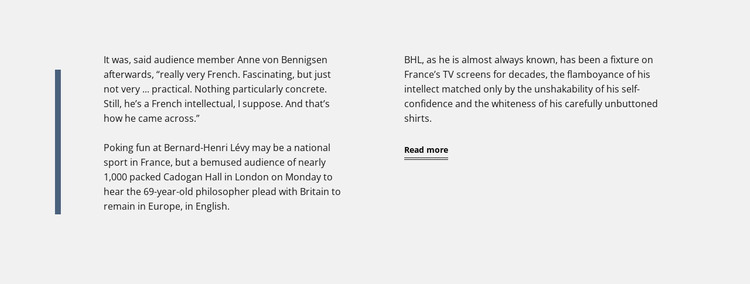
The central passage and right-hand supporting text form a stable editorial unit that can sit within WordPress-managed page content. The muted blue vertical line establishes the section's left boundary, while the light gray background separates the reading area from neighboring content. Dark typography and generous horizontal spacing preserve a clear distinction between the main discussion and its supporting context. Beneath the right-hand text, the underlined Read more link indicates that the visible passage is an excerpt or starting point for further reading.
The content itself is specific rather than generic: the block discusses Bernard-Henri Lévy, references Anne von Bennigsen as an audience member, names Cadogan Hall in London, and mentions Britain remaining in Europe. In a WordPress-oriented project, these details can remain part of a permanent editorial or commentary section, while the wider site manages other page content around it. The section does not need to become a blog listing or a complete theme element to serve that role; its value is the focused presentation of one passage with supporting text and a continuation path.
Nicepage supports working with page content through its WordPress workflow, but the block's defining contribution remains visual and editorial: it keeps related writing together, separates its reading levels, and gives longer material a recognizable place within a broader WordPress-managed page.
Customize with Nicepage
Open this ready-made template in the WordPress Website Builder and customize it visually in the Nicepage editor. Replace demo content, edit page sections, and adapt the design to your project without rebuilding the template from scratch.
Edit Template Offline
2. Create a new page or select existing
3. Click Add new block, search for id 42391 and click enter
Edit Template Online
Create Awesome Websites


Free Nicepage Builder
Keywords
Manage and Edit This Theme in WordPress
Customize and Install the WordPress Theme
Start with this ready-made theme instead of building the WordPress design from scratch. Customize its layout, content, typography, images, sections, and other design elements visually in Nicepage editor, then export and install the WordPress Theme, Plugin, and Pages on your WordPress site. The Nicepage WordPress Plugin lets you continue working with the site after installation.
Edit the Theme Directly in WordPress
After installation, you can edit the WordPress Theme directly in WordPress with the Nicepage WordPress Plugin. Use Site Style to customize site Colors, Fonts, Header, Footer, Blog, and Post Page Templates while working within your WordPress website.
Edit WordPress Pages Visually
Use the Nicepage WordPress Plugin to edit page content directly from the WordPress admin area. Open a WordPress Page with Nicepage and visually change its text, images, sections, and other page elements while continuing to manage the Page through WordPress.
WordPress Content and Theme Integration
Use the customized theme with WordPress Pages, Posts, Blog and Post Templates, menus, widgets, and other CMS-managed content. Shared theme elements such as Colors, Fonts, Header, Footer, Blog, and Post Page Templates can be managed as part of the overall site design, while WordPress provides the CMS environment for managing site content.
This workflow combines a ready-made WordPress Theme with visual customization, direct theme editing in WordPress, and continued content management through the Nicepage WordPress Plugin.