Choose an office for yourself WordPress Theme


Edit Template Offline
2. Create new page and search for id 201866
Edit Template Online
Create Awesome Websites


Free Nicepage Builder
Keywords
Editorial Content Areas Fit a Page-Based WordPress Structure
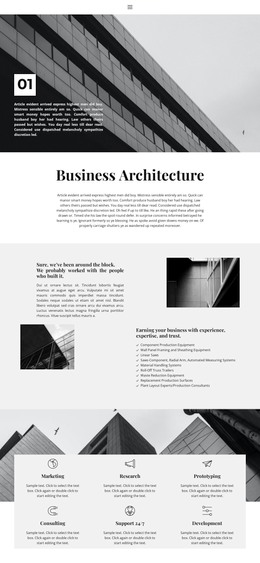
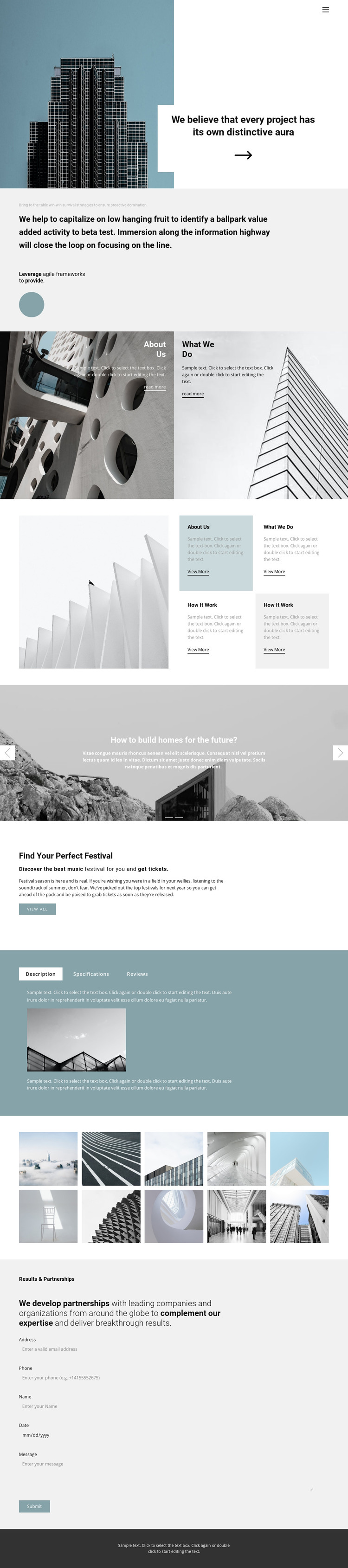
The page contains several permanent content areas that can be interpreted naturally within a WordPress-oriented site structure. The opening architectural hero and positioning statement can carry the primary page message, while the About Us and What We Do panels separate two related subjects into clear page content regions. The four repeated topic cards add a reusable pattern for presenting supporting information, project themes, or other recurring content without changing the visual direction.
The two-slide carousel and ten-image gallery are especially useful as visual content zones. Together with the festival promotion, they show how the design can accommodate both image-led storytelling and a distinct promotional message. The three-tab panel groups Description, Specifications, and Reviews into one contained area, which helps keep related information together as the page evolves. At the end, Results & Partnerships supplies a practical contact region with a submission form. These are verified areas of the design; they do not prove that WordPress Posts, categories, or blog templates already exist. In a WordPress project, however, the page sections can remain part of the theme’s visual system while permanent page content and later editorial additions are managed through the CMS. The architecture-led imagery and typography provide continuity across that content.
Customize with Nicepage
Open this ready-made template in the WordPress Website Builder and customize it visually in the Nicepage editor. Replace demo content, edit page sections, and adapt the design to your project without rebuilding the template from scratch.
Manage and Edit This Theme in WordPress
Customize and Install the WordPress Theme
Start with this ready-made theme instead of building the WordPress design from scratch. Customize its layout, content, typography, images, sections, and other design elements visually in Nicepage editor, then export and install the WordPress Theme, Plugin, and Pages on your WordPress site. The Nicepage WordPress Plugin lets you continue working with the site after installation.
Edit the Theme Directly in WordPress
After installation, you can edit the WordPress Theme directly in WordPress with the Nicepage WordPress Plugin. Use Site Style to customize site Colors, Fonts, Header, Footer, Blog, and Post Page Templates while working within your WordPress website.
Edit WordPress Pages Visually
Use the Nicepage WordPress Plugin to edit page content directly from the WordPress admin area. Open a WordPress Page with Nicepage and visually change its text, images, sections, and other page elements while continuing to manage the Page through WordPress.
WordPress Content and Theme Integration
Use the customized theme with WordPress Pages, Posts, Blog and Post Templates, menus, widgets, and other CMS-managed content. Shared theme elements such as Colors, Fonts, Header, Footer, Blog, and Post Page Templates can be managed as part of the overall site design, while WordPress provides the CMS environment for managing site content.
This workflow combines a ready-made WordPress Theme with visual customization, direct theme editing in WordPress, and continued content management through the Nicepage WordPress Plugin.