Solar company WordPress Theme



Stable Solar Services Content for a WordPress-Managed Page
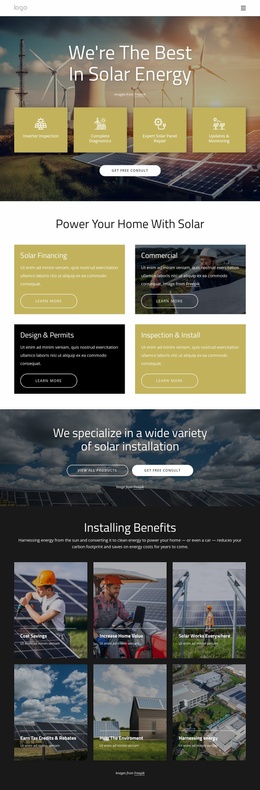
The heading and four service cards give this block the character of durable page content rather than a time-sensitive feed. Inverter inspection, complete diagnostics, expert solar panel repair, and updates and monitoring are distinct informational units, each supported by an icon and short label. In a WordPress-oriented project, that makes the section suitable for a services or company page where the core offering remains visible while other content areas are maintained around it.
The visual arrangement keeps the content self-contained: white centered type sits over a darkened renewable-energy image, mustard-gold cards form the main information row, and the outlined “Consult For Free” button closes the section. The block can therefore retain its visual role while the wider WordPress-managed page supplies additional service detail, project examples, articles, or contact content. The CTA may connect the section to a broader inquiry path, but the block itself remains the service presentation and action point shown here. Its WordPress relevance comes from this stable, reusable content structure: a clearly named topic, four concise service areas, and a consistent visual arrangement that can sit inside page content without requiring the section to become a complete theme or site.
Customize with Nicepage
Open this ready-made template in the WordPress Website Builder and customize it visually in the Nicepage editor. Replace demo content, edit page sections, and adapt the design to your project without rebuilding the template from scratch.
Edit Template Offline
2. Create a new page or select existing
3. Click Add new block, search for id 6010867 and click enter
Edit Template Online
Create Awesome Websites


Free Nicepage Builder
Keywords
Manage and Edit This Theme in WordPress
Customize and Install the WordPress Theme
Start with this ready-made theme instead of building the WordPress design from scratch. Customize its layout, content, typography, images, sections, and other design elements visually in Nicepage editor, then export and install the WordPress Theme, Plugin, and Pages on your WordPress site. The Nicepage WordPress Plugin lets you continue working with the site after installation.
Edit the Theme Directly in WordPress
After installation, you can edit the WordPress Theme directly in WordPress with the Nicepage WordPress Plugin. Use Site Style to customize site Colors, Fonts, Header, Footer, Blog, and Post Page Templates while working within your WordPress website.
Edit WordPress Pages Visually
Use the Nicepage WordPress Plugin to edit page content directly from the WordPress admin area. Open a WordPress Page with Nicepage and visually change its text, images, sections, and other page elements while continuing to manage the Page through WordPress.
WordPress Content and Theme Integration
Use the customized theme with WordPress Pages, Posts, Blog and Post Templates, menus, widgets, and other CMS-managed content. Shared theme elements such as Colors, Fonts, Header, Footer, Blog, and Post Page Templates can be managed as part of the overall site design, while WordPress provides the CMS environment for managing site content.
This workflow combines a ready-made WordPress Theme with visual customization, direct theme editing in WordPress, and continued content management through the Nicepage WordPress Plugin.