Local home repair WordPress Theme



Edit Template Offline
2. Create new page and search for id 3854218
Edit Template Online
Create Awesome Websites


Free Nicepage Builder
Keywords
Page Content for Services, Specialist Topics, and Customer Contact
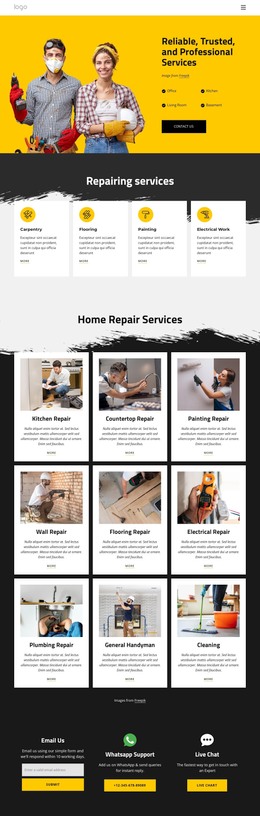
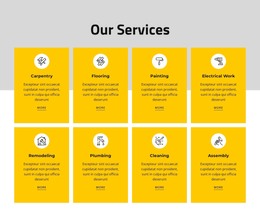
The page-oriented content is easy to divide into durable service information. The hero and reliability section can carry the company’s main presentation, while the four benefit cards express recurring qualities such as quality, professionalism, flexibility, and courtesy. The detailed repair grid offers concrete page content for kitchen, gutter, countertop, shower head, bathroom, toilet, sink, ceiling fan, and light fixture work. Separate category cards for carpentry, flooring, painting, and electrical work provide a broader content layer rather than repeating the same list.
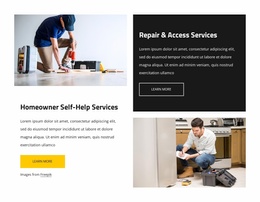
The expert section supplies another useful relationship: emergency repairs, electrical repair, circuit breakers, ceiling fans, and generators are grouped beside a repair image and a Learn More action. This gives specialist information a distinct place within the overall service narrative. The interior-repair section can likewise support a focused explanation without changing the page’s central visual character.
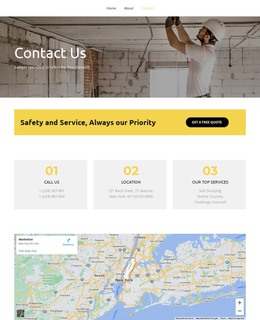
The lower content areas are oriented toward communication. General messaging and complaints are presented as different options, followed by Email Us, WhatsApp Support, and Live Chat. In a WordPress-managed project, these permanent page regions can coexist with regularly updated content added later, but the analysis does not verify blog posts or a blog section. Nicepage’s WordPress Plugin is a possible product bridge for editing page content in WordPress; the template-specific value comes from its organized service and contact content.
Customize with Nicepage
Open this ready-made template in the WordPress Website Builder and customize it visually in the Nicepage editor. Replace demo content, edit page sections, and adapt the design to your project without rebuilding the template from scratch.
Manage and Edit This Theme in WordPress
Customize and Install the WordPress Theme
Start with this ready-made theme instead of building the WordPress design from scratch. Customize its layout, content, typography, images, sections, and other design elements visually in Nicepage editor, then export and install the WordPress Theme, Plugin, and Pages on your WordPress site. The Nicepage WordPress Plugin lets you continue working with the site after installation.
Edit the Theme Directly in WordPress
After installation, you can edit the WordPress Theme directly in WordPress with the Nicepage WordPress Plugin. Use Site Style to customize site Colors, Fonts, Header, Footer, Blog, and Post Page Templates while working within your WordPress website.
Edit WordPress Pages Visually
Use the Nicepage WordPress Plugin to edit page content directly from the WordPress admin area. Open a WordPress Page with Nicepage and visually change its text, images, sections, and other page elements while continuing to manage the Page through WordPress.
WordPress Content and Theme Integration
Use the customized theme with WordPress Pages, Posts, Blog and Post Templates, menus, widgets, and other CMS-managed content. Shared theme elements such as Colors, Fonts, Header, Footer, Blog, and Post Page Templates can be managed as part of the overall site design, while WordPress provides the CMS environment for managing site content.
This workflow combines a ready-made WordPress Theme with visual customization, direct theme editing in WordPress, and continued content management through the Nicepage WordPress Plugin.