Industrial technologies WordPress Theme


Stable Industrial Page Content With Clear Visual Grouping
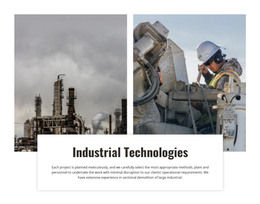
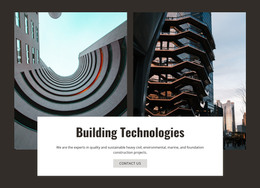
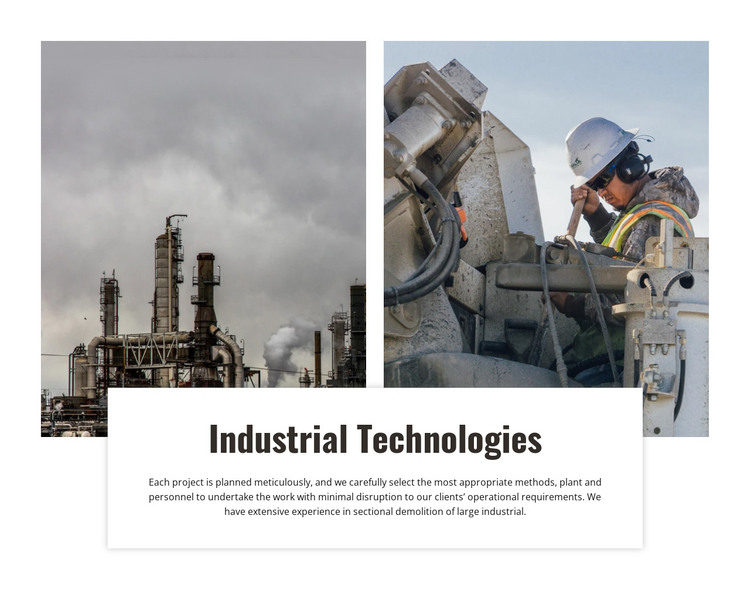
The two photographs give the section a durable content role rather than a time-sensitive news structure. The facility image communicates the industrial environment through towers and piping, while the worker operating heavy equipment presents a related operational view. Together, they form one visual introduction before the reader reaches the overlapping white panel.
That panel gathers the “Industrial Technologies” heading and the supporting paragraph into a stable page-content unit. The copy refers to meticulous project planning, selecting methods and personnel, minimizing operational disruption, and sectional demolition, so the block can introduce a service capability on a WordPress-managed page. Its static interaction and fixed image-to-text relationship make the section suitable for content that should retain a consistent presentation while other parts of the site evolve. WordPress-specific posts, categories, or widgets are not needed to explain this block’s role; it can simply remain a designed section within broader page content. Nicepage’s WordPress Pages workflow provides relevant CMS context for a surrounding project. The block itself remains the same industrial content area, while the wider WordPress site can manage additional pages and publishing structures around it. This separation keeps the visual design focused and the page-level CMS context appropriately broad.
Customize with Nicepage
Open this ready-made template in the WordPress Website Builder and customize it visually in the Nicepage editor. Replace demo content, edit page sections, and adapt the design to your project without rebuilding the template from scratch.
Edit Template Offline
2. Create a new page or select existing
3. Click Add new block, search for id 42502 and click enter
Edit Template Online
Create Awesome Websites


Free Nicepage Builder
Keywords
Manage and Edit This Theme in WordPress
Customize and Install the WordPress Theme
Start with this ready-made theme instead of building the WordPress design from scratch. Customize its layout, content, typography, images, sections, and other design elements visually in Nicepage editor, then export and install the WordPress Theme, Plugin, and Pages on your WordPress site. The Nicepage WordPress Plugin lets you continue working with the site after installation.
Edit the Theme Directly in WordPress
After installation, you can edit the WordPress Theme directly in WordPress with the Nicepage WordPress Plugin. Use Site Style to customize site Colors, Fonts, Header, Footer, Blog, and Post Page Templates while working within your WordPress website.
Edit WordPress Pages Visually
Use the Nicepage WordPress Plugin to edit page content directly from the WordPress admin area. Open a WordPress Page with Nicepage and visually change its text, images, sections, and other page elements while continuing to manage the Page through WordPress.
WordPress Content and Theme Integration
Use the customized theme with WordPress Pages, Posts, Blog and Post Templates, menus, widgets, and other CMS-managed content. Shared theme elements such as Colors, Fonts, Header, Footer, Blog, and Post Page Templates can be managed as part of the overall site design, while WordPress provides the CMS environment for managing site content.
This workflow combines a ready-made WordPress Theme with visual customization, direct theme editing in WordPress, and continued content management through the Nicepage WordPress Plugin.