Leak Detection and Repair WordPress Theme


Edit Template Offline
2. Create new page and search for id 6475661
Edit Template Online
Create Awesome Websites


Free Nicepage Builder
Keywords
Service Categories and Booking Content Fit a WordPress Page Structure
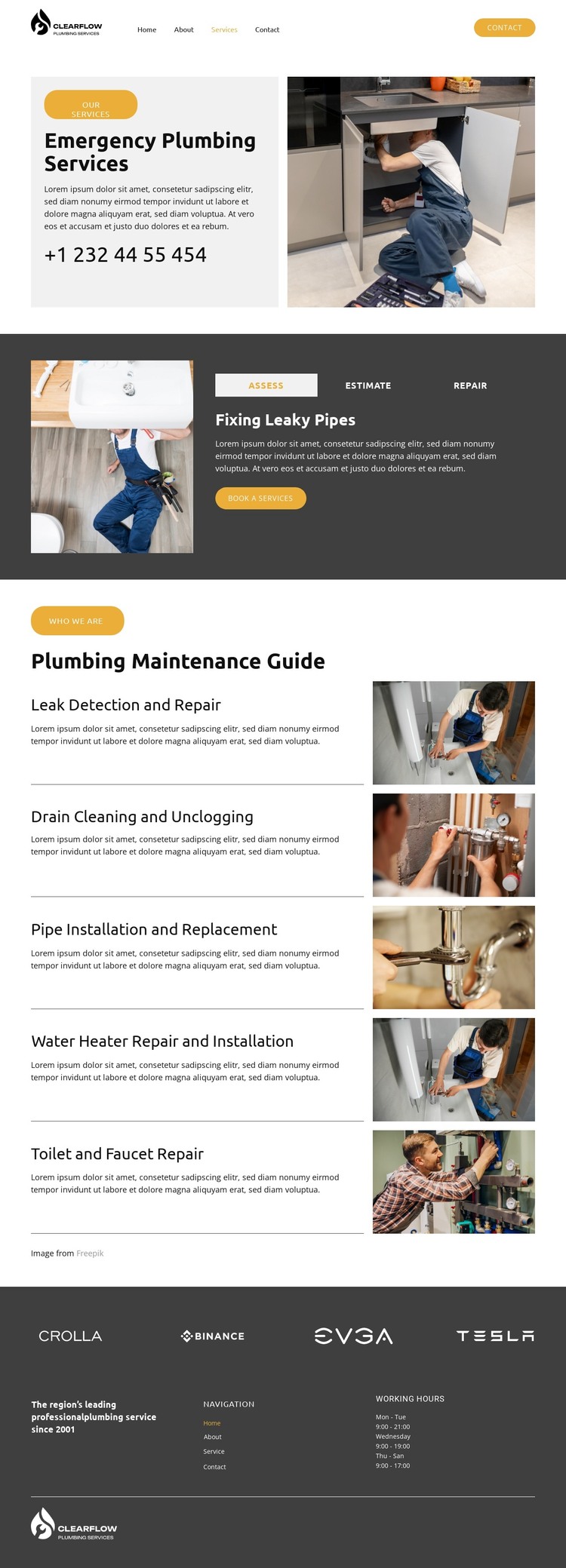
The page-oriented content is centered on permanent plumbing information that can remain visually coordinated in a WordPress project. Emergency Plumbing Services provides the primary introduction, with a large photograph, phone information, and a direct explanation of the urgent offering. The tabs then organize Assess, Estimate, and Repair, while booking buttons and service choices give the central page several related content actions without requiring a different visual treatment for each one.
The five maintenance rows are especially useful as recurring page content because they separate the service range into clear categories: Leak Detection and Repair, Drain Cleaning and Unclogging, Pipe Installation and Replacement, Water Heater Repair and Installation, and Toilet and Faucet Repair. Their shared image-and-description arrangement can keep updated service information within one recognizable theme. The repeated logo strip contributes supporting brand content, while the footer combines navigation, a company statement, working hours, and the footer logo as shared site information.
This interpretation does not claim that WordPress Posts, categories, or blog structures already exist in the template. It connects the verified page areas to a WordPress-managed content environment: permanent service information can occupy the page, while future editorial or announcement content could be added only if the project requires it. The Nicepage WordPress Plugin is an optional product bridge for working with WordPress content, but the theme's concrete strength is the relationship between service categories, booking prompts, navigation, and shared site elements.
Customize with Nicepage
Open this ready-made template in the WordPress Website Builder and customize it visually in the Nicepage editor. Replace demo content, edit page sections, and adapt the design to your project without rebuilding the template from scratch.
Manage and Edit This Theme in WordPress
Customize and Install the WordPress Theme
Start with this ready-made theme instead of building the WordPress design from scratch. Customize its layout, content, typography, images, sections, and other design elements visually in Nicepage editor, then export and install the WordPress Theme, Plugin, and Pages on your WordPress site. The Nicepage WordPress Plugin lets you continue working with the site after installation.
Edit the Theme Directly in WordPress
After installation, you can edit the WordPress Theme directly in WordPress with the Nicepage WordPress Plugin. Use Site Style to customize site Colors, Fonts, Header, Footer, Blog, and Post Page Templates while working within your WordPress website.
Edit WordPress Pages Visually
Use the Nicepage WordPress Plugin to edit page content directly from the WordPress admin area. Open a WordPress Page with Nicepage and visually change its text, images, sections, and other page elements while continuing to manage the Page through WordPress.
WordPress Content and Theme Integration
Use the customized theme with WordPress Pages, Posts, Blog and Post Templates, menus, widgets, and other CMS-managed content. Shared theme elements such as Colors, Fonts, Header, Footer, Blog, and Post Page Templates can be managed as part of the overall site design, while WordPress provides the CMS environment for managing site content.
This workflow combines a ready-made WordPress Theme with visual customization, direct theme editing in WordPress, and continued content management through the Nicepage WordPress Plugin.