Repair Home Plumbing WordPress Theme


Edit Template Offline
2. Create new page and search for id 6475659
Edit Template Online
Create Awesome Websites


Free Nicepage Builder
Keywords
Service Pages, Guidance, and a Clear WordPress Content Pattern
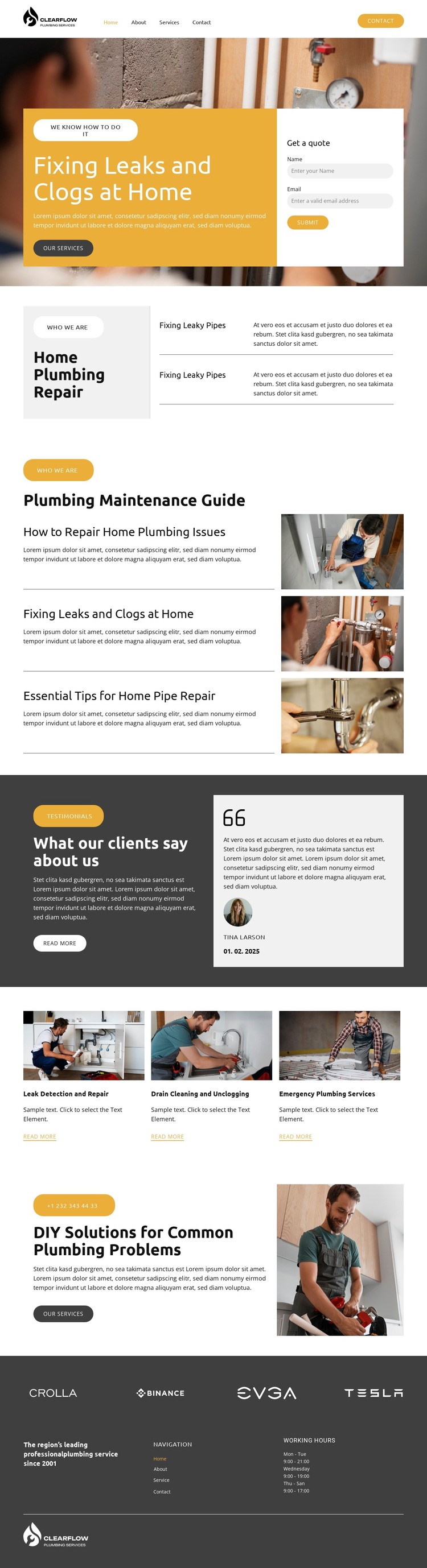
The page’s permanent service information is concentrated in several clearly differentiated areas. The hero establishes the home plumbing repair subject and places a quote-request form close to the opening message, while the service overview introduces fixing leaky pipes and drain cleaning. This gives a WordPress project a page-oriented content pattern in which the core offer can remain stable as supporting text and imagery are refined.
The three image-led service cards extend that pattern with distinct categories: leak detection and repair, drain cleaning and unclogging, and emergency plumbing services. Their shared treatment makes the offerings feel related, but each card still provides a separate place for service-focused content. The testimonial band contributes another page section with a different role, using a customer statement and profile card as structural proof rather than presenting another item in the service list.
The Plumbing Maintenance Guide introduces recurring editorial potential without claiming that specific WordPress posts already exist. Its three topics cover home plumbing issues, leaks and clogs, and essential pipe-repair tips, creating a visual model for practical articles or announcements that could sit beside the permanent service areas. The DIY Solutions section adds a separate advice-led transition toward all services. Navigation, working hours, and branding in the footer complete the shared site frame, allowing the theme’s visual direction to connect service pages with future content.
Customize with Nicepage
Open this ready-made template in the WordPress Website Builder and customize it visually in the Nicepage editor. Replace demo content, edit page sections, and adapt the design to your project without rebuilding the template from scratch.
Manage and Edit This Theme in WordPress
Customize and Install the WordPress Theme
Start with this ready-made theme instead of building the WordPress design from scratch. Customize its layout, content, typography, images, sections, and other design elements visually in Nicepage editor, then export and install the WordPress Theme, Plugin, and Pages on your WordPress site. The Nicepage WordPress Plugin lets you continue working with the site after installation.
Edit the Theme Directly in WordPress
After installation, you can edit the WordPress Theme directly in WordPress with the Nicepage WordPress Plugin. Use Site Style to customize site Colors, Fonts, Header, Footer, Blog, and Post Page Templates while working within your WordPress website.
Edit WordPress Pages Visually
Use the Nicepage WordPress Plugin to edit page content directly from the WordPress admin area. Open a WordPress Page with Nicepage and visually change its text, images, sections, and other page elements while continuing to manage the Page through WordPress.
WordPress Content and Theme Integration
Use the customized theme with WordPress Pages, Posts, Blog and Post Templates, menus, widgets, and other CMS-managed content. Shared theme elements such as Colors, Fonts, Header, Footer, Blog, and Post Page Templates can be managed as part of the overall site design, while WordPress provides the CMS environment for managing site content.
This workflow combines a ready-made WordPress Theme with visual customization, direct theme editing in WordPress, and continued content management through the Nicepage WordPress Plugin.