Our electricians deliver WordPress Theme


Edit Template Offline
2. Create new page and search for id 6137897
Edit Template Online
Create Awesome Websites


Free Nicepage Builder
Keywords
Contact Content and Service Cards Fit a WordPress Page Structure
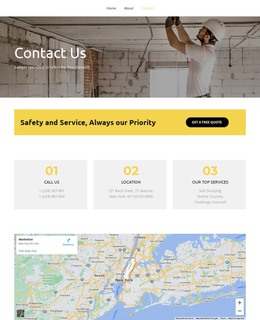
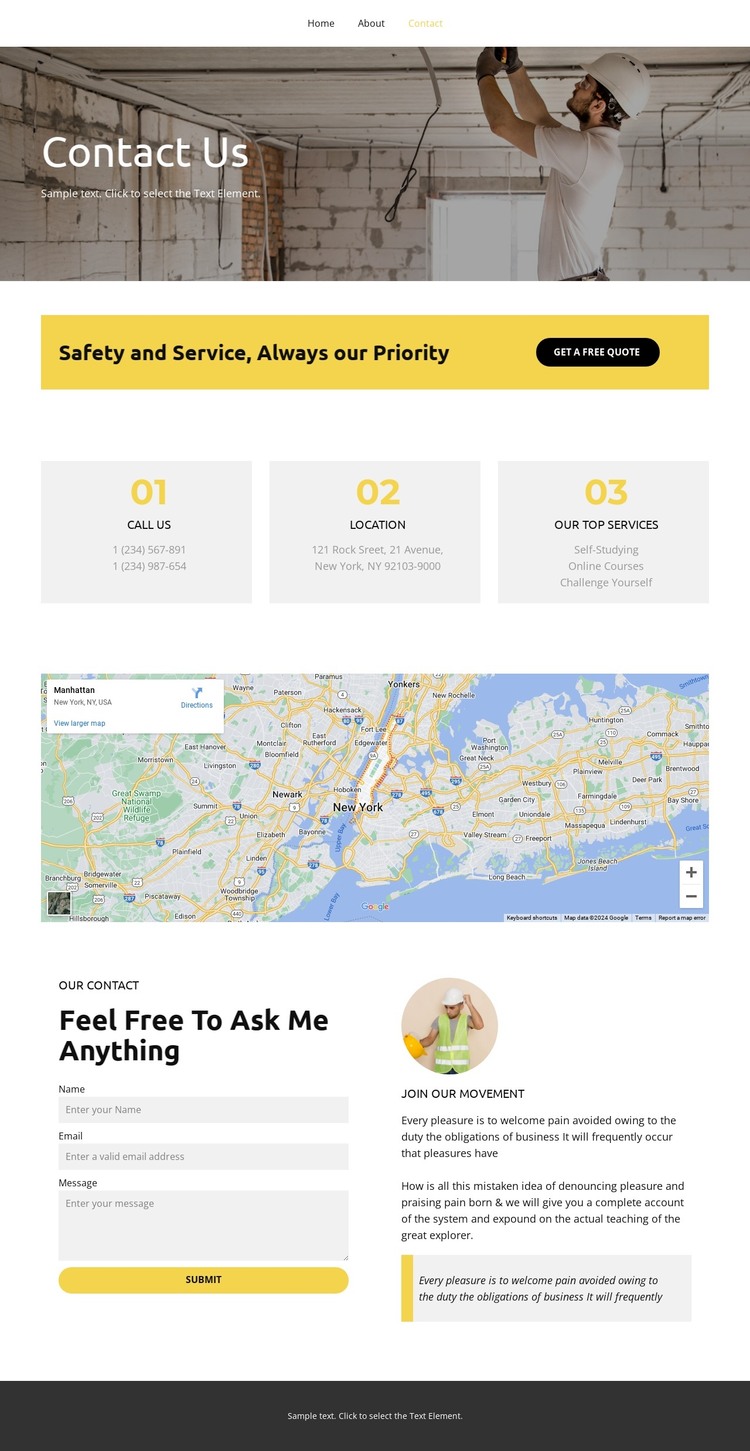
The page-oriented content is the strongest bridge to a WordPress theme interpretation. The navigation links Home, About, and Contact, while the verified Contact page gathers a hero, quote prompt, information cards, map, and inquiry form into a single destination. The three cards are especially useful as repeated content units: contact, location, and service information are separated for scanning while remaining part of one coordinated design. They can be understood as page content areas without claiming that WordPress Posts or categories already exist here.
The yellow quote callout gives the page a distinct action block, and the lower form section provides a second, more detailed inquiry area. Between them, the map and supporting image-led copy add context that can remain alongside permanent page information. The “Feel Free To Ask Me Anything” heading clearly identifies the form’s role, while “Join Our Movement” gives the adjacent column a separate supporting purpose. The dark footer and simple navigation provide shared site elements around that content.
For a WordPress project, this makes the design suitable for a page-led contact experience that may later sit beside other site content. The template does not verify a blog, posts, or other dynamic structures, so those should not be presented as existing features. Its value lies in the clear relationship between permanent contact information, service context, location content, and visitor inquiries within one consistent theme direction.
Customize with Nicepage
Open this ready-made template in the WordPress Website Builder and customize it visually in the Nicepage editor. Replace demo content, edit page sections, and adapt the design to your project without rebuilding the template from scratch.
Manage and Edit This Theme in WordPress
Customize and Install the WordPress Theme
Start with this ready-made theme instead of building the WordPress design from scratch. Customize its layout, content, typography, images, sections, and other design elements visually in Nicepage editor, then export and install the WordPress Theme, Plugin, and Pages on your WordPress site. The Nicepage WordPress Plugin lets you continue working with the site after installation.
Edit the Theme Directly in WordPress
After installation, you can edit the WordPress Theme directly in WordPress with the Nicepage WordPress Plugin. Use Site Style to customize site Colors, Fonts, Header, Footer, Blog, and Post Page Templates while working within your WordPress website.
Edit WordPress Pages Visually
Use the Nicepage WordPress Plugin to edit page content directly from the WordPress admin area. Open a WordPress Page with Nicepage and visually change its text, images, sections, and other page elements while continuing to manage the Page through WordPress.
WordPress Content and Theme Integration
Use the customized theme with WordPress Pages, Posts, Blog and Post Templates, menus, widgets, and other CMS-managed content. Shared theme elements such as Colors, Fonts, Header, Footer, Blog, and Post Page Templates can be managed as part of the overall site design, while WordPress provides the CMS environment for managing site content.
This workflow combines a ready-made WordPress Theme with visual customization, direct theme editing in WordPress, and continued content management through the Nicepage WordPress Plugin.