Top features WordPress Theme


Image-Led Feature Content With Four Stable Card Units
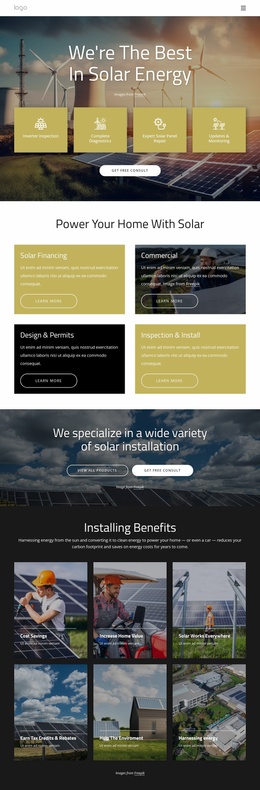
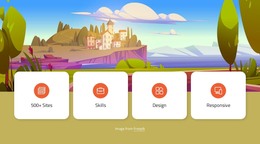
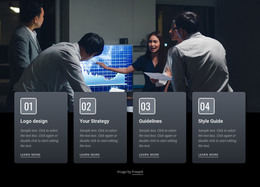
The four cards give this block a clear page-content role: each one presents a short feature label, while the repeated icon-and-text treatment makes the group easy to recognize and maintain. “500+ Sites,” “Skills,” “Design,” and “Responsive” are sample labels within the same content pattern, not separate page destinations. Above them, the full-width illustrated landscape supplies visual context and creates a strong contrast with the white rounded card surfaces. Because the interaction is static, visitors receive the feature message directly without needing to open panels, advance slides, or trigger controls.
In a WordPress-managed page, the section can function as a stable feature or benefits area surrounded by other publishable content. The card row is sufficiently self-contained to remain a recognizable visual unit when placed between an introduction and more detailed sections, while the broader project can handle navigation and additional page content elsewhere. Editors can replace the sample labels or revise the card wording while preserving the four-item rhythm, circular orange accents, and image overlap. The Freepik attribution should remain part of the section’s supporting content when the source image is retained. This makes the block useful for presenting concise capabilities without turning it into a complete theme or page.
Customize with Nicepage
Open this ready-made template in the WordPress Website Builder and customize it visually in the Nicepage editor. Replace demo content, edit page sections, and adapt the design to your project without rebuilding the template from scratch.
Edit Template Offline
2. Create a new page or select existing
3. Click Add new block, search for id 2300669 and click enter
Edit Template Online
Create Awesome Websites


Free Nicepage Builder
Keywords
Manage and Edit This Theme in WordPress
Customize and Install the WordPress Theme
Start with this ready-made theme instead of building the WordPress design from scratch. Customize its layout, content, typography, images, sections, and other design elements visually in Nicepage editor, then export and install the WordPress Theme, Plugin, and Pages on your WordPress site. The Nicepage WordPress Plugin lets you continue working with the site after installation.
Edit the Theme Directly in WordPress
After installation, you can edit the WordPress Theme directly in WordPress with the Nicepage WordPress Plugin. Use Site Style to customize site Colors, Fonts, Header, Footer, Blog, and Post Page Templates while working within your WordPress website.
Edit WordPress Pages Visually
Use the Nicepage WordPress Plugin to edit page content directly from the WordPress admin area. Open a WordPress Page with Nicepage and visually change its text, images, sections, and other page elements while continuing to manage the Page through WordPress.
WordPress Content and Theme Integration
Use the customized theme with WordPress Pages, Posts, Blog and Post Templates, menus, widgets, and other CMS-managed content. Shared theme elements such as Colors, Fonts, Header, Footer, Blog, and Post Page Templates can be managed as part of the overall site design, while WordPress provides the CMS environment for managing site content.
This workflow combines a ready-made WordPress Theme with visual customization, direct theme editing in WordPress, and continued content management through the Nicepage WordPress Plugin.