Board Ports Industrial WordPress Theme


Permanent company information around a layered image composition
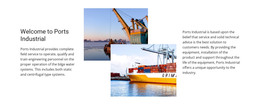
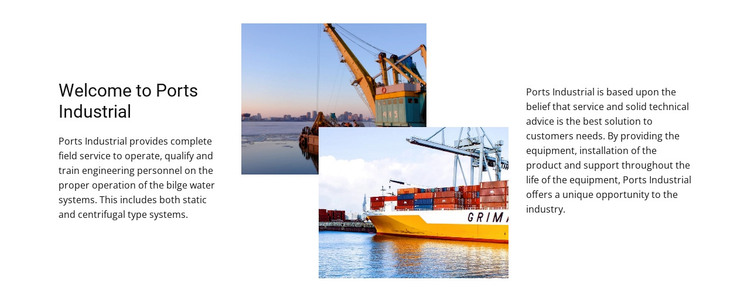
The section reads as stable page content: an introduction to Ports Industrial followed by technical information about marine equipment and support. The left column connects the organization’s work with operation, qualification, and training for engineering personnel. The right column adds equipment provision, product installation, technical advice, and support throughout the equipment lifecycle, while the references to static and centrifugal bilge water systems give the content a concrete capability focus.
Within a WordPress-managed page, this block can function as a permanent about or company-capabilities area alongside other page content. The two overlapping maritime and industrial photographs provide visual context without replacing the text, and the three-column structure separates introduction, imagery, and supporting explanation. Since the interaction is static, the section can remain a consistent visual unit while surrounding content changes elsewhere in the project.
A WordPress-oriented workflow can manage the wider site and its publishable page content, while this block preserves its own layout and subject. The section does not need to carry theme-wide navigation or site architecture; those belong to the containing project. Its useful role is more focused: a stable visual section for explaining an industrial marine organization, its bilge-water equipment context, and the installation and lifecycle support connected with that equipment.
Customize with Nicepage
Open this ready-made template in the WordPress Website Builder and customize it visually in the Nicepage editor. Replace demo content, edit page sections, and adapt the design to your project without rebuilding the template from scratch.
Edit Template Offline
2. Create a new page or select existing
3. Click Add new block, search for id 42515 and click enter
Edit Template Online
Create Awesome Websites


Free Nicepage Builder
Keywords
Manage and Edit This Theme in WordPress
Customize and Install the WordPress Theme
Start with this ready-made theme instead of building the WordPress design from scratch. Customize its layout, content, typography, images, sections, and other design elements visually in Nicepage editor, then export and install the WordPress Theme, Plugin, and Pages on your WordPress site. The Nicepage WordPress Plugin lets you continue working with the site after installation.
Edit the Theme Directly in WordPress
After installation, you can edit the WordPress Theme directly in WordPress with the Nicepage WordPress Plugin. Use Site Style to customize site Colors, Fonts, Header, Footer, Blog, and Post Page Templates while working within your WordPress website.
Edit WordPress Pages Visually
Use the Nicepage WordPress Plugin to edit page content directly from the WordPress admin area. Open a WordPress Page with Nicepage and visually change its text, images, sections, and other page elements while continuing to manage the Page through WordPress.
WordPress Content and Theme Integration
Use the customized theme with WordPress Pages, Posts, Blog and Post Templates, menus, widgets, and other CMS-managed content. Shared theme elements such as Colors, Fonts, Header, Footer, Blog, and Post Page Templates can be managed as part of the overall site design, while WordPress provides the CMS environment for managing site content.
This workflow combines a ready-made WordPress Theme with visual customization, direct theme editing in WordPress, and continued content management through the Nicepage WordPress Plugin.