Recycling Today for Tomorrow WordPress Theme


Edit Template Offline
2. Create new page and search for id 6453650
Edit Template Online
Create Awesome Websites


Free Nicepage Builder
Keywords
Service Content and Course Information Share One ECO Visual System
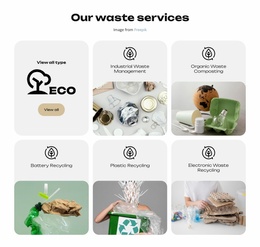
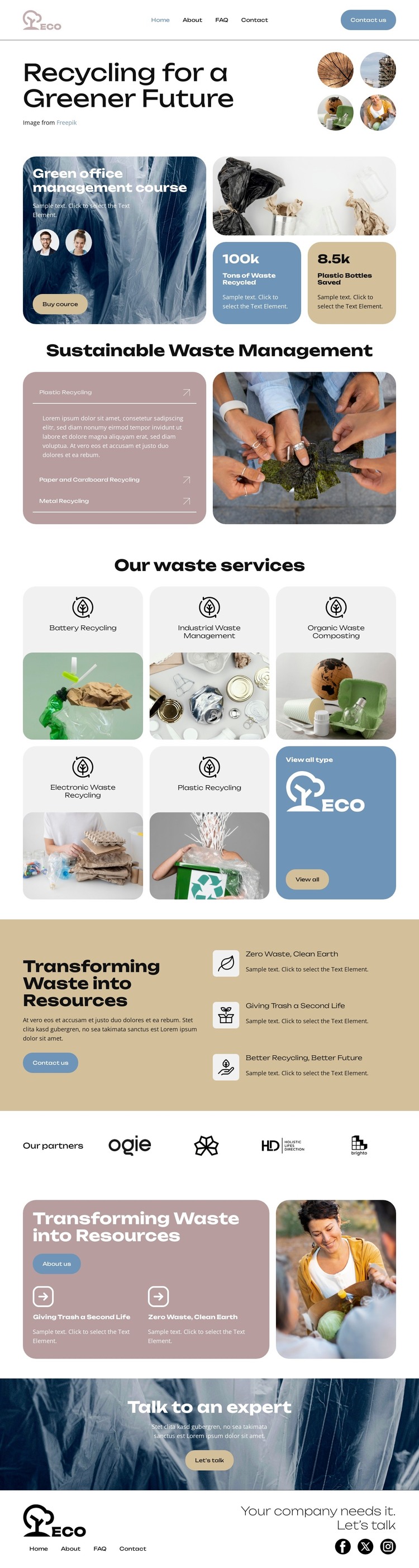
The five recycling service cards provide permanent page-oriented content areas that can be maintained as distinct parts of an ECO site. Their shared presentation connects Battery Recycling, Industrial Waste Management, Organic Waste Composting, Electronic Waste Recycling, and Plastic Recycling, while each category can remain focused on its own explanation and contact relevance. The view-all tile supports broader discovery without requiring the page to present every possible service.
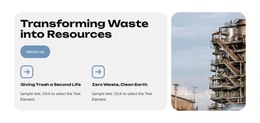
The course promotion creates a separate content relationship. Instead of treating education as another recycling category, the green office management course appears near the hero as an additional offer with its own purchase action. The sustainability benefit section can support both content paths by connecting services and education to the broader ideas of Zero Waste, Clean Earth, and Better Recycling, Better Future. The partner row, resource card, and expert-contact banner then provide supporting site content around the main offer.
This structure is suitable for a WordPress-managed interpretation because the design distinguishes core service information from an additional course, resource, and contact material. The ECO header, footer, navigation links, and social icons provide shared site elements, while the content areas leave room for ongoing updates. The theme value comes from mapping these real sections to a managed content environment, not from merely applying a CMS label to the design.
Customize with Nicepage
Open this ready-made template in the WordPress Website Builder and customize it visually in the Nicepage editor. Replace demo content, edit page sections, and adapt the design to your project without rebuilding the template from scratch.
Manage and Edit This Theme in WordPress
Customize and Install the WordPress Theme
Start with this ready-made theme instead of building the WordPress design from scratch. Customize its layout, content, typography, images, sections, and other design elements visually in Nicepage editor, then export and install the WordPress Theme, Plugin, and Pages on your WordPress site. The Nicepage WordPress Plugin lets you continue working with the site after installation.
Edit the Theme Directly in WordPress
After installation, you can edit the WordPress Theme directly in WordPress with the Nicepage WordPress Plugin. Use Site Style to customize site Colors, Fonts, Header, Footer, Blog, and Post Page Templates while working within your WordPress website.
Edit WordPress Pages Visually
Use the Nicepage WordPress Plugin to edit page content directly from the WordPress admin area. Open a WordPress Page with Nicepage and visually change its text, images, sections, and other page elements while continuing to manage the Page through WordPress.
WordPress Content and Theme Integration
Use the customized theme with WordPress Pages, Posts, Blog and Post Templates, menus, widgets, and other CMS-managed content. Shared theme elements such as Colors, Fonts, Header, Footer, Blog, and Post Page Templates can be managed as part of the overall site design, while WordPress provides the CMS environment for managing site content.
This workflow combines a ready-made WordPress Theme with visual customization, direct theme editing in WordPress, and continued content management through the Nicepage WordPress Plugin.