Heavy industry automation WordPress Theme


Stable Industrial Page Content With a History Milestone
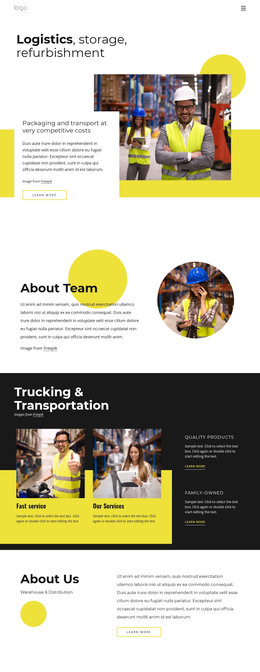
The left side of the block provides durable page content: the “Heavy industry automation” heading, explanatory copy about companies supplying heavy-duty equipment, and a “learn more” CTA. This combination can fit a WordPress-managed company or industry page because the section communicates a lasting subject and directs visitors toward related information. The image attribution remains associated with the visual content, while the surrounding site can manage other page areas separately.
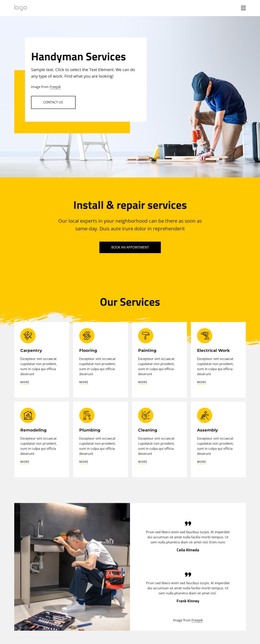
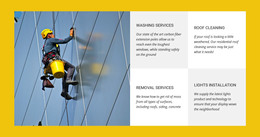
The right side adds a second, equally defined content role. The construction worker wearing a yellow hard hat and face mask connects the section to industrial work, while the overlapping “Our History” card presents the year 1970 as a milestone within the design. The white card creates separation from the black background, and the yellow rectangle behind the image repeats the accent used in the overall composition.
As WordPress-oriented page content, this block can remain a stable visual section while the wider project evolves around it. It could support an about or history area without being treated as an entire theme or site. The reusable value lies in the relationship between subject introduction, linked next step, industrial image, and historical marker. Other WordPress-managed content can supply additional pages and updates, while this section preserves its focused company narrative.
Customize with Nicepage
Open this ready-made template in the WordPress Website Builder and customize it visually in the Nicepage editor. Replace demo content, edit page sections, and adapt the design to your project without rebuilding the template from scratch.
Edit Template Offline
2. Create a new page or select existing
3. Click Add new block, search for id 105948 and click enter
Edit Template Online
Create Awesome Websites


Free Nicepage Builder
Keywords
Manage and Edit This Theme in WordPress
Customize and Install the WordPress Theme
Start with this ready-made theme instead of building the WordPress design from scratch. Customize its layout, content, typography, images, sections, and other design elements visually in Nicepage editor, then export and install the WordPress Theme, Plugin, and Pages on your WordPress site. The Nicepage WordPress Plugin lets you continue working with the site after installation.
Edit the Theme Directly in WordPress
After installation, you can edit the WordPress Theme directly in WordPress with the Nicepage WordPress Plugin. Use Site Style to customize site Colors, Fonts, Header, Footer, Blog, and Post Page Templates while working within your WordPress website.
Edit WordPress Pages Visually
Use the Nicepage WordPress Plugin to edit page content directly from the WordPress admin area. Open a WordPress Page with Nicepage and visually change its text, images, sections, and other page elements while continuing to manage the Page through WordPress.
WordPress Content and Theme Integration
Use the customized theme with WordPress Pages, Posts, Blog and Post Templates, menus, widgets, and other CMS-managed content. Shared theme elements such as Colors, Fonts, Header, Footer, Blog, and Post Page Templates can be managed as part of the overall site design, while WordPress provides the CMS environment for managing site content.
This workflow combines a ready-made WordPress Theme with visual customization, direct theme editing in WordPress, and continued content management through the Nicepage WordPress Plugin.