Methods of psychotherapy WordPress Theme


Three Educational Topics Form Stable Page Content
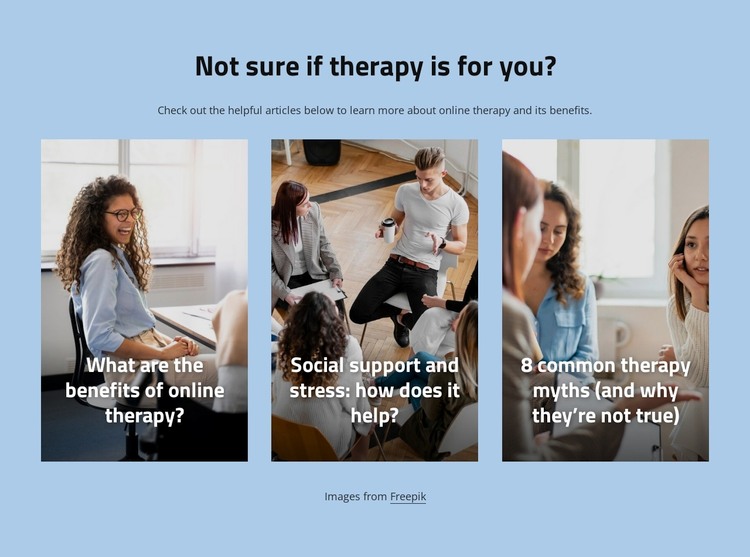
The heading and supporting paragraph give this section a stable informational role that can fit a WordPress-managed page about online therapy or mental health. The question-led introduction frames the article group without requiring the block to become a complete page or theme. Beneath it, three cards divide the subject into recognizable content areas: benefits of online therapy, the connection between social support and stress, and common therapy myths. That grouping makes the section suitable for permanent page content that readers can scan before choosing a deeper article or neighboring resource.
The visual arrangement supports the content logic. Each card uses a portrait image, a dark lower overlay, and a bold white title, so the three topics share one consistent presentation while remaining individually identifiable. Their horizontal spacing and the generous whitespace around the row prevent the educational material from reading as one continuous text column. The light blue background further separates this article overview from other page sections, and the centered heading establishes a clear start to the content area.
Within a broader WordPress project, the section can remain a reusable visual region while the surrounding site handles other pages and publishing structures. The cards’ sample article subjects describe the block’s content model, not necessarily a live editorial archive. The Freepik attribution line should remain connected to the card imagery when the section is placed into managed page content.
Customize with Nicepage
Open this ready-made template in the WordPress Website Builder and customize it visually in the Nicepage editor. Replace demo content, edit page sections, and adapt the design to your project without rebuilding the template from scratch.
Edit Template Offline
2. Create a new page or select existing
3. Click Add new block, search for id 6009399 and click enter
Edit Template Online
Create Awesome Websites


Free Nicepage Builder
Keywords
Manage and Edit This Theme in WordPress
Customize and Install the WordPress Theme
Start with this ready-made theme instead of building the WordPress design from scratch. Customize its layout, content, typography, images, sections, and other design elements visually in Nicepage editor, then export and install the WordPress Theme, Plugin, and Pages on your WordPress site. The Nicepage WordPress Plugin lets you continue working with the site after installation.
Edit the Theme Directly in WordPress
After installation, you can edit the WordPress Theme directly in WordPress with the Nicepage WordPress Plugin. Use Site Style to customize site Colors, Fonts, Header, Footer, Blog, and Post Page Templates while working within your WordPress website.
Edit WordPress Pages Visually
Use the Nicepage WordPress Plugin to edit page content directly from the WordPress admin area. Open a WordPress Page with Nicepage and visually change its text, images, sections, and other page elements while continuing to manage the Page through WordPress.
WordPress Content and Theme Integration
Use the customized theme with WordPress Pages, Posts, Blog and Post Templates, menus, widgets, and other CMS-managed content. Shared theme elements such as Colors, Fonts, Header, Footer, Blog, and Post Page Templates can be managed as part of the overall site design, while WordPress provides the CMS environment for managing site content.
This workflow combines a ready-made WordPress Theme with visual customization, direct theme editing in WordPress, and continued content management through the Nicepage WordPress Plugin.