Welcome to dental clinic WordPress Theme

Edit Template Offline
2. Create new page and search for id 5588853
Edit Template Online
Create Awesome Websites


Free Nicepage Builder
Keywords
Treatment Pages and Patient Content Can Share One Clinic Style
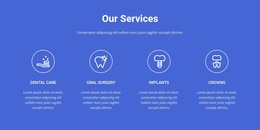
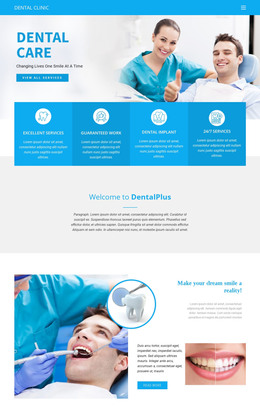
The four labeled treatment areas give this design a useful page-oriented content basis. Dental Care, Oral Surgery, Implants, and Crown are presented as distinct categories, so a WordPress project could use the existing visual direction when expanding permanent clinic information around those subjects. The page does not prove that WordPress posts, categories, or templates already exist; its verified value is the clear separation of treatment content within the design.
Patient-facing material adds a second content relationship. The dentist photograph and overlapping smile-health panel provide explanatory context, while four patient smile photographs create a visual gallery. Three testimonial entries then supply a separate proof area. These sections can work together with page content that needs regular refinement: treatment explanations can remain informative, images can support the subject, and testimonial content can be handled as a distinct communication layer rather than mixed into the service labels.
The guide download offer and the lower contact regions broaden the content environment. A dental information resource can sit alongside permanent clinic information, while the question prompt, two forms, telephone details, and social icons keep communication visible at different points in the page. This makes the design suitable for a WordPress-oriented clinic project where page content and recurring site elements need to retain one visual character. The WordPress Plugin is an optional product bridge for editing supported theme content, not evidence of an existing WordPress installation.
Customize with Nicepage
Open this ready-made template in the WordPress Website Builder and customize it visually in the Nicepage editor. Replace demo content, edit page sections, and adapt the design to your project without rebuilding the template from scratch.
Manage and Edit This Theme in WordPress
Customize and Install the WordPress Theme
Start with this ready-made theme instead of building the WordPress design from scratch. Customize its layout, content, typography, images, sections, and other design elements visually in Nicepage editor, then export and install the WordPress Theme, Plugin, and Pages on your WordPress site. The Nicepage WordPress Plugin lets you continue working with the site after installation.
Edit the Theme Directly in WordPress
After installation, you can edit the WordPress Theme directly in WordPress with the Nicepage WordPress Plugin. Use Site Style to customize site Colors, Fonts, Header, Footer, Blog, and Post Page Templates while working within your WordPress website.
Edit WordPress Pages Visually
Use the Nicepage WordPress Plugin to edit page content directly from the WordPress admin area. Open a WordPress Page with Nicepage and visually change its text, images, sections, and other page elements while continuing to manage the Page through WordPress.
WordPress Content and Theme Integration
Use the customized theme with WordPress Pages, Posts, Blog and Post Templates, menus, widgets, and other CMS-managed content. Shared theme elements such as Colors, Fonts, Header, Footer, Blog, and Post Page Templates can be managed as part of the overall site design, while WordPress provides the CMS environment for managing site content.
This workflow combines a ready-made WordPress Theme with visual customization, direct theme editing in WordPress, and continued content management through the Nicepage WordPress Plugin.