Qualified psychologist help WordPress Theme



Edit Template Offline
2. Create new page and search for id 1428794
Edit Template Online
Create Awesome Websites


Free Nicepage Builder
Keywords
Service Cards and Permanent Clinic Content Fit a WordPress Theme Structure
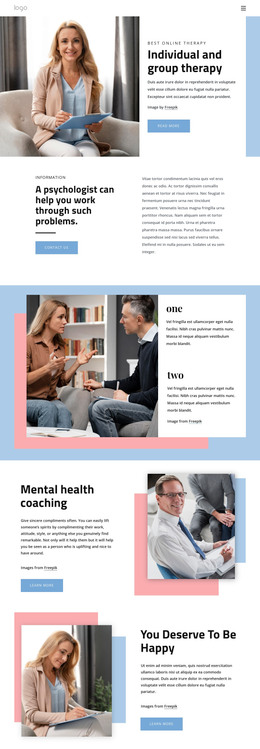
The three service cards provide a natural page-oriented content foundation for a psychology site. Relationship Issues, Anxiety Disorders, and Psychologist Issues are distinct informational areas, each presented within the same visual pattern and connected to appointment-oriented actions. They can therefore be interpreted alongside the clinic introduction and specialist profile as permanent page content rather than as unrelated promotional labels. The Home, About, and Contact links reinforce that division between introduction, organizational information, and communication.
The design also contains repeated and expandable structures that can support ongoing content decisions. Four accordion rows create a compact information area, while the three pricing plans organize plan names, feature lists, amounts, and action buttons into a comparison block. The appointment banner and final contact section give direct communication two visible positions, with the closing form separating contact details from the Request A Quote interaction. Sample names, prices, telephone numbers, address, and topic text remain demo content and should not be presented as real clinic information. In a WordPress project, these page areas can sit alongside future editorial or announcement content while retaining the same visual system, but the analysis does not prove that WordPress Posts, categories, or blog structures already exist. The theme value comes from mapping the confirmed page content and repeated sections into a manageable clinic-oriented site.
Customize with Nicepage
Open this ready-made template in the WordPress Website Builder and customize it visually in the Nicepage editor. Replace demo content, edit page sections, and adapt the design to your project without rebuilding the template from scratch.
Manage and Edit This Theme in WordPress
Customize and Install the WordPress Theme
Start with this ready-made theme instead of building the WordPress design from scratch. Customize its layout, content, typography, images, sections, and other design elements visually in Nicepage editor, then export and install the WordPress Theme, Plugin, and Pages on your WordPress site. The Nicepage WordPress Plugin lets you continue working with the site after installation.
Edit the Theme Directly in WordPress
After installation, you can edit the WordPress Theme directly in WordPress with the Nicepage WordPress Plugin. Use Site Style to customize site Colors, Fonts, Header, Footer, Blog, and Post Page Templates while working within your WordPress website.
Edit WordPress Pages Visually
Use the Nicepage WordPress Plugin to edit page content directly from the WordPress admin area. Open a WordPress Page with Nicepage and visually change its text, images, sections, and other page elements while continuing to manage the Page through WordPress.
WordPress Content and Theme Integration
Use the customized theme with WordPress Pages, Posts, Blog and Post Templates, menus, widgets, and other CMS-managed content. Shared theme elements such as Colors, Fonts, Header, Footer, Blog, and Post Page Templates can be managed as part of the overall site design, while WordPress provides the CMS environment for managing site content.
This workflow combines a ready-made WordPress Theme with visual customization, direct theme editing in WordPress, and continued content management through the Nicepage WordPress Plugin.