Diagnostic medicine WordPress Theme



Edit Template Offline
2. Create new page and search for id 1267705
Edit Template Online
Create Awesome Websites


Free Nicepage Builder
Keywords
Page Content and Recurring Cards Fit a Managed Healthcare Site
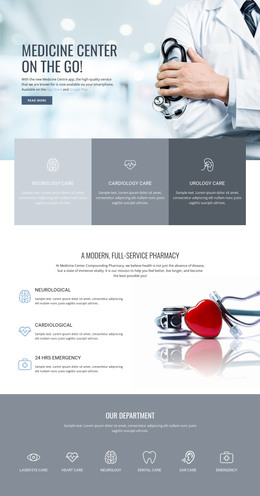
The design separates permanent healthcare information into clear page-oriented areas. The opening hero introduces the organization and its primary message, while the two care-category cards provide broad content before the four repeated service cards distinguish Hospitalists, Pediatrics, Critical Care, and Laboratory. These service units can be understood as stable informational content areas, each with its own image, description, and Learn more action.
The page also contains several groups that can remain visually consistent as content develops. How We Work presents an organizational explanation, and Goals and Mission, About Clinic, and Work with Us divide supporting information into three separate cards. The Healthcare Services section adds another service-oriented content area, while the values block provides three related text columns. This combination suits a healthcare site that needs to maintain permanent information while continuing to refine descriptions, images, and organizational messaging.
The team and testimonial sections introduce recurring content relationships without asserting that the displayed names represent verified real people. Three portrait cards show organizational roles, and four testimonial entries form a distinct customer-comment area. The final Contact Us block contains the visible name, email, telephone, and message inputs, giving the page a defined place for visitor requests. In a WordPress-oriented project, these page sections, repeated cards, shared navigation, and contact content can remain part of one visual system as the site adds or updates managed information.
Customize with Nicepage
Open this ready-made template in the WordPress Website Builder and customize it visually in the Nicepage editor. Replace demo content, edit page sections, and adapt the design to your project without rebuilding the template from scratch.
Manage and Edit This Theme in WordPress
Customize and Install the WordPress Theme
Start with this ready-made theme instead of building the WordPress design from scratch. Customize its layout, content, typography, images, sections, and other design elements visually in Nicepage editor, then export and install the WordPress Theme, Plugin, and Pages on your WordPress site. The Nicepage WordPress Plugin lets you continue working with the site after installation.
Edit the Theme Directly in WordPress
After installation, you can edit the WordPress Theme directly in WordPress with the Nicepage WordPress Plugin. Use Site Style to customize site Colors, Fonts, Header, Footer, Blog, and Post Page Templates while working within your WordPress website.
Edit WordPress Pages Visually
Use the Nicepage WordPress Plugin to edit page content directly from the WordPress admin area. Open a WordPress Page with Nicepage and visually change its text, images, sections, and other page elements while continuing to manage the Page through WordPress.
WordPress Content and Theme Integration
Use the customized theme with WordPress Pages, Posts, Blog and Post Templates, menus, widgets, and other CMS-managed content. Shared theme elements such as Colors, Fonts, Header, Footer, Blog, and Post Page Templates can be managed as part of the overall site design, while WordPress provides the CMS environment for managing site content.
This workflow combines a ready-made WordPress Theme with visual customization, direct theme editing in WordPress, and continued content management through the Nicepage WordPress Plugin.