Therapy center WordPress Theme



Edit Template Offline
2. Create new page and search for id 6152165
Edit Template Online
Create Awesome Websites


Free Nicepage Builder
Keywords
Therapy Cards Leave Room for Managed Page Content
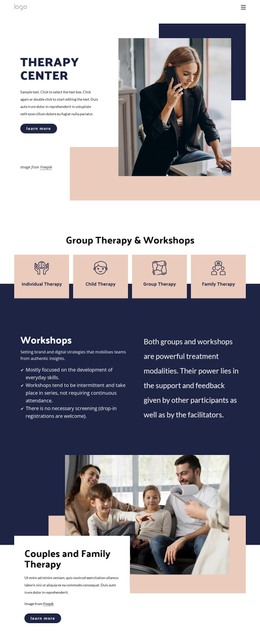
The four repeated service cards provide a clear set of permanent page-oriented content areas: Individual Therapy, Child Therapy, Group Therapy, and Family Therapy. Their shared visual treatment makes them suitable for presenting related service information within one WordPress theme, while the separate headings preserve distinctions between the audiences or formats described by each category. The opening Therapy Center section can serve as the broad introduction that connects those areas.
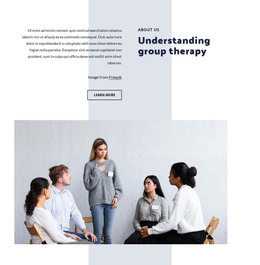
Other parts of the design support content that may need fuller explanation or regular revision. The Workshops section has room for descriptive copy and a benefits list, while the Couples and Family Therapy and Psychology and Counselling sections pair service-focused text with prominent imagery. The two group therapy sections create different editorial roles: one introduces the subject, and the other provides a more detailed explanation. These relationships give the theme more content depth than a simple list of services.
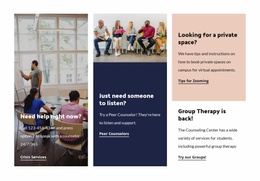
The support tiles can be interpreted as a separate set of practical resources, including crisis services, peer counselors, private-space guidance, and group-therapy access. The Contact Us area then joins a form with telephone information, creating a clear page endpoint for inquiries. Navigation links for Home Page, About, and Our Team, along with the dark footer, provide shared site elements around the page content. In a WordPress-managed project, these defined areas can keep permanent service information and later editorial additions within the same calm visual system without asserting that blog or post structures already exist.
Customize with Nicepage
Open this ready-made template in the WordPress Website Builder and customize it visually in the Nicepage editor. Replace demo content, edit page sections, and adapt the design to your project without rebuilding the template from scratch.
Manage and Edit This Theme in WordPress
Customize and Install the WordPress Theme
Start with this ready-made theme instead of building the WordPress design from scratch. Customize its layout, content, typography, images, sections, and other design elements visually in Nicepage editor, then export and install the WordPress Theme, Plugin, and Pages on your WordPress site. The Nicepage WordPress Plugin lets you continue working with the site after installation.
Edit the Theme Directly in WordPress
After installation, you can edit the WordPress Theme directly in WordPress with the Nicepage WordPress Plugin. Use Site Style to customize site Colors, Fonts, Header, Footer, Blog, and Post Page Templates while working within your WordPress website.
Edit WordPress Pages Visually
Use the Nicepage WordPress Plugin to edit page content directly from the WordPress admin area. Open a WordPress Page with Nicepage and visually change its text, images, sections, and other page elements while continuing to manage the Page through WordPress.
WordPress Content and Theme Integration
Use the customized theme with WordPress Pages, Posts, Blog and Post Templates, menus, widgets, and other CMS-managed content. Shared theme elements such as Colors, Fonts, Header, Footer, Blog, and Post Page Templates can be managed as part of the overall site design, while WordPress provides the CMS environment for managing site content.
This workflow combines a ready-made WordPress Theme with visual customization, direct theme editing in WordPress, and continued content management through the Nicepage WordPress Plugin.