Mental Health WordPress Theme


Stable Guidance Content for a WordPress-Managed Page
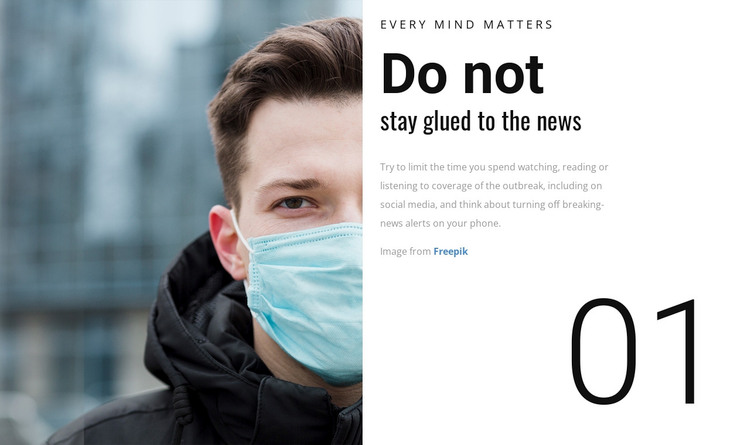
The section reads as permanent informational content rather than as a time-sensitive post feed. “Every Mind Matters” introduces the topic, the paired heading states “Do not stay glued to the news,” and the supporting paragraph develops the advice about limiting attention to outbreak coverage, including social media. That makes the block suitable for a stable health-guidance area on a broader page, while other WordPress-managed content can handle related topics, updates, or supporting resources separately.
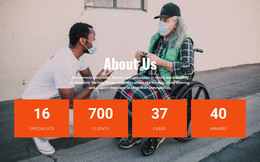
The portrait and section number strengthen the content’s page identity. The masked person gives visitors an immediate visual cue about the health context, and “01” can help distinguish this guidance from other numbered sections if the wider project uses a sequence. The central white panel keeps the copy readable and makes the block easy to recognize when it appears among other page sections. Its static behavior keeps all of the guidance visible without depending on a post listing, widget, or CMS-specific component inside the block.
Nicepage’s WordPress Pages workflow provides relevant project context for placing designed content in WordPress. The block remains one reusable page section, while the surrounding WordPress site determines its broader publishing structure and related content.
Customize with Nicepage
Open this ready-made template in the WordPress Website Builder and customize it visually in the Nicepage editor. Replace demo content, edit page sections, and adapt the design to your project without rebuilding the template from scratch.
Edit Template Offline
2. Create a new page or select existing
3. Click Add new block, search for id 80080 and click enter
Edit Template Online
Create Awesome Websites


Free Nicepage Builder
Keywords
Manage and Edit This Theme in WordPress
Customize and Install the WordPress Theme
Start with this ready-made theme instead of building the WordPress design from scratch. Customize its layout, content, typography, images, sections, and other design elements visually in Nicepage editor, then export and install the WordPress Theme, Plugin, and Pages on your WordPress site. The Nicepage WordPress Plugin lets you continue working with the site after installation.
Edit the Theme Directly in WordPress
After installation, you can edit the WordPress Theme directly in WordPress with the Nicepage WordPress Plugin. Use Site Style to customize site Colors, Fonts, Header, Footer, Blog, and Post Page Templates while working within your WordPress website.
Edit WordPress Pages Visually
Use the Nicepage WordPress Plugin to edit page content directly from the WordPress admin area. Open a WordPress Page with Nicepage and visually change its text, images, sections, and other page elements while continuing to manage the Page through WordPress.
WordPress Content and Theme Integration
Use the customized theme with WordPress Pages, Posts, Blog and Post Templates, menus, widgets, and other CMS-managed content. Shared theme elements such as Colors, Fonts, Header, Footer, Blog, and Post Page Templates can be managed as part of the overall site design, while WordPress provides the CMS environment for managing site content.
This workflow combines a ready-made WordPress Theme with visual customization, direct theme editing in WordPress, and continued content management through the Nicepage WordPress Plugin.