Professional Mental Care WordPress Theme


Edit Template Offline
2. Create new page and search for id 6613494
Edit Template Online
Create Awesome Websites


Free Nicepage Builder
Keywords
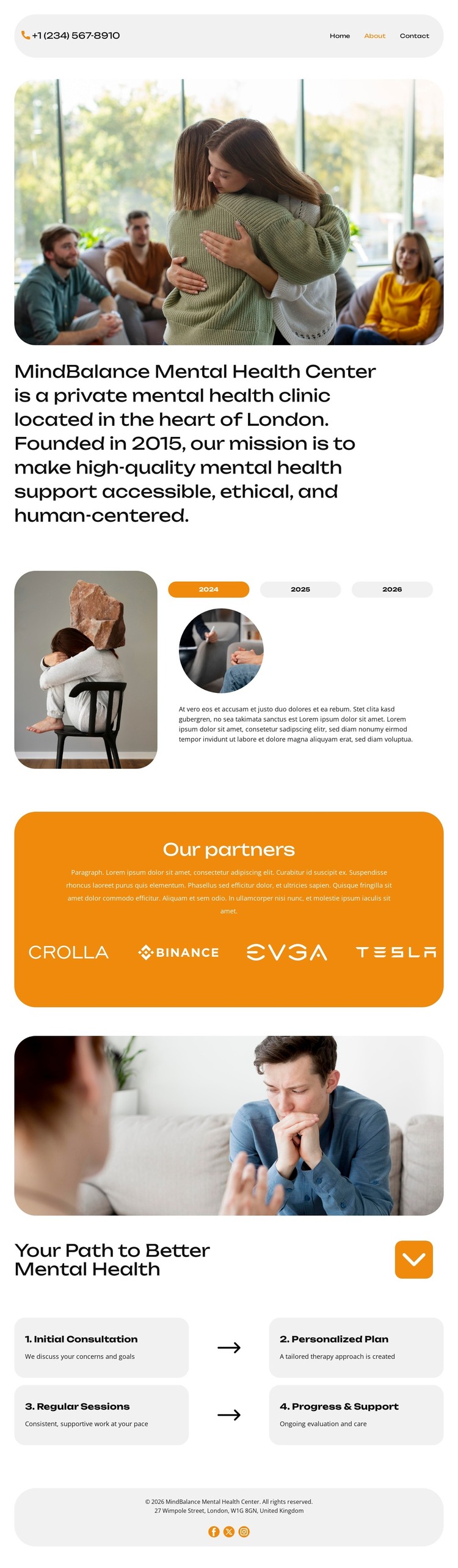
Page Content and Repeated Care Cards Suit a Managed Clinic Theme
The page separates permanent clinic information from repeated process content in a way that can translate naturally to a WordPress-managed site. The main statement, counseling imagery, and contact details form stable page-oriented content for the clinic’s identity. The three-tab story area adds a distinct narrative region with an image, year selectors, and an “Order a call” action; however, the displayed years and sample text are structural examples and should not be presented as verified milestones.
The four rounded cards offer a different content relationship. Initial Consultation, Personalized Plan, Regular Sessions, and Progress & Support are repeated informational units with a shared visual treatment, making them suitable for maintaining a consistent care-path explanation as wording changes. The partner panel can similarly hold recurring organization or support information, although the supplied analysis does not verify the visible logos as actual partnerships. The footer’s address and social links provide shared site context around these page areas.
This interpretation uses WordPress as a content environment for permanent clinic pages and repeatable informational material, not as proof that Posts, categories, or blog structures already exist in the template. The design’s navigation, image-led sections, tabbed content, support cards, and contact region give a WordPress project a coherent visual and editorial starting point. Future content can remain connected to the same human-centered design direction while the confirmed About-page structure stays intact.
Customize with Nicepage
Open this ready-made template in the WordPress Website Builder and customize it visually in the Nicepage editor. Replace demo content, edit page sections, and adapt the design to your project without rebuilding the template from scratch.
Manage and Edit This Theme in WordPress
Customize and Install the WordPress Theme
Start with this ready-made theme instead of building the WordPress design from scratch. Customize its layout, content, typography, images, sections, and other design elements visually in Nicepage editor, then export and install the WordPress Theme, Plugin, and Pages on your WordPress site. The Nicepage WordPress Plugin lets you continue working with the site after installation.
Edit the Theme Directly in WordPress
After installation, you can edit the WordPress Theme directly in WordPress with the Nicepage WordPress Plugin. Use Site Style to customize site Colors, Fonts, Header, Footer, Blog, and Post Page Templates while working within your WordPress website.
Edit WordPress Pages Visually
Use the Nicepage WordPress Plugin to edit page content directly from the WordPress admin area. Open a WordPress Page with Nicepage and visually change its text, images, sections, and other page elements while continuing to manage the Page through WordPress.
WordPress Content and Theme Integration
Use the customized theme with WordPress Pages, Posts, Blog and Post Templates, menus, widgets, and other CMS-managed content. Shared theme elements such as Colors, Fonts, Header, Footer, Blog, and Post Page Templates can be managed as part of the overall site design, while WordPress provides the CMS environment for managing site content.
This workflow combines a ready-made WordPress Theme with visual customization, direct theme editing in WordPress, and continued content management through the Nicepage WordPress Plugin.