Business lunch discount WordPress Theme


Story-Led Restaurant Content in a Split Page Section
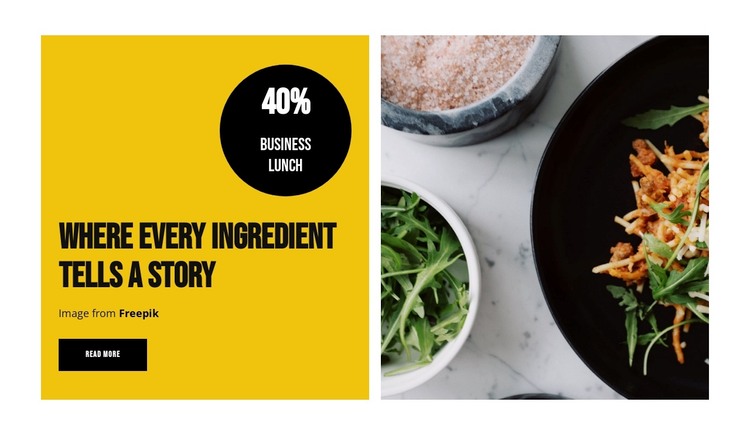
The heading, promotional badge, and food image give this section a stable piece of page content rather than a collection of unrelated decorative elements. “Where every ingredient tells a story” supplies the main editorial direction, while the circular badge visibly frames “40%” and “business lunch” as the section’s featured promotion. The right-side photograph reinforces the dining subject through visual presentation, and the small “read more” button leaves room for a wider page to provide the destination or fuller details.
Within a WordPress-managed site, this block can fit naturally as a featured restaurant section on a permanent page, such as an introduction, dining overview, or promotional area. Its content remains understandable as one bounded region: a text-and-offer panel paired with one supporting image. That makes it possible to place the section alongside other page content without asking it to carry the entire site structure. The yellow background and black accents can also help distinguish this content area from neighboring sections while preserving a consistent visual direction. The displayed discount should function as presentation content for the section, with final promotional terms maintained according to the surrounding project’s publishing needs.
Customize with Nicepage
Open this ready-made template in the WordPress Website Builder and customize it visually in the Nicepage editor. Replace demo content, edit page sections, and adapt the design to your project without rebuilding the template from scratch.
Edit Template Offline
2. Create a new page or select existing
3. Click Add new block, search for id 5709679 and click enter
Edit Template Online
Create Awesome Websites


Free Nicepage Builder
Keywords
Manage and Edit This Theme in WordPress
Customize and Install the WordPress Theme
Start with this ready-made theme instead of building the WordPress design from scratch. Customize its layout, content, typography, images, sections, and other design elements visually in Nicepage editor, then export and install the WordPress Theme, Plugin, and Pages on your WordPress site. The Nicepage WordPress Plugin lets you continue working with the site after installation.
Edit the Theme Directly in WordPress
After installation, you can edit the WordPress Theme directly in WordPress with the Nicepage WordPress Plugin. Use Site Style to customize site Colors, Fonts, Header, Footer, Blog, and Post Page Templates while working within your WordPress website.
Edit WordPress Pages Visually
Use the Nicepage WordPress Plugin to edit page content directly from the WordPress admin area. Open a WordPress Page with Nicepage and visually change its text, images, sections, and other page elements while continuing to manage the Page through WordPress.
WordPress Content and Theme Integration
Use the customized theme with WordPress Pages, Posts, Blog and Post Templates, menus, widgets, and other CMS-managed content. Shared theme elements such as Colors, Fonts, Header, Footer, Blog, and Post Page Templates can be managed as part of the overall site design, while WordPress provides the CMS environment for managing site content.
This workflow combines a ready-made WordPress Theme with visual customization, direct theme editing in WordPress, and continued content management through the Nicepage WordPress Plugin.