Pizzeria WordPress Theme



Edit Template Offline
2. Create new page and search for id 3955090
Edit Template Online
Create Awesome Websites


Free Nicepage Builder
Keywords
Repeated Menu Content Gives WordPress Pages a Clear Restaurant Structure
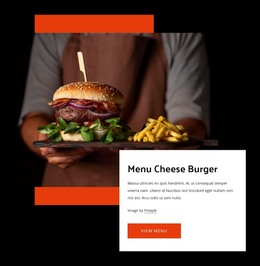
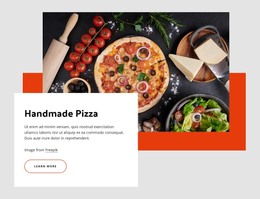
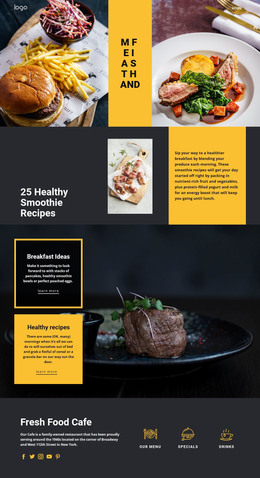
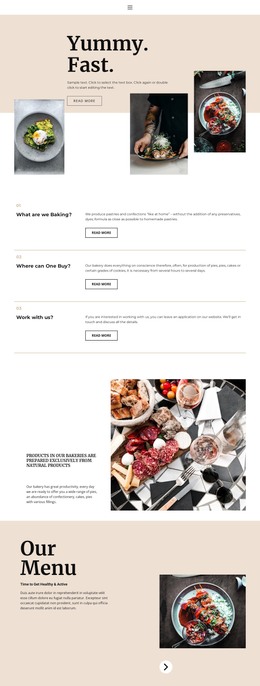
The six pizza cards form the strongest repeated content area in this design, pairing food images with names and descriptions in a consistent visual group. That makes them a useful starting point for interpreting the page as a WordPress-managed restaurant design: permanent page information can remain visually coordinated while recurring menu content is organized into recognizable sections. The separate dark listings for appetizers and heroes provide another relationship between related offerings and distinct content areas.
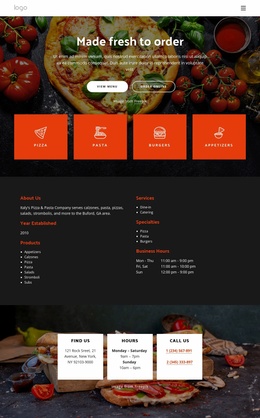
The four category shortcuts broaden the structure beyond one product list by connecting About Us, Delicacy, Pizza, and Pasta with the restaurant's wider content. The Our Story block then gives the design a page-oriented narrative area, while the Great Pizza feature provides a focused promotional section. These parts could support different kinds of managed restaurant content without claiming that WordPress Posts, categories, or blog structures already exist in the source template.
At the bottom, address, opening hours, and phone details are grouped into three cards, making practical restaurant information easy to preserve as part of the site design. WordPress Pages and other CMS-managed content can be interpreted around these verified areas, while the theme's food photography, dark panels, orange accents, and menu typography maintain a consistent visual direction. The central benefit is a clear relationship between repeatable menu information and permanent restaurant context.
Customize with Nicepage
Open this ready-made template in the WordPress Website Builder and customize it visually in the Nicepage editor. Replace demo content, edit page sections, and adapt the design to your project without rebuilding the template from scratch.
Manage and Edit This Theme in WordPress
Customize and Install the WordPress Theme
Start with this ready-made theme instead of building the WordPress design from scratch. Customize its layout, content, typography, images, sections, and other design elements visually in Nicepage editor, then export and install the WordPress Theme, Plugin, and Pages on your WordPress site. The Nicepage WordPress Plugin lets you continue working with the site after installation.
Edit the Theme Directly in WordPress
After installation, you can edit the WordPress Theme directly in WordPress with the Nicepage WordPress Plugin. Use Site Style to customize site Colors, Fonts, Header, Footer, Blog, and Post Page Templates while working within your WordPress website.
Edit WordPress Pages Visually
Use the Nicepage WordPress Plugin to edit page content directly from the WordPress admin area. Open a WordPress Page with Nicepage and visually change its text, images, sections, and other page elements while continuing to manage the Page through WordPress.
WordPress Content and Theme Integration
Use the customized theme with WordPress Pages, Posts, Blog and Post Templates, menus, widgets, and other CMS-managed content. Shared theme elements such as Colors, Fonts, Header, Footer, Blog, and Post Page Templates can be managed as part of the overall site design, while WordPress provides the CMS environment for managing site content.
This workflow combines a ready-made WordPress Theme with visual customization, direct theme editing in WordPress, and continued content management through the Nicepage WordPress Plugin.