Book a free advice call now WordPress Theme


Appointment Content With a Clear Page-Oriented Structure
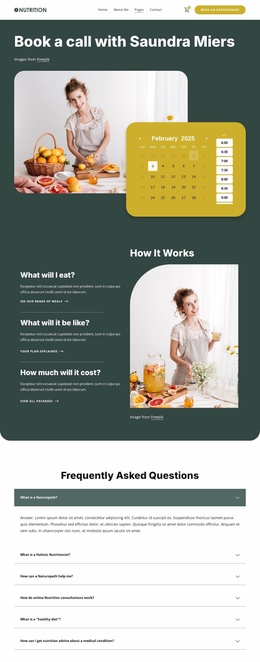
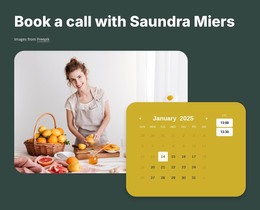
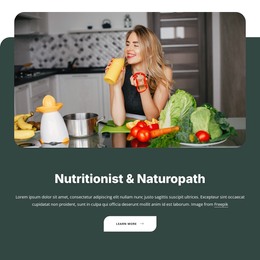
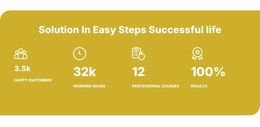
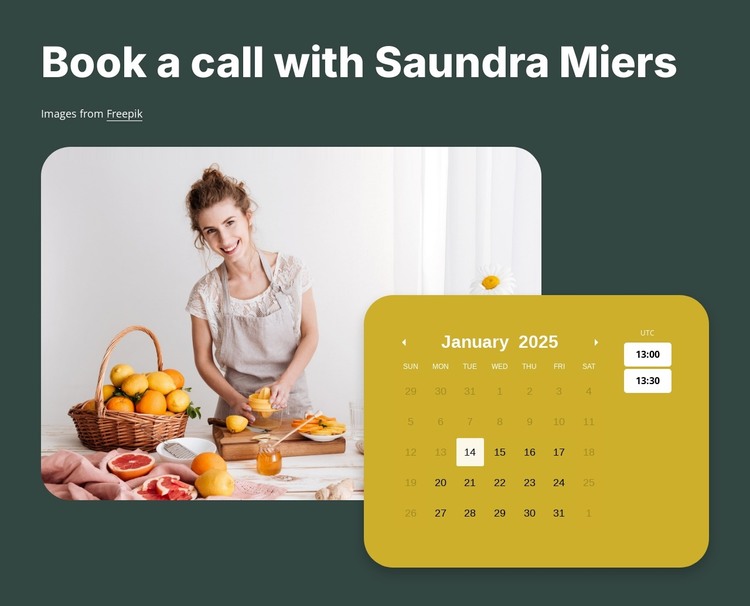
The heading “Book a call with Saundra Miers” gives this section a stable page-content role rather than a time-sensitive list or article stream. It introduces an appointment task, while the large rounded image of a woman preparing citrus fruit provides visual context for the service setting. The calendar panel overlaps the image’s lower-right edge and displays selectable dates and time slots, making the section suitable for a page where visitors are expected to choose an appointment time.
The block’s structure is easy to preserve within a WordPress-managed page because its main content groups are already distinct. The heading and credit provide the introduction, the image carries supporting context, and the mustard-yellow calendar concentrates the scheduling interface. Dark green and white create the surrounding contrast, while the yellow panel separates the date-and-time choices from the photographic area without requiring the entire page to adopt the same arrangement.
In a WordPress-oriented project, this block can remain a reusable visual section within permanent page content while the broader site manages other pages and editorial areas separately. The section does not need to become a complete theme to be useful: its contribution is the focused appointment area and its recognizable visual treatment. Related content can explain the service before the block, and confirmation or contact information can follow it.
Customize with Nicepage
Open this ready-made template in the WordPress Website Builder and customize it visually in the Nicepage editor. Replace demo content, edit page sections, and adapt the design to your project without rebuilding the template from scratch.
Edit Template Offline
2. Create a new page or select existing
3. Click Add new block, search for id 6427115 and click enter
Edit Template Online
Create Awesome Websites


Free Nicepage Builder
Keywords
Manage and Edit This Theme in WordPress
Customize and Install the WordPress Theme
Start with this ready-made theme instead of building the WordPress design from scratch. Customize its layout, content, typography, images, sections, and other design elements visually in Nicepage editor, then export and install the WordPress Theme, Plugin, and Pages on your WordPress site. The Nicepage WordPress Plugin lets you continue working with the site after installation.
Edit the Theme Directly in WordPress
After installation, you can edit the WordPress Theme directly in WordPress with the Nicepage WordPress Plugin. Use Site Style to customize site Colors, Fonts, Header, Footer, Blog, and Post Page Templates while working within your WordPress website.
Edit WordPress Pages Visually
Use the Nicepage WordPress Plugin to edit page content directly from the WordPress admin area. Open a WordPress Page with Nicepage and visually change its text, images, sections, and other page elements while continuing to manage the Page through WordPress.
WordPress Content and Theme Integration
Use the customized theme with WordPress Pages, Posts, Blog and Post Templates, menus, widgets, and other CMS-managed content. Shared theme elements such as Colors, Fonts, Header, Footer, Blog, and Post Page Templates can be managed as part of the overall site design, while WordPress provides the CMS environment for managing site content.
This workflow combines a ready-made WordPress Theme with visual customization, direct theme editing in WordPress, and continued content management through the Nicepage WordPress Plugin.