About our founder WordPress Theme


Edit Template Offline
2. Create new page and search for id 6083110
Edit Template Online
Create Awesome Websites


Free Nicepage Builder
Keywords
Founder Content and Food Imagery Give the Theme Clear Page Roles
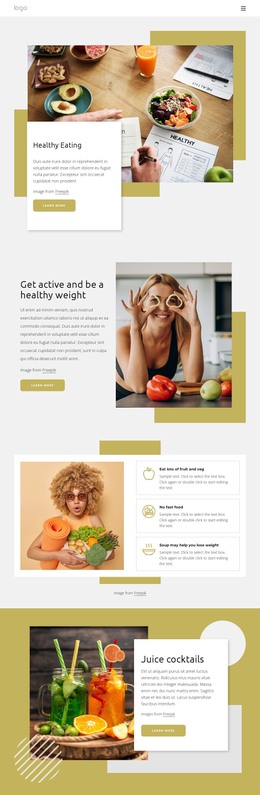
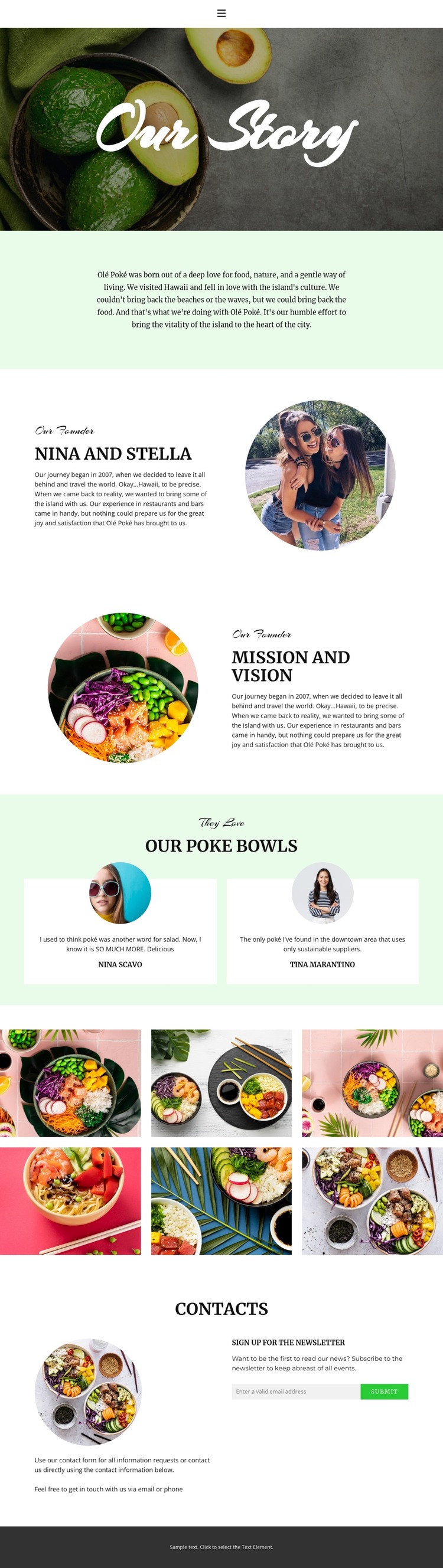
The permanent story content is divided into recognizable page areas that can remain central to a WordPress-managed restaurant site. The opening Our Story section and Hawaiian-inspired origin statement provide page-oriented background, while the founder panel gives Nina and Stella a dedicated identity section. The reversed mission-and-vision panel adds another durable content area, allowing the brand’s values to sit beside the people and food that define the page.
The two testimonial cards and six-image food gallery create repeated content patterns with different editorial roles. Testimonials can represent customer perspective, while the gallery presents the visual subject of the poke bowls through six images. Keeping these roles distinct helps the theme accommodate both explanatory pages and content that may be refreshed as the restaurant’s story, dishes, or customer feedback develops. The circular portraits also connect the repeated content visually to the founder section.
The contact area combines supporting text with a newsletter subscription form, making it a clear communication region rather than another decorative block. Navigation, mobile navigation, and the dark footer provide shared site elements around the page content. In a WordPress theme context, this separation between lasting brand pages, repeated visual content, and newsletter communication gives the design a practical content model without claiming that blog posts or other CMS structures are already present.
Customize with Nicepage
Open this ready-made template in the WordPress Website Builder and customize it visually in the Nicepage editor. Replace demo content, edit page sections, and adapt the design to your project without rebuilding the template from scratch.
Manage and Edit This Theme in WordPress
Customize and Install the WordPress Theme
Start with this ready-made theme instead of building the WordPress design from scratch. Customize its layout, content, typography, images, sections, and other design elements visually in Nicepage editor, then export and install the WordPress Theme, Plugin, and Pages on your WordPress site. The Nicepage WordPress Plugin lets you continue working with the site after installation.
Edit the Theme Directly in WordPress
After installation, you can edit the WordPress Theme directly in WordPress with the Nicepage WordPress Plugin. Use Site Style to customize site Colors, Fonts, Header, Footer, Blog, and Post Page Templates while working within your WordPress website.
Edit WordPress Pages Visually
Use the Nicepage WordPress Plugin to edit page content directly from the WordPress admin area. Open a WordPress Page with Nicepage and visually change its text, images, sections, and other page elements while continuing to manage the Page through WordPress.
WordPress Content and Theme Integration
Use the customized theme with WordPress Pages, Posts, Blog and Post Templates, menus, widgets, and other CMS-managed content. Shared theme elements such as Colors, Fonts, Header, Footer, Blog, and Post Page Templates can be managed as part of the overall site design, while WordPress provides the CMS environment for managing site content.
This workflow combines a ready-made WordPress Theme with visual customization, direct theme editing in WordPress, and continued content management through the Nicepage WordPress Plugin.