Healthy way of eating food WordPress Theme


Edit Template Offline
2. Create new page and search for id 78417
Edit Template Online
Create Awesome Websites


Free Nicepage Builder
Keywords
Page-Oriented Food Content Can Grow Around the Breakfast Theme
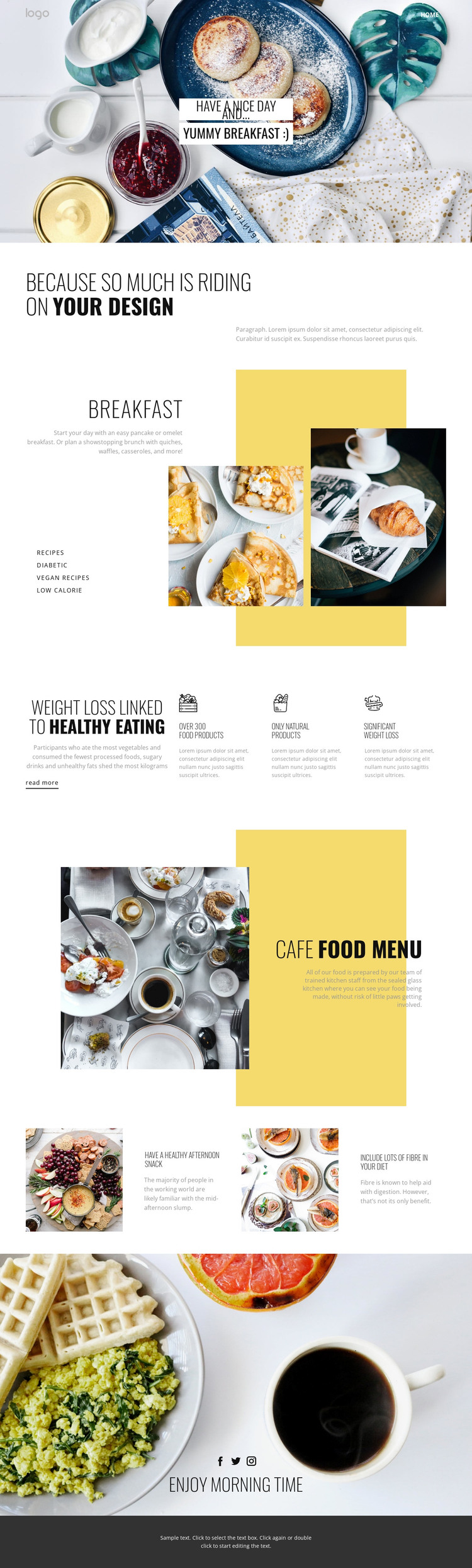
The design offers several permanent page-content areas that can translate naturally into a WordPress-managed project. The breakfast category section is especially useful because recipes, diabetic, vegan recipes, and low-calorie topics are already separated visually. Those areas can remain stable page content while the surrounding text and images are adapted for the actual cafe or food project. The analysis confirms the categories as template content, but it does not confirm WordPress Posts, categories, or a blog structure already present.
The healthy-eating feature row and the two practical tip blocks create a second interpretation: they can support recurring editorial material around food choices and daily habits. The cafe food menu, by contrast, is a more permanent offering-oriented region, pairing a large image with a yellow-backed heading and description. Keeping those roles distinct helps a WordPress site combine lasting menu or information pages with content that may be updated more frequently, without changing the core visual character.
The logo area, Home navigation, social links, and footer provide shared site elements around the page content. If the project later introduces articles or announcements, their imagery and headings can follow the established breakfast photography, condensed typography, and yellow accent language. The theme therefore works as a WordPress-oriented foundation for organized food pages and possible editorial growth, while avoiding the unsupported claim that posts or WordPress-specific components already exist.
Customize with Nicepage
Open this ready-made template in the WordPress Website Builder and customize it visually in the Nicepage editor. Replace demo content, edit page sections, and adapt the design to your project without rebuilding the template from scratch.
Manage and Edit This Theme in WordPress
Customize and Install the WordPress Theme
Start with this ready-made theme instead of building the WordPress design from scratch. Customize its layout, content, typography, images, sections, and other design elements visually in Nicepage editor, then export and install the WordPress Theme, Plugin, and Pages on your WordPress site. The Nicepage WordPress Plugin lets you continue working with the site after installation.
Edit the Theme Directly in WordPress
After installation, you can edit the WordPress Theme directly in WordPress with the Nicepage WordPress Plugin. Use Site Style to customize site Colors, Fonts, Header, Footer, Blog, and Post Page Templates while working within your WordPress website.
Edit WordPress Pages Visually
Use the Nicepage WordPress Plugin to edit page content directly from the WordPress admin area. Open a WordPress Page with Nicepage and visually change its text, images, sections, and other page elements while continuing to manage the Page through WordPress.
WordPress Content and Theme Integration
Use the customized theme with WordPress Pages, Posts, Blog and Post Templates, menus, widgets, and other CMS-managed content. Shared theme elements such as Colors, Fonts, Header, Footer, Blog, and Post Page Templates can be managed as part of the overall site design, while WordPress provides the CMS environment for managing site content.
This workflow combines a ready-made WordPress Theme with visual customization, direct theme editing in WordPress, and continued content management through the Nicepage WordPress Plugin.