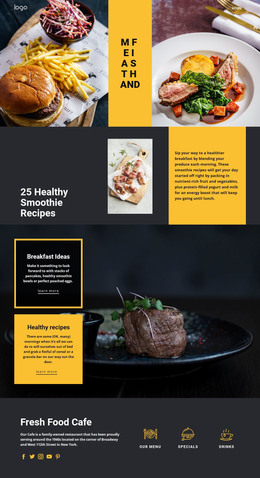
Dining on the lake WordPress Theme



Edit Template Offline
2. Create new page and search for id 91384
Edit Template Online
Create Awesome Websites


Free Nicepage Builder
Keywords
Burger Products and Recurring Food Content Fit a Managed Theme Structure
The burger menu gives the design a clear page-oriented content area: six named products are presented with images, displayed prices, and add-to-cart actions. In a WordPress project, that visual arrangement can provide the starting context for restaurant product or menu content while keeping each item inside the same image-led theme direction. The six numbered food categories offer a different kind of repeated content, grouping Fresh Food, Dinner Meals, Classic Menu, Chef's Special, Pasta & Pizza, and Vegan Dishes into a recognizable overview.
The breakfast and delivery sections add stable service information around those menu areas, while the two-slide carousel provides a compact editorial presentation for Pizza & Roll and Burgers. This combination makes the page suitable for a site where permanent restaurant information can sit alongside content that may be expanded or updated over time. The Subscribe section is especially useful as a shared communication region because it combines an email form with location and social-link areas rather than isolating the form from the rest of the site. Navigation, mobile navigation, and the footer provide additional shared site elements that can preserve the design character around other content. The template does not prove that WordPress Posts, categories, or blog structures already exist; its value is the way its menu, service, product, and communication regions can accommodate WordPress-managed page content without losing the restaurant's visual identity.
Customize with Nicepage
Open this ready-made template in the WordPress Website Builder and customize it visually in the Nicepage editor. Replace demo content, edit page sections, and adapt the design to your project without rebuilding the template from scratch.
Manage and Edit This Theme in WordPress
Customize and Install the WordPress Theme
Start with this ready-made theme instead of building the WordPress design from scratch. Customize its layout, content, typography, images, sections, and other design elements visually in Nicepage editor, then export and install the WordPress Theme, Plugin, and Pages on your WordPress site. The Nicepage WordPress Plugin lets you continue working with the site after installation.
Edit the Theme Directly in WordPress
After installation, you can edit the WordPress Theme directly in WordPress with the Nicepage WordPress Plugin. Use Site Style to customize site Colors, Fonts, Header, Footer, Blog, and Post Page Templates while working within your WordPress website.
Edit WordPress Pages Visually
Use the Nicepage WordPress Plugin to edit page content directly from the WordPress admin area. Open a WordPress Page with Nicepage and visually change its text, images, sections, and other page elements while continuing to manage the Page through WordPress.
WordPress Content and Theme Integration
Use the customized theme with WordPress Pages, Posts, Blog and Post Templates, menus, widgets, and other CMS-managed content. Shared theme elements such as Colors, Fonts, Header, Footer, Blog, and Post Page Templates can be managed as part of the overall site design, while WordPress provides the CMS environment for managing site content.
This workflow combines a ready-made WordPress Theme with visual customization, direct theme editing in WordPress, and continued content management through the Nicepage WordPress Plugin.