Breads bakery NYC WordPress Theme



Edit Template Offline
2. Create new page and search for id 3264603
Edit Template Online
Create Awesome Websites


Free Nicepage Builder
Keywords
Product Pages and Editorial Bakery Content Share One Visual System
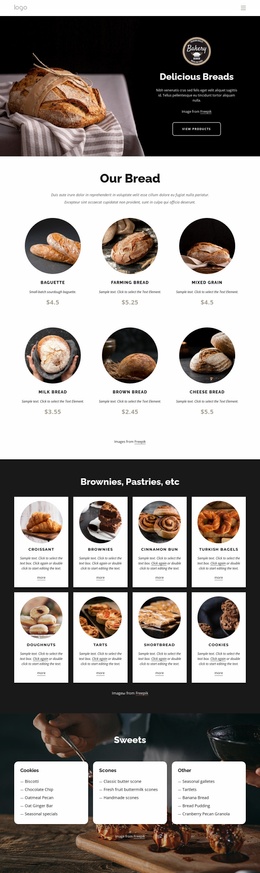
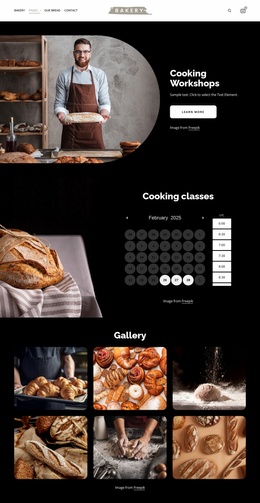
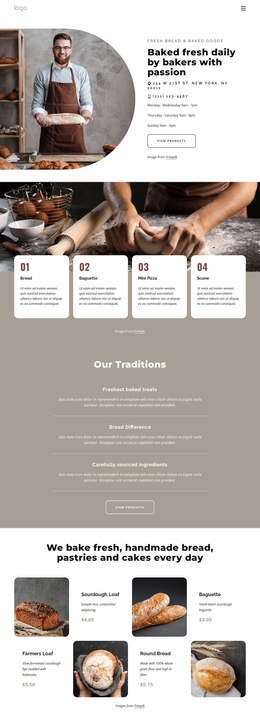
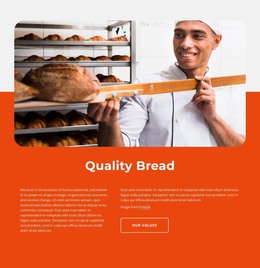
The page-oriented content is especially clear in the product and bakery information areas. Eight repeated cards present a varied assortment from croissants and brownies to doughnuts, tarts, shortbread, and cookies, giving permanent bakery content a consistent visual treatment. The four-image bread gallery adds supporting visual material, while the About Bakery section divides editorial information into six topics covering people, values, history, culture, ingredients, and the bakery. These areas have different content roles, yet the warm palette, bold headings, rounded imagery, and card presentation keep them connected.
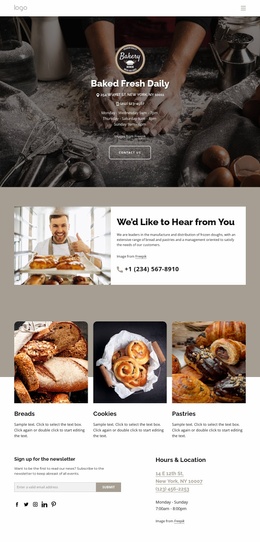
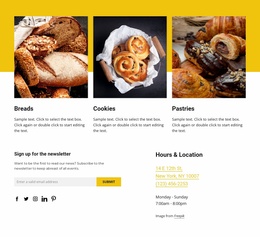
Six testimonial entries introduce another repeated content group that can sit beside product and informational material without being confused with either. The three category cards near the newsletter section offer a compact product-navigation layer, while Hours & Location details and the footer provide shared site information. Two newsletter forms create recurring subscription points, and the dark footer gathers Quick Links, Help, contact, social, and subscription content. This combination gives a WordPress-oriented project a useful distinction between enduring bakery pages, product-oriented content, customer responses, and shared site regions. It does not require assuming that blog posts, categories, or other CMS structures already exist; instead, the verified design supplies content relationships that can be mapped into a managed site while preserving the original bakery identity. The theme’s value lies in that continuity between page content and shared visual direction.
Customize with Nicepage
Open this ready-made template in the WordPress Website Builder and customize it visually in the Nicepage editor. Replace demo content, edit page sections, and adapt the design to your project without rebuilding the template from scratch.
Manage and Edit This Theme in WordPress
Customize and Install the WordPress Theme
Start with this ready-made theme instead of building the WordPress design from scratch. Customize its layout, content, typography, images, sections, and other design elements visually in Nicepage editor, then export and install the WordPress Theme, Plugin, and Pages on your WordPress site. The Nicepage WordPress Plugin lets you continue working with the site after installation.
Edit the Theme Directly in WordPress
After installation, you can edit the WordPress Theme directly in WordPress with the Nicepage WordPress Plugin. Use Site Style to customize site Colors, Fonts, Header, Footer, Blog, and Post Page Templates while working within your WordPress website.
Edit WordPress Pages Visually
Use the Nicepage WordPress Plugin to edit page content directly from the WordPress admin area. Open a WordPress Page with Nicepage and visually change its text, images, sections, and other page elements while continuing to manage the Page through WordPress.
WordPress Content and Theme Integration
Use the customized theme with WordPress Pages, Posts, Blog and Post Templates, menus, widgets, and other CMS-managed content. Shared theme elements such as Colors, Fonts, Header, Footer, Blog, and Post Page Templates can be managed as part of the overall site design, while WordPress provides the CMS environment for managing site content.
This workflow combines a ready-made WordPress Theme with visual customization, direct theme editing in WordPress, and continued content management through the Nicepage WordPress Plugin.