Learn to cook WordPress Theme



Edit Template Offline
2. Create new page and search for id 3125134
Edit Template Online
Create Awesome Websites


Free Nicepage Builder
Keywords
Class Information and Culinary Categories Create Clear WordPress Content Areas
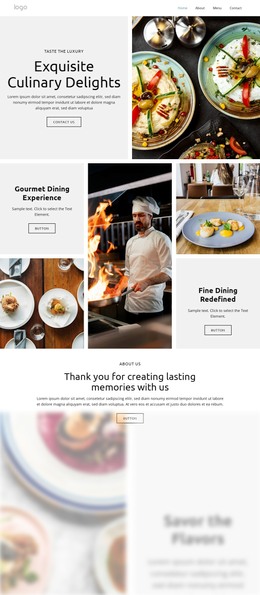
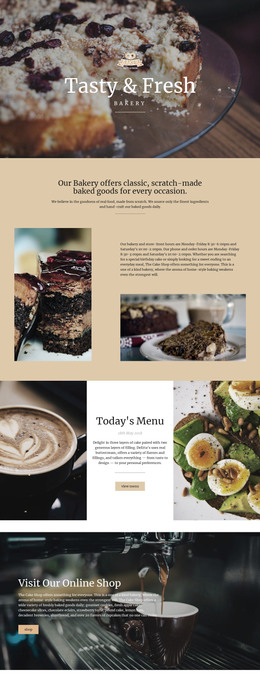
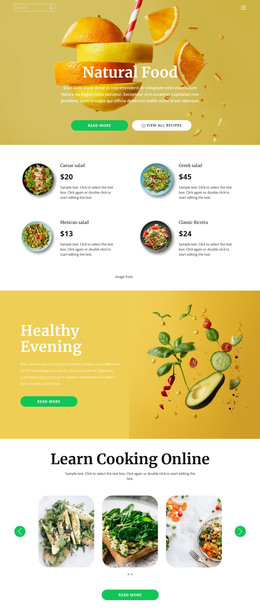
The page's permanent information is easy to distinguish from its repeated culinary subjects. The hero and the Online Cooking Classes section can represent core page content for explaining the school and its teaching offer, while the Cooking Classes and traditional-cooking blocks provide additional areas for course or service descriptions. The chef and food photography gives those areas a common visual direction, but the content roles remain separate enough to support a managed site structure.
The six food-category cards provide a different kind of content relationship. Fresh Food, Dinner Meals, Classic Menu, Chef's Special, Pasta & Pizza, and Vegan Dishes form a repeatable set that could be maintained as related culinary topics or project-specific categories if the final site requires them. This interpretation does not claim that WordPress posts, categories, or blog entries already exist in the template; it identifies where recurring content could naturally fit around the verified design.
Mission, Vision & History and Why Us add editorial context about the organization and its value, while the Contact Us section contains more permanent practical information: contact channels, location, business hours, and an inquiry form. A WordPress-managed project can keep those page-oriented areas visually connected to the recurring food content as the school updates its material. The result is a theme concept that supports both stable school information and expandable culinary content without reducing the design to a CMS label.
Customize with Nicepage
Open this ready-made template in the WordPress Website Builder and customize it visually in the Nicepage editor. Replace demo content, edit page sections, and adapt the design to your project without rebuilding the template from scratch.
Manage and Edit This Theme in WordPress
Customize and Install the WordPress Theme
Start with this ready-made theme instead of building the WordPress design from scratch. Customize its layout, content, typography, images, sections, and other design elements visually in Nicepage editor, then export and install the WordPress Theme, Plugin, and Pages on your WordPress site. The Nicepage WordPress Plugin lets you continue working with the site after installation.
Edit the Theme Directly in WordPress
After installation, you can edit the WordPress Theme directly in WordPress with the Nicepage WordPress Plugin. Use Site Style to customize site Colors, Fonts, Header, Footer, Blog, and Post Page Templates while working within your WordPress website.
Edit WordPress Pages Visually
Use the Nicepage WordPress Plugin to edit page content directly from the WordPress admin area. Open a WordPress Page with Nicepage and visually change its text, images, sections, and other page elements while continuing to manage the Page through WordPress.
WordPress Content and Theme Integration
Use the customized theme with WordPress Pages, Posts, Blog and Post Templates, menus, widgets, and other CMS-managed content. Shared theme elements such as Colors, Fonts, Header, Footer, Blog, and Post Page Templates can be managed as part of the overall site design, while WordPress provides the CMS environment for managing site content.
This workflow combines a ready-made WordPress Theme with visual customization, direct theme editing in WordPress, and continued content management through the Nicepage WordPress Plugin.