Social and features WordPress Theme


Icon-Led Features as Stable WordPress Page Content
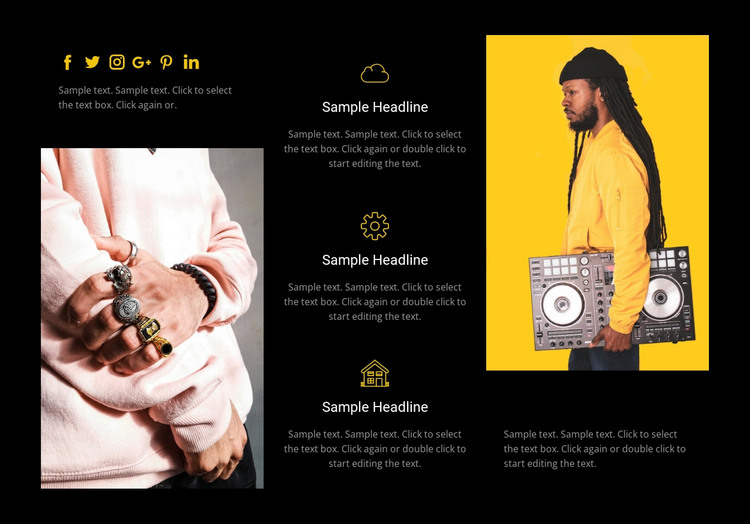
The center column is built around three repeatable feature groups, each pairing an icon with a heading and a paragraph. That content model reads naturally as stable page information: a concise set of highlights that can remain part of a services, features, or personal-style section while the surrounding WordPress-managed site develops other content. The vertical stack keeps the information focused, rather than spreading the same three ideas across a wide row.
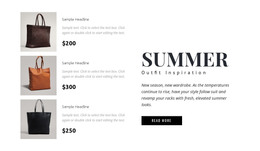
Two tall fashion-oriented photographs give the section its strongest visual anchors. They sit on opposite sides of the centered feature column, creating a deliberate relationship between editorial imagery and explanatory text. Six social icons in the upper-left area provide a separate social-links point, while supporting paragraphs near the right image add context without interrupting the feature sequence. The black background, yellow accent graphics, and light gray text reinforce the distinction between visual framing and readable content.
Within a WordPress-oriented project, this block can function as a permanent page section that complements other publishable areas around it. It may suit a fashion, personal-style, or visually led business page where visitors need a short set of highlighted ideas alongside social and image content. The section does not need to carry the whole site structure; instead, it supplies a defined content region that can sit consistently within a broader WordPress theme and page layout.
Customize with Nicepage
Open this ready-made template in the WordPress Website Builder and customize it visually in the Nicepage editor. Replace demo content, edit page sections, and adapt the design to your project without rebuilding the template from scratch.
Edit Template Offline
2. Create a new page or select existing
3. Click Add new block, search for id 56512 and click enter
Edit Template Online
Create Awesome Websites


Free Nicepage Builder
Keywords
Manage and Edit This Theme in WordPress
Customize and Install the WordPress Theme
Start with this ready-made theme instead of building the WordPress design from scratch. Customize its layout, content, typography, images, sections, and other design elements visually in Nicepage editor, then export and install the WordPress Theme, Plugin, and Pages on your WordPress site. The Nicepage WordPress Plugin lets you continue working with the site after installation.
Edit the Theme Directly in WordPress
After installation, you can edit the WordPress Theme directly in WordPress with the Nicepage WordPress Plugin. Use Site Style to customize site Colors, Fonts, Header, Footer, Blog, and Post Page Templates while working within your WordPress website.
Edit WordPress Pages Visually
Use the Nicepage WordPress Plugin to edit page content directly from the WordPress admin area. Open a WordPress Page with Nicepage and visually change its text, images, sections, and other page elements while continuing to manage the Page through WordPress.
WordPress Content and Theme Integration
Use the customized theme with WordPress Pages, Posts, Blog and Post Templates, menus, widgets, and other CMS-managed content. Shared theme elements such as Colors, Fonts, Header, Footer, Blog, and Post Page Templates can be managed as part of the overall site design, while WordPress provides the CMS environment for managing site content.
This workflow combines a ready-made WordPress Theme with visual customization, direct theme editing in WordPress, and continued content management through the Nicepage WordPress Plugin.