Lists in two columns WordPress Theme


Stable Page Content for Campsite Services and Activities
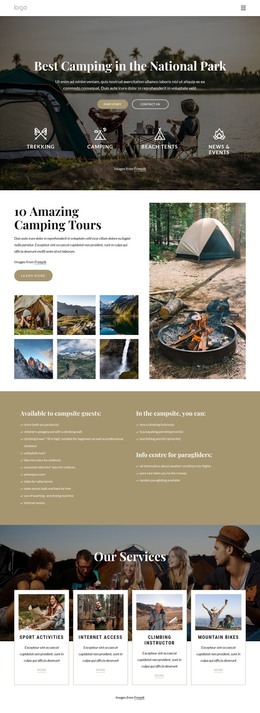
The left column gives this section a durable page-content role by gathering 11 amenities available to campsite guests. The list covers practical and recreational provisions such as an eco-products store, climbing facilities, bike hire, volleyball, pétanque, table tennis, washing equipment, and internet access. Because these entries describe the section's service information rather than a time-sensitive sequence, they can remain part of a stable campsite page while the wider site develops around them.
The right column provides a different content emphasis. Its upper group lists three campsite activities or permits, including kayaking and fishing permits. Beneath it, the paragliding information heading introduces flight weather information, para-taxi transport, and tandem paragliding. In a WordPress-managed project, keeping these groups visually distinct helps editors and visitors understand the difference between general amenities, activity access, and specialist information.
The two-column layout, headings, and repeated check marks form a reusable visual section rather than a complete theme or site. Other CMS-managed pages can provide booking, location, imagery, or contact content around it. For a project using Nicepage with WordPress, the WordPress Theme, Plugin, and Pages workflow describes the broader environment in which sections like this can participate.
Customize with Nicepage
Open this ready-made template in the WordPress Website Builder and customize it visually in the Nicepage editor. Replace demo content, edit page sections, and adapt the design to your project without rebuilding the template from scratch.
Edit Template Offline
2. Create a new page or select existing
3. Click Add new block, search for id 2632374 and click enter
Edit Template Online
Create Awesome Websites


Free Nicepage Builder
Keywords
Manage and Edit This Theme in WordPress
Customize and Install the WordPress Theme
Start with this ready-made theme instead of building the WordPress design from scratch. Customize its layout, content, typography, images, sections, and other design elements visually in Nicepage editor, then export and install the WordPress Theme, Plugin, and Pages on your WordPress site. The Nicepage WordPress Plugin lets you continue working with the site after installation.
Edit the Theme Directly in WordPress
After installation, you can edit the WordPress Theme directly in WordPress with the Nicepage WordPress Plugin. Use Site Style to customize site Colors, Fonts, Header, Footer, Blog, and Post Page Templates while working within your WordPress website.
Edit WordPress Pages Visually
Use the Nicepage WordPress Plugin to edit page content directly from the WordPress admin area. Open a WordPress Page with Nicepage and visually change its text, images, sections, and other page elements while continuing to manage the Page through WordPress.
WordPress Content and Theme Integration
Use the customized theme with WordPress Pages, Posts, Blog and Post Templates, menus, widgets, and other CMS-managed content. Shared theme elements such as Colors, Fonts, Header, Footer, Blog, and Post Page Templates can be managed as part of the overall site design, while WordPress provides the CMS environment for managing site content.
This workflow combines a ready-made WordPress Theme with visual customization, direct theme editing in WordPress, and continued content management through the Nicepage WordPress Plugin.