Sport activities in the camp HTML Template


Six activities arranged as a ready-made outdoor section
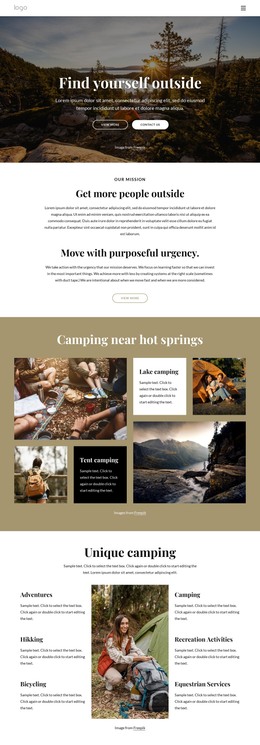
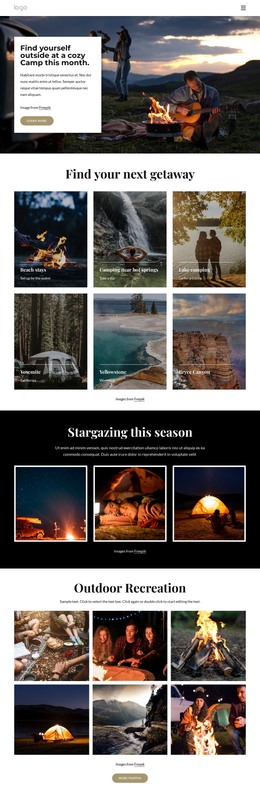
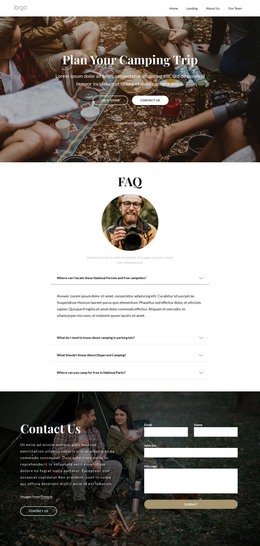
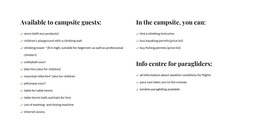
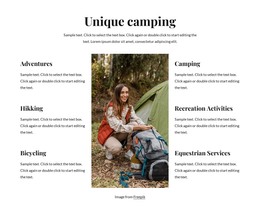
The six-item activity list gives this block a clear services function inside a static HTML page. Climbing tower, Table tennis, Volleyball, Bowling, Climbing wall for children, and Gym room are grouped beneath the “Sport activities” heading, allowing visitors to scan the available recreation choices before reading the supporting detail. The list is not isolated from the visual story: an outdoor camping photograph occupies the upper-right area, while a second photograph balances the lower-left side of the composition.
On the opposite side, two descriptive paragraphs lead into a separate four-item feature list and a single Learn more button. This creates a complete content arrangement for one recreation or amenities section while leaving navigation, introductory content, and other page areas to surrounding blocks. The white background, generous spacing, large serif heading, compact sans-serif copy, and muted olive rounded button establish a restrained visual direction that can sit naturally within a static HTML page focused on camping or outdoor activities. The section can therefore be placed as a finished, readable content unit rather than assembled from unrelated elements. Its two-column asymmetry also gives the containing page a deliberate editorial pause between broader content sections.
Customize with Nicepage
Open this ready-made template in the HTML Builder and customize it visually in the Nicepage editor. Replace demo content, edit page sections, and adapt the design to your project without rebuilding the template from scratch.
Edit Template Offline
2. Create a new page or select existing
3. Click Add new block, search for id 2632520 and click enter
Edit Template Online
Create Awesome Websites


Free Nicepage Builder
Keywords
Use This Block in a Static HTML Page
Start With a Ready-Made Section
A block provides one prepared content area that can be combined with other sections to build a static HTML page. Customize its text, images, spacing, colors, and other elements in the Nicepage editor while keeping the block focused on its own purpose, such as services, testimonials, pricing, contact information, or visual presentation.
Export the Containing HTML Project
When the page or website that contains the block is ready, use HTML Export to create the files required for a static HTML project. The export applies to the containing page/site rather than turning one individual block into a complete website by itself.
Reuse the Section Within the Project
The same block design can be adapted as one content section within a larger static site. Other Blocks can provide navigation, introductions, portfolios, forms, footers, and additional page content while this section keeps its own verified content and layout role.
This workflow makes the block useful as a ready-made section inside a static HTML implementation, with export and deployment handled at the page or website level.