Find your perfect travel WordPress Theme


Edit Template Offline
2. Create new page and search for id 39481
Edit Template Online
Create Awesome Websites


Free Nicepage Builder
Keywords
Resource Cards and Page Sections Give Travel Content Clear WordPress Areas
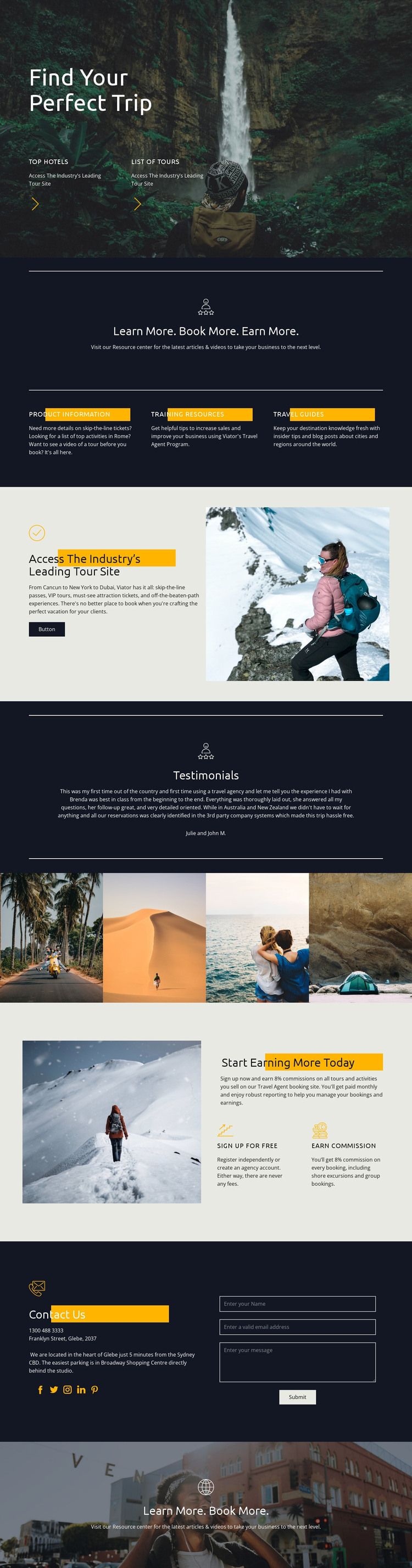
The three resource cards provide the clearest page-oriented content groups in this design. Product Information, Training Resources, and Travel Guides are distinct subjects that can remain visually related while receiving their own managed text and imagery in a WordPress project. The opening hero adds a separate discovery context through Top Hotels and List of Tours, giving the site a natural front-page introduction before visitors reach the supporting resource content.
The tour-site promotion and the agent recruitment section serve different content purposes. One explains access to travel booking information beside a destination photograph and button; the other addresses participation through sign-up and earning language with two supporting benefits. Keeping those relationships distinct helps a WordPress-oriented implementation organize permanent page content without treating every section as the same kind of message. The testimonial and four-image destination strip can support trust and visual storytelling around the more informational areas.
The contact block is another clearly defined page region, combining contact information, social links, and a form. If the project later adds regularly updated travel stories or announcements, those additions would need to be verified and planned separately rather than assumed from this page. The existing design already supplies a coherent visual environment for page content, however: discovery, resources, tour access, proof, agent opportunity, and contact are connected by consistent photography and typography. That mapping makes the theme a practical starting point for WordPress content without turning CMS concepts into unsupported existing components.
Customize with Nicepage
Open this ready-made template in the WordPress Website Builder and customize it visually in the Nicepage editor. Replace demo content, edit page sections, and adapt the design to your project without rebuilding the template from scratch.
Manage and Edit This Theme in WordPress
Customize and Install the WordPress Theme
Start with this ready-made theme instead of building the WordPress design from scratch. Customize its layout, content, typography, images, sections, and other design elements visually in Nicepage editor, then export and install the WordPress Theme, Plugin, and Pages on your WordPress site. The Nicepage WordPress Plugin lets you continue working with the site after installation.
Edit the Theme Directly in WordPress
After installation, you can edit the WordPress Theme directly in WordPress with the Nicepage WordPress Plugin. Use Site Style to customize site Colors, Fonts, Header, Footer, Blog, and Post Page Templates while working within your WordPress website.
Edit WordPress Pages Visually
Use the Nicepage WordPress Plugin to edit page content directly from the WordPress admin area. Open a WordPress Page with Nicepage and visually change its text, images, sections, and other page elements while continuing to manage the Page through WordPress.
WordPress Content and Theme Integration
Use the customized theme with WordPress Pages, Posts, Blog and Post Templates, menus, widgets, and other CMS-managed content. Shared theme elements such as Colors, Fonts, Header, Footer, Blog, and Post Page Templates can be managed as part of the overall site design, while WordPress provides the CMS environment for managing site content.
This workflow combines a ready-made WordPress Theme with visual customization, direct theme editing in WordPress, and continued content management through the Nicepage WordPress Plugin.