Going on a camping trip WordPress Theme



Edit Template Offline
2. Create new page and search for id 2650335
Edit Template Online
Create Awesome Websites


Free Nicepage Builder
Keywords
Destination Content and Reservation Pages Share One Visual Direction
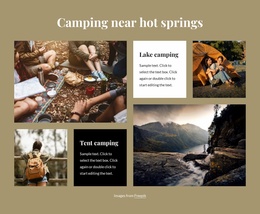
The six destination tiles create a useful page-oriented content pattern for a camping site because each item combines an image with a short destination label. Beach stays, hot-spring camping, lake camping, Yosemite, Yellowstone, and Bryce Canyon can be understood as separate subject areas within the same visual presentation, without claiming that any particular CMS content type already exists in the template.
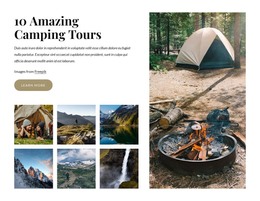
The two galleries add a different kind of content relationship. The three-image stargazing section works as a focused seasonal feature, while the six-image outdoor recreation gallery gives the design a broader collection area followed by a More photos action. Together, they can support a mixture of permanent destination information and changing visual content while retaining the dark-image, white-panel character established by the hero.
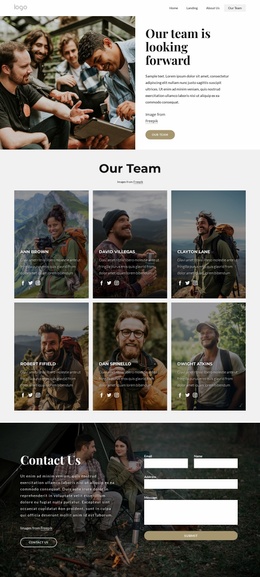
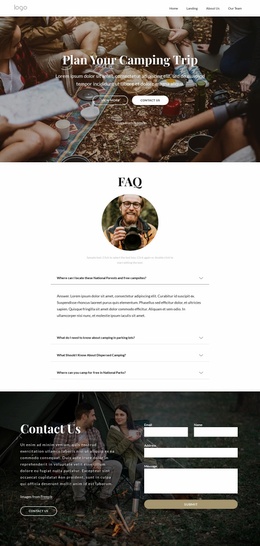
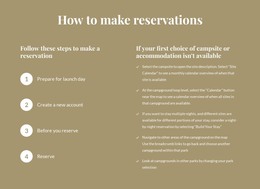
The reservation cards and recommendation cards supply additional reusable content regions. How to reserve, camping types, and services and amenities organize practical information, while hidden gems, cottage stays, and glamping broaden the accommodation story. The final contact section joins a Contact Us action with an inquiry form, providing a clear page area for questions about stays. In a WordPress-oriented project, this structure can support pages and regularly updated content while keeping navigation, imagery, and contact presentation coordinated.
Customize with Nicepage
Open this ready-made template in the WordPress Website Builder and customize it visually in the Nicepage editor. Replace demo content, edit page sections, and adapt the design to your project without rebuilding the template from scratch.
Manage and Edit This Theme in WordPress
Customize and Install the WordPress Theme
Start with this ready-made theme instead of building the WordPress design from scratch. Customize its layout, content, typography, images, sections, and other design elements visually in Nicepage editor, then export and install the WordPress Theme, Plugin, and Pages on your WordPress site. The Nicepage WordPress Plugin lets you continue working with the site after installation.
Edit the Theme Directly in WordPress
After installation, you can edit the WordPress Theme directly in WordPress with the Nicepage WordPress Plugin. Use Site Style to customize site Colors, Fonts, Header, Footer, Blog, and Post Page Templates while working within your WordPress website.
Edit WordPress Pages Visually
Use the Nicepage WordPress Plugin to edit page content directly from the WordPress admin area. Open a WordPress Page with Nicepage and visually change its text, images, sections, and other page elements while continuing to manage the Page through WordPress.
WordPress Content and Theme Integration
Use the customized theme with WordPress Pages, Posts, Blog and Post Templates, menus, widgets, and other CMS-managed content. Shared theme elements such as Colors, Fonts, Header, Footer, Blog, and Post Page Templates can be managed as part of the overall site design, while WordPress provides the CMS environment for managing site content.
This workflow combines a ready-made WordPress Theme with visual customization, direct theme editing in WordPress, and continued content management through the Nicepage WordPress Plugin.