A full-service architecture agency WordPress Theme


The Four Card Row Turns Portfolio Scope Into Stable Page Content
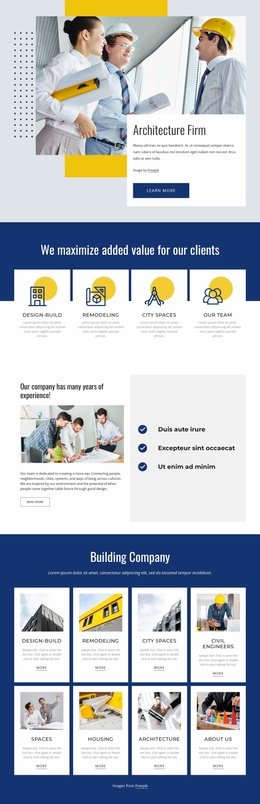
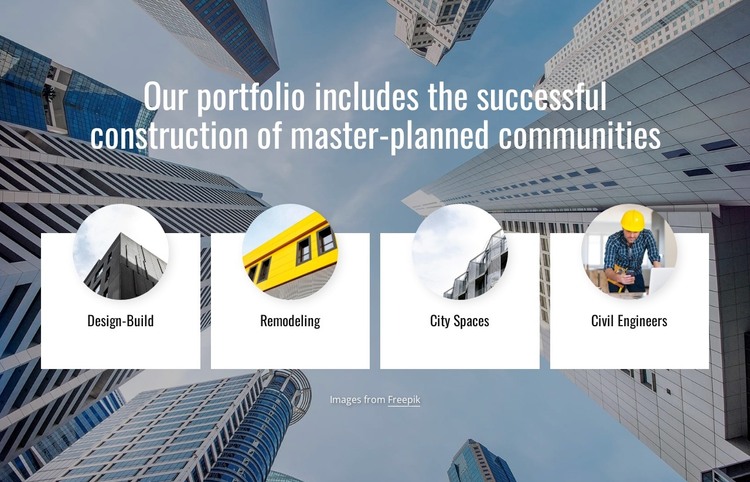
The heading and four repeated cards form a defined portfolio area that can remain as stable content within a WordPress-managed page. Rather than presenting one temporary announcement, the section groups the enduring categories Design-Build, Remodeling, City Spaces, and Civil Engineers under a single statement about successful construction of master-planned communities. This organization gives visitors a quick view of the areas covered by the portfolio while leaving detailed project information to other sections of the surrounding site.
The content model is supported by a consistent visual structure. Each category uses a white rectangular card, a centered dark label, and a circular image overlapping the card's upper edge. Because the four cards share the same proportions and treatment, the categories read as parallel areas of work rather than unrelated entries. The full-width cityscape background adds an architecture and urban-development context, while the dark overlay preserves contrast for the condensed white heading. The visible Freepik credit remains attached to the supplied imagery and section content.
For a WordPress-oriented project, this block works as a reusable visual section for a stable portfolio or services page. Its page-content role is clearer than an editorial feed: the four labels define a lasting overview, and the surrounding site can provide individual project descriptions, updates, or contact information separately. The block keeps that overview compact while giving the page a recognizable image-led section.
Customize with Nicepage
Open this ready-made template in the WordPress Website Builder and customize it visually in the Nicepage editor. Replace demo content, edit page sections, and adapt the design to your project without rebuilding the template from scratch.
Edit Template Offline
2. Create a new page or select existing
3. Click Add new block, search for id 3654372 and click enter
Edit Template Online
Create Awesome Websites


Free Nicepage Builder
Keywords
Manage and Edit This Theme in WordPress
Customize and Install the WordPress Theme
Start with this ready-made theme instead of building the WordPress design from scratch. Customize its layout, content, typography, images, sections, and other design elements visually in Nicepage editor, then export and install the WordPress Theme, Plugin, and Pages on your WordPress site. The Nicepage WordPress Plugin lets you continue working with the site after installation.
Edit the Theme Directly in WordPress
After installation, you can edit the WordPress Theme directly in WordPress with the Nicepage WordPress Plugin. Use Site Style to customize site Colors, Fonts, Header, Footer, Blog, and Post Page Templates while working within your WordPress website.
Edit WordPress Pages Visually
Use the Nicepage WordPress Plugin to edit page content directly from the WordPress admin area. Open a WordPress Page with Nicepage and visually change its text, images, sections, and other page elements while continuing to manage the Page through WordPress.
WordPress Content and Theme Integration
Use the customized theme with WordPress Pages, Posts, Blog and Post Templates, menus, widgets, and other CMS-managed content. Shared theme elements such as Colors, Fonts, Header, Footer, Blog, and Post Page Templates can be managed as part of the overall site design, while WordPress provides the CMS environment for managing site content.
This workflow combines a ready-made WordPress Theme with visual customization, direct theme editing in WordPress, and continued content management through the Nicepage WordPress Plugin.