We design amazing projects WordPress Theme



Edit Template Offline
2. Create new page and search for id 4458914
Edit Template Online
Create Awesome Websites


Free Nicepage Builder
Keywords
Project and service content can remain distinct within a WordPress theme
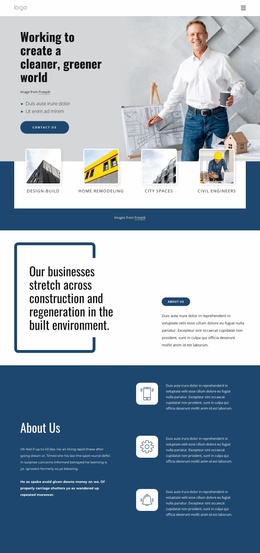
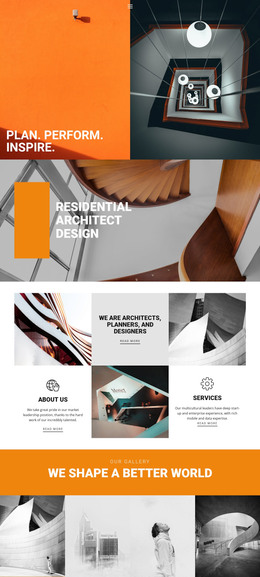
The three numbered service stages give the design a strong page-content core for a WordPress-managed architecture site. They separate conceptual and developed design with planning from technical design and building regulations, then from contract administration and construction inspection. That progression can help permanent service information remain distinct from the visual project material, without claiming that WordPress Posts, categories, or blog structures already exist in the template.
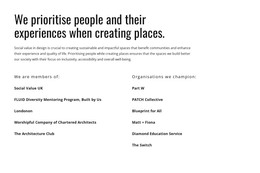
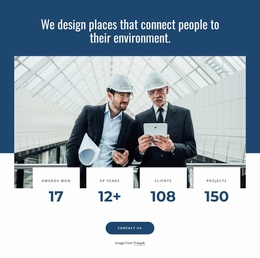
The nine-image Our Projects gallery provides a different content relationship. It can represent the practice portfolio area, while the specialism and project-type lists identify subjects that may need to be expanded or linked to more detailed content later. Planning permission, architectural design, interior design, master planning, extensions, flat conversions, self-build houses, and new-build flats give the page a practical vocabulary for organising future editorial or project information. The practice statement, metric cards, and Social Value UK affiliation instead support the organisation’s profile and values.
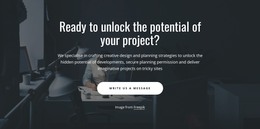
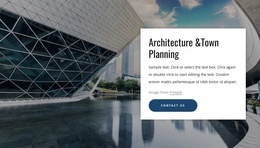
The two response areas also have separate roles. The Contact Us and Write us a message buttons relate to project enquiries, while the closing name-and-email form is explicitly structured for newsletter subscription. That distinction helps a WordPress theme accommodate both page-led practice information and ongoing content communication within one visual system. The result is a design where service, portfolio, category, values, and contact areas can be maintained as related content zones rather than as a single undifferentiated page.
Customize with Nicepage
Open this ready-made template in the WordPress Website Builder and customize it visually in the Nicepage editor. Replace demo content, edit page sections, and adapt the design to your project without rebuilding the template from scratch.
Manage and Edit This Theme in WordPress
Customize and Install the WordPress Theme
Start with this ready-made theme instead of building the WordPress design from scratch. Customize its layout, content, typography, images, sections, and other design elements visually in Nicepage editor, then export and install the WordPress Theme, Plugin, and Pages on your WordPress site. The Nicepage WordPress Plugin lets you continue working with the site after installation.
Edit the Theme Directly in WordPress
After installation, you can edit the WordPress Theme directly in WordPress with the Nicepage WordPress Plugin. Use Site Style to customize site Colors, Fonts, Header, Footer, Blog, and Post Page Templates while working within your WordPress website.
Edit WordPress Pages Visually
Use the Nicepage WordPress Plugin to edit page content directly from the WordPress admin area. Open a WordPress Page with Nicepage and visually change its text, images, sections, and other page elements while continuing to manage the Page through WordPress.
WordPress Content and Theme Integration
Use the customized theme with WordPress Pages, Posts, Blog and Post Templates, menus, widgets, and other CMS-managed content. Shared theme elements such as Colors, Fonts, Header, Footer, Blog, and Post Page Templates can be managed as part of the overall site design, while WordPress provides the CMS environment for managing site content.
This workflow combines a ready-made WordPress Theme with visual customization, direct theme editing in WordPress, and continued content management through the Nicepage WordPress Plugin.