Check out our projects WordPress Theme


Edit Template Offline
2. Create new page and search for id 376823
Edit Template Online
Create Awesome Websites


Free Nicepage Builder
Keywords
Project Content and Reusable Site Areas Suit WordPress Pages
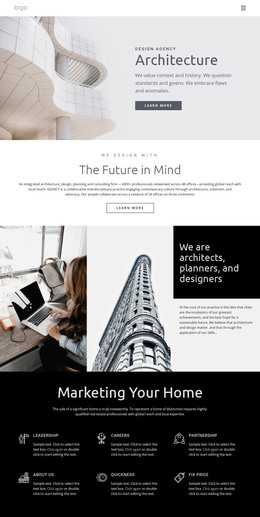
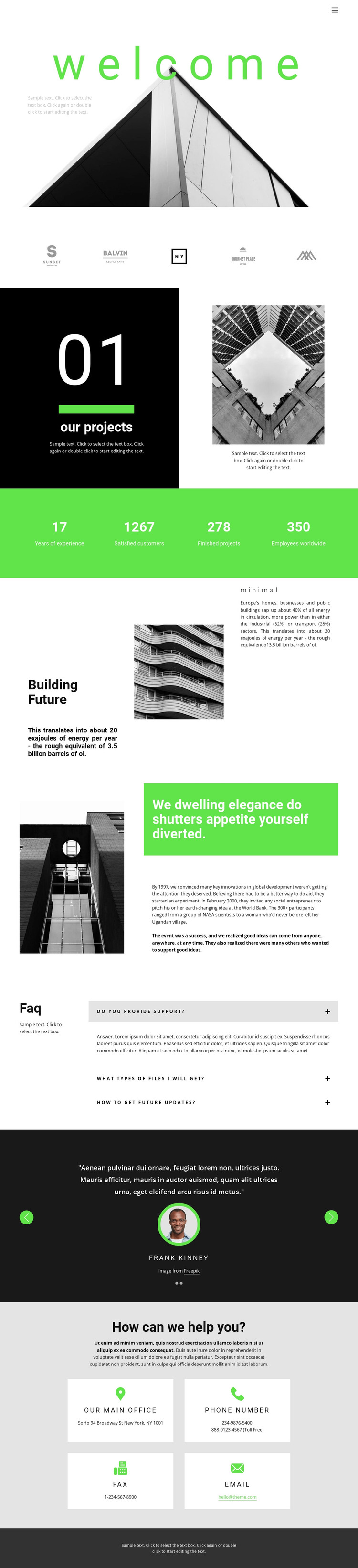
The page-oriented content is the strongest connection to a WordPress-managed interpretation. The welcome section can serve as introductory page content, while the “our projects” split and the architectural image sections create clear areas for project explanations and visual presentation. The Building Future and mission-style sections add longer background material, which can remain part of a permanent About page rather than being confused with regularly changing content.
The repeated structures provide further opportunities for organized WordPress content when the project expands. Four metric columns can display verified organizational figures, the three-item FAQ can answer recurring questions, and the testimonial carousel can present selected feedback as a separate content area. The four contact cards and shared navigation give the design stable site elements around those page sections. These are interpretations of the existing layout, not claims that WordPress Posts, categories, or blog templates already appear in the source. If the site later adds articles or announcements, their visual treatment would need to be created or assigned separately while preserving the architecture-focused palette and image language. The sample names, figures, addresses, and statements should also be replaced with real editorial content before publication. A WordPress theme would therefore extend this page-oriented design into a managed content environment rather than merely renaming the existing HTML structure.
Customize with Nicepage
Open this ready-made template in the WordPress Website Builder and customize it visually in the Nicepage editor. Replace demo content, edit page sections, and adapt the design to your project without rebuilding the template from scratch.
Manage and Edit This Theme in WordPress
Customize and Install the WordPress Theme
Start with this ready-made theme instead of building the WordPress design from scratch. Customize its layout, content, typography, images, sections, and other design elements visually in Nicepage editor, then export and install the WordPress Theme, Plugin, and Pages on your WordPress site. The Nicepage WordPress Plugin lets you continue working with the site after installation.
Edit the Theme Directly in WordPress
After installation, you can edit the WordPress Theme directly in WordPress with the Nicepage WordPress Plugin. Use Site Style to customize site Colors, Fonts, Header, Footer, Blog, and Post Page Templates while working within your WordPress website.
Edit WordPress Pages Visually
Use the Nicepage WordPress Plugin to edit page content directly from the WordPress admin area. Open a WordPress Page with Nicepage and visually change its text, images, sections, and other page elements while continuing to manage the Page through WordPress.
WordPress Content and Theme Integration
Use the customized theme with WordPress Pages, Posts, Blog and Post Templates, menus, widgets, and other CMS-managed content. Shared theme elements such as Colors, Fonts, Header, Footer, Blog, and Post Page Templates can be managed as part of the overall site design, while WordPress provides the CMS environment for managing site content.
This workflow combines a ready-made WordPress Theme with visual customization, direct theme editing in WordPress, and continued content management through the Nicepage WordPress Plugin.