Trekking travel tours WordPress Theme


Permanent Tour Content With a Visual Category Group
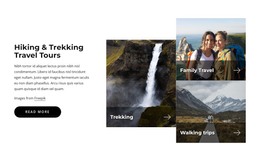
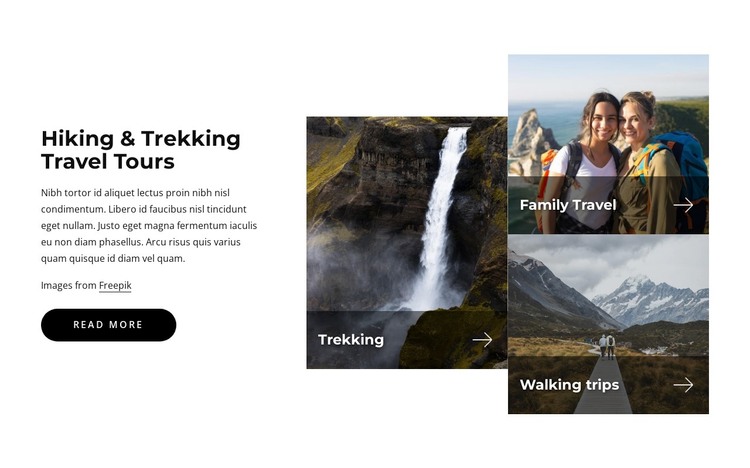
The left side of this section presents durable informational content rather than a stream of dated entries. “Hiking & Trekking Travel Tours” names the subject, the supporting paragraphs provide introductory context, and the “read more” button offers a route toward further information. On the right, the three labeled image tiles turn the main travel categories into a compact visual index: Trekking, Family Travel, and Walking trips each receive a distinct image area.
For a WordPress-managed page, this structure suits a stable services or offerings section that can remain part of a broader travel site while other content develops around it. The asymmetric arrangement gives the section a strong visual identity without requiring the block to carry navigation, page-wide structure, or every detail of the tour offering. One tall tile supplies emphasis, while the two stacked tiles make the remaining categories easy to compare.
The overlays are important to the content relationship. Their dark translucent treatment separates the white labels from the photography, and the repeated arrow marks suggest continuation without adding a second set of competing calls to action. The white background keeps the introductory copy readable, and the credit line preserves the image attribution. Together, these features make the block a coherent page-content region that can support a WordPress-oriented travel layout.
Customize with Nicepage
Open this ready-made template in the WordPress Website Builder and customize it visually in the Nicepage editor. Replace demo content, edit page sections, and adapt the design to your project without rebuilding the template from scratch.
Edit Template Offline
2. Create a new page or select existing
3. Click Add new block, search for id 2709609 and click enter
Edit Template Online
Create Awesome Websites


Free Nicepage Builder
Keywords
Manage and Edit This Theme in WordPress
Customize and Install the WordPress Theme
Start with this ready-made theme instead of building the WordPress design from scratch. Customize its layout, content, typography, images, sections, and other design elements visually in Nicepage editor, then export and install the WordPress Theme, Plugin, and Pages on your WordPress site. The Nicepage WordPress Plugin lets you continue working with the site after installation.
Edit the Theme Directly in WordPress
After installation, you can edit the WordPress Theme directly in WordPress with the Nicepage WordPress Plugin. Use Site Style to customize site Colors, Fonts, Header, Footer, Blog, and Post Page Templates while working within your WordPress website.
Edit WordPress Pages Visually
Use the Nicepage WordPress Plugin to edit page content directly from the WordPress admin area. Open a WordPress Page with Nicepage and visually change its text, images, sections, and other page elements while continuing to manage the Page through WordPress.
WordPress Content and Theme Integration
Use the customized theme with WordPress Pages, Posts, Blog and Post Templates, menus, widgets, and other CMS-managed content. Shared theme elements such as Colors, Fonts, Header, Footer, Blog, and Post Page Templates can be managed as part of the overall site design, while WordPress provides the CMS environment for managing site content.
This workflow combines a ready-made WordPress Theme with visual customization, direct theme editing in WordPress, and continued content management through the Nicepage WordPress Plugin.