Wellness and fitness club WordPress Theme


Stable Club Information for a WordPress-Managed Page Region
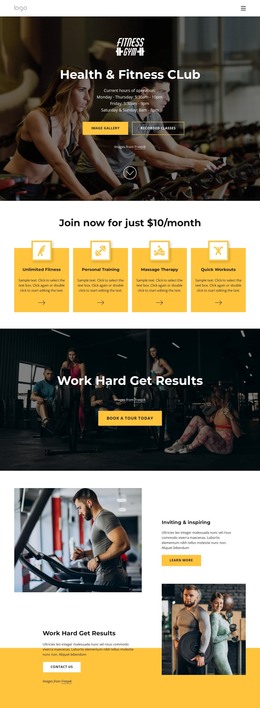
The centered logo, club heading, and three-line weekly schedule read as stable page content rather than time-sensitive editorial material. Visitors can identify the fitness club and check its operating hours in one compact region. The darkened exercise-bike photograph reinforces the subject visually, while the white typography preserves the information hierarchy over the full-width background.
The two resource buttons add practical destinations to the page content. Image Gallery and Recorded Classes can remain visible routes for visitors who want visual material or recorded resources after reading the schedule. Their yellow and outlined pill treatments give the controls different emphasis without requiring a more complex component. The arrangement is straightforward enough to retain its identity when the surrounding WordPress-managed page contains additional sections.
Within a WordPress-oriented project, this block can provide permanent hero content for a fitness-club page while other regions carry detailed services, membership information, articles, or contact material. The section's value comes from its stable combination of identity, hours, and resource access, not from assuming that posts or categories belong inside it. A broader site can manage related content around this visual area while the block preserves its centered image-led presentation. The attribution line remains attached to the photograph, keeping the media credit visible within the same content region.
Customize with Nicepage
Open this ready-made template in the WordPress Website Builder and customize it visually in the Nicepage editor. Replace demo content, edit page sections, and adapt the design to your project without rebuilding the template from scratch.
Edit Template Offline
2. Create a new page or select existing
3. Click Add new block, search for id 2646458 and click enter
Edit Template Online
Create Awesome Websites


Free Nicepage Builder
Keywords
Manage and Edit This Theme in WordPress
Customize and Install the WordPress Theme
Start with this ready-made theme instead of building the WordPress design from scratch. Customize its layout, content, typography, images, sections, and other design elements visually in Nicepage editor, then export and install the WordPress Theme, Plugin, and Pages on your WordPress site. The Nicepage WordPress Plugin lets you continue working with the site after installation.
Edit the Theme Directly in WordPress
After installation, you can edit the WordPress Theme directly in WordPress with the Nicepage WordPress Plugin. Use Site Style to customize site Colors, Fonts, Header, Footer, Blog, and Post Page Templates while working within your WordPress website.
Edit WordPress Pages Visually
Use the Nicepage WordPress Plugin to edit page content directly from the WordPress admin area. Open a WordPress Page with Nicepage and visually change its text, images, sections, and other page elements while continuing to manage the Page through WordPress.
WordPress Content and Theme Integration
Use the customized theme with WordPress Pages, Posts, Blog and Post Templates, menus, widgets, and other CMS-managed content. Shared theme elements such as Colors, Fonts, Header, Footer, Blog, and Post Page Templates can be managed as part of the overall site design, while WordPress provides the CMS environment for managing site content.
This workflow combines a ready-made WordPress Theme with visual customization, direct theme editing in WordPress, and continued content management through the Nicepage WordPress Plugin.